Introduction
This DIY bench power supply is one of my favourite builds so far. It started with an old printer. Instead of throwing it away, I salvaged its power supply board and its cooling fan, and turned them into a proper bench power supply with a 24 V and a 5 V output.
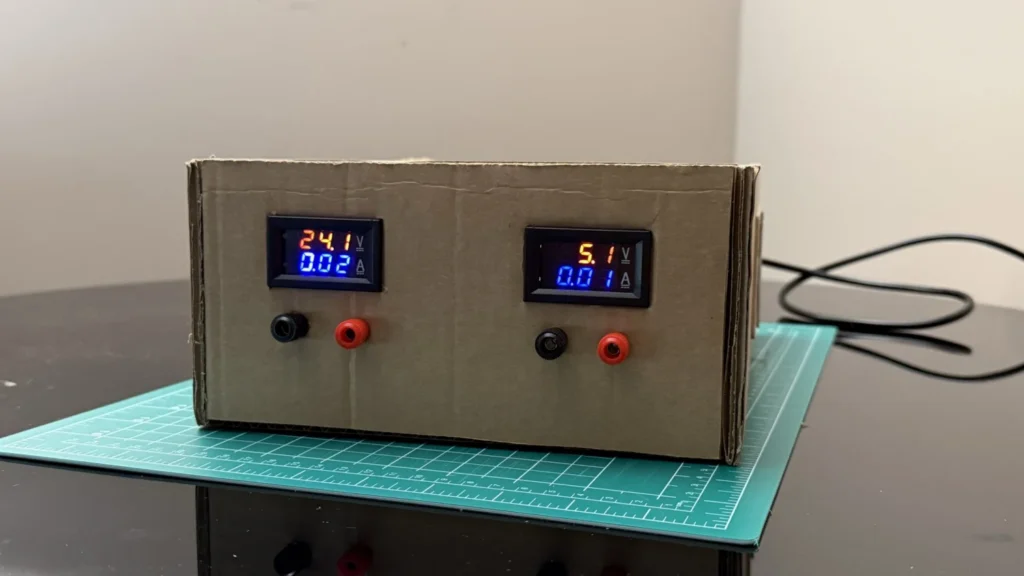
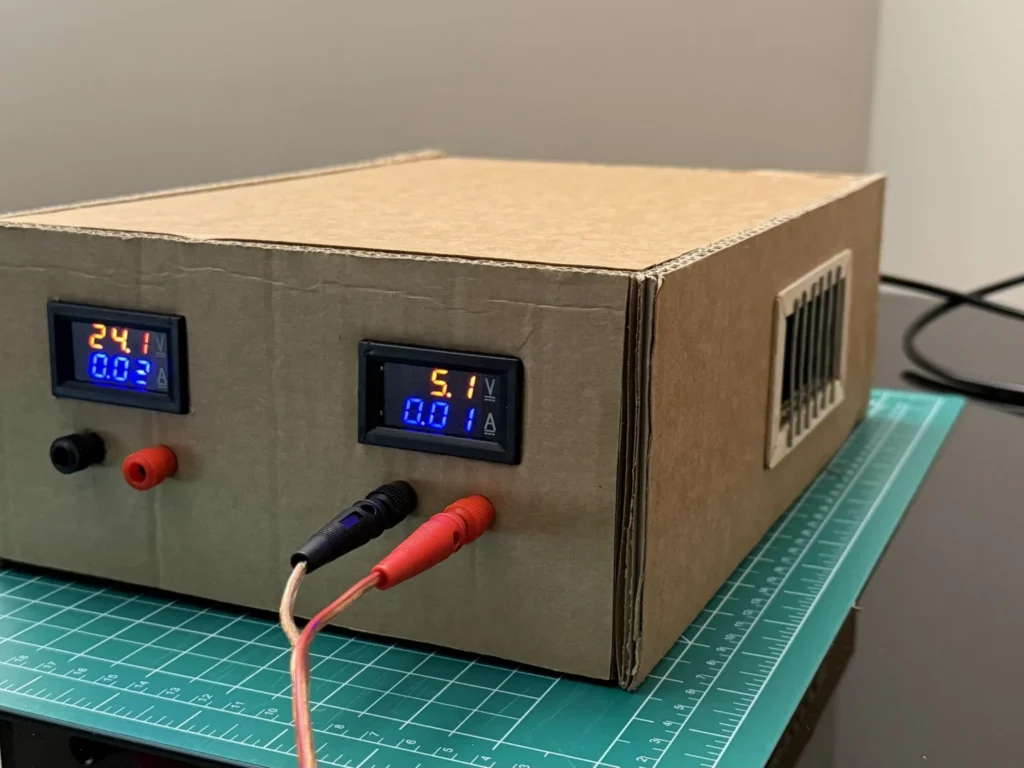
The case is made from cardboard, reinforced with thin wooden strips and wood glue. On the front there are two digital meters that show the voltage and the current of each output, plus red and black banana binding posts. Inside, a glass fuse holder with a filament LED glows through the ventilation grilles, which gives the whole thing a retro look.
It took me about a week, working three to four hours a day. Most of that time went into the wiring and into figuring out how to fit everything neatly inside the box. In this guide I show every step, from the first sketch to the final test.
If you are new to building with cardboard, my cardboard house is a good place to learn the basics, and my DIY helping hands make all the soldering in this build much easier.
 Watch the full build on YouTube
Full build · 15:42
Watch the full build
Every step, the mistakes and the first test, in one video.
Tools and materials
01 Tools
- Soldering iron and solder
- Digital multimeter
- Digital calipers
- Craft knife and cutting mat
- Metal ruler and pencil
- Wire cutters and wire stripper
- Crimping pliers for the spade and ring terminals
- Screwdriver and small spanner for the binding posts
- Helping hands for holding parts while soldering
02 Materials
- Power supply board from an old printer (fixed 24 V and 5 V outputs)
- Cross-flow cooling fan from the same printer (Toshiba CFL-008-4A, DC 24 V 0.1 A)
- 2 dual digital DC voltmeter/ammeter modules
- 4 banana binding posts (2 red, 2 black)
- 2 round panel switches for the back panel
- Glass fuse holder with a filament LED, on a small piece of perfboard with screw terminals and a resistor
- Corrugated cardboard for the case
- Thin wooden strips and craft sticks for reinforcing the case and making the grilles
- Metal rods for the grille bars
- Red, black and coloured hook-up wire
- Spade terminals, ferrules and heat-shrink tubing
- Zip ties
- Mains cable with a plug
03 Consumables
- Wood glue
- Solder
- Heat-shrink tubing
Build process
-
Step 1: Sketch the idea
Before cutting anything, I drew what I wanted: a classic bench power supply shape with two digital displays on the front, one for 24 V and one for 5 V, a pair of output terminals under each display, and a power switch.
A quick sketch like this saves a lot of time later. It decides how big the box needs to be and where every part goes on the front panel.
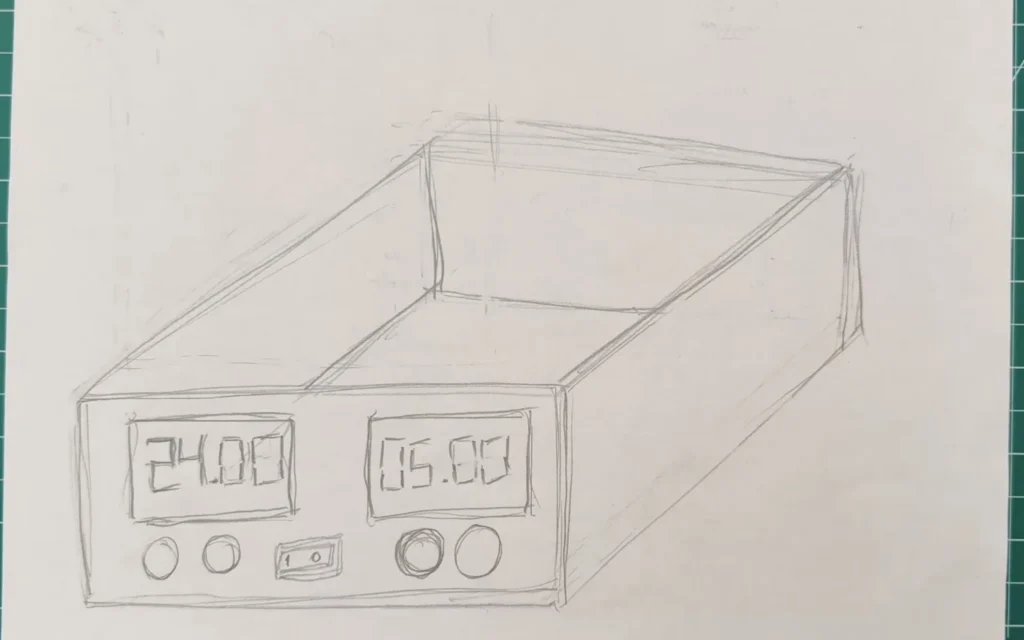
Fig. 01 -
Step 2: Salvage the printer power supply
The heart of this build is the power supply board from an old printer. It's a switch-mode supply that gives two fixed outputs, 24 V and 5 V, which is exactly what I wanted for my bench.
I put the board on top of my sketch to check the proportions. The board is long, so the box has to be wide enough to take it, with room left for the fan and the wiring.
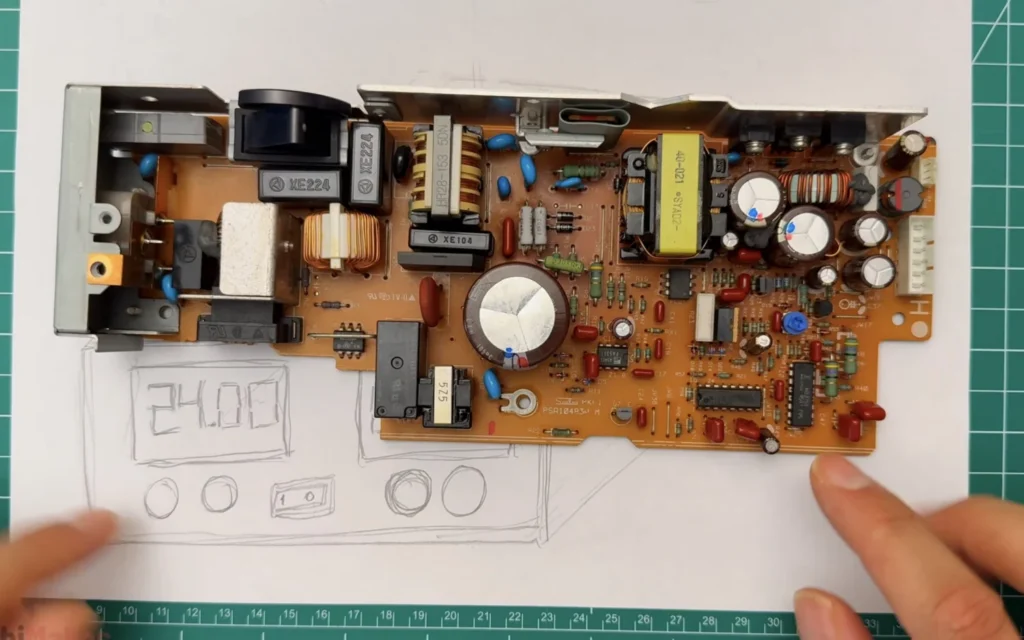
Fig. 02 Mains safety
A power supply board runs on mains voltage, and its large capacitor can stay charged after you unplug it. Never touch the board while it’s plugged in, let it sit before handling it, and don’t attempt this build unless you understand mains-voltage safety.
-
Step 3: Choose the meters
For the displays I used two small dual digital meters. Each one shows the voltage on the top line and the current on the bottom line, so I can see at a glance what a circuit is drawing.
They are cheap and they fit nicely into a rectangular cut-out in the front panel.
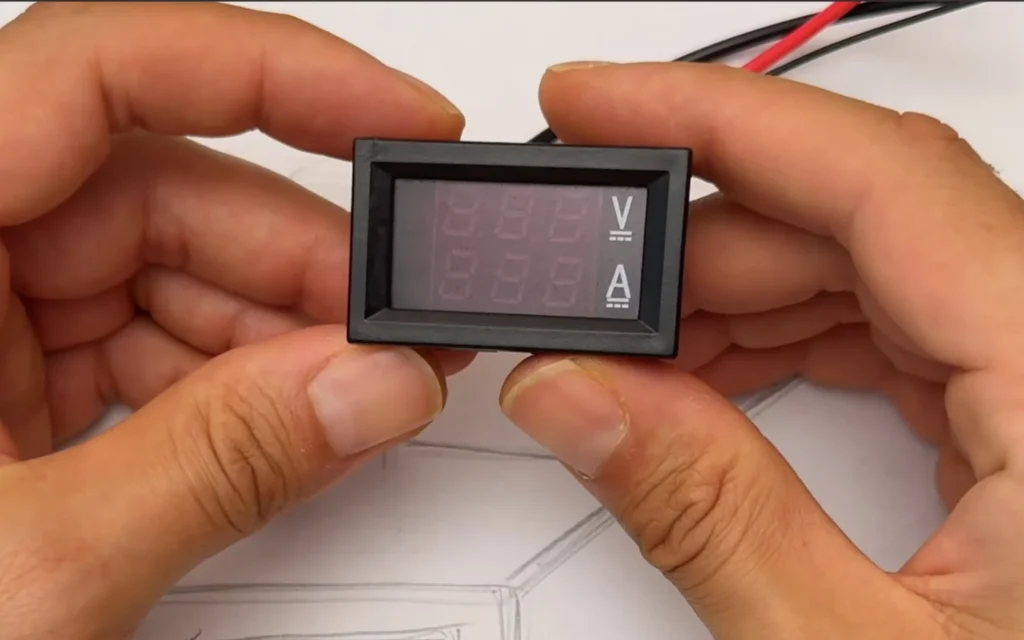
Fig. 03 -
Step 4: Lay out the front panel parts
Next I collected everything that goes on the front: the two meters and four banana binding posts, two red for positive and two black for negative.
Laying them out on the sketch helped me decide the spacing. Each output gets its own meter with its own pair of terminals underneath.
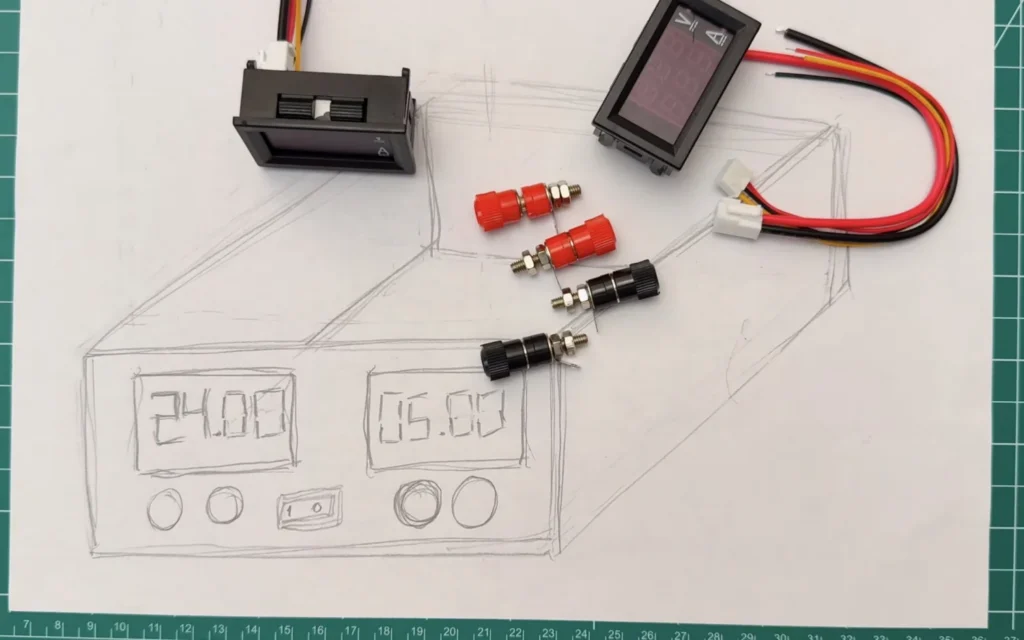
Fig. 04 -
Step 5: Measure everything with calipers
To get clean cut-outs, I measured every part with digital calipers. The meter body is 45 mm wide, so that is the width of the hole in the panel. I did the same for the height of the meters and the diameter of the binding posts.
Measure the body that goes through the panel, not the front bezel. The bezel should sit on the outside and cover the edge of the cut.
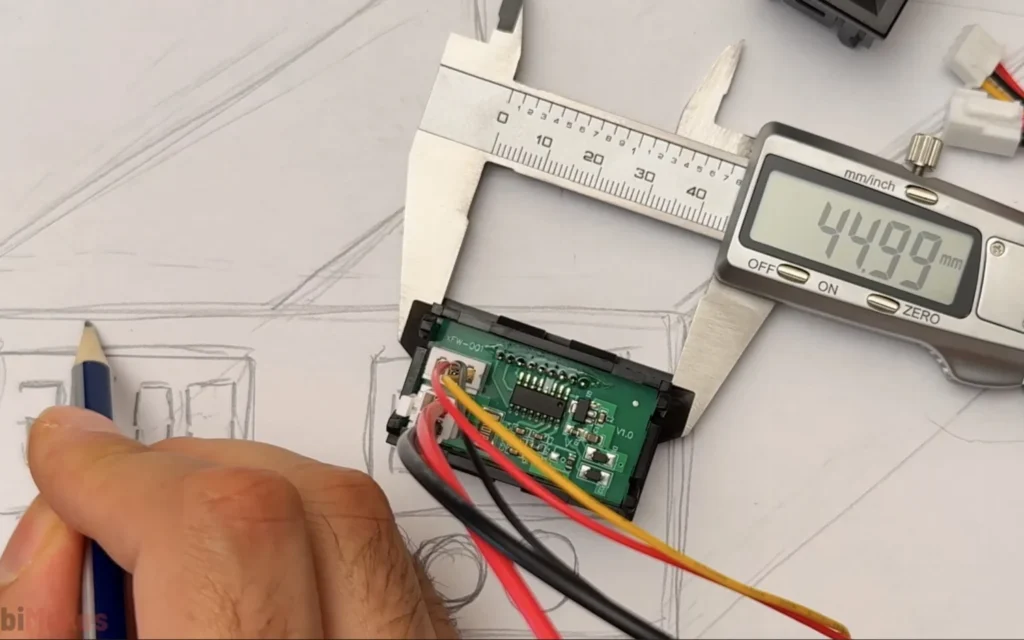
Fig. 05 Meter cut-out
The meter body measured 44.99 mm wide, so I cut a 45 mm wide hole for each meter.
-
Step 6: Mark out the front panel
I cut a piece of cardboard for the front panel and drew a grid on it with a pencil and ruler. The left half is panel 1 for the 24 V output, and the right half is panel 2 for the 5 V output.
I marked the rectangles for the meters and the centre points for the binding posts on the same lines, so everything ends up straight and evenly spaced.
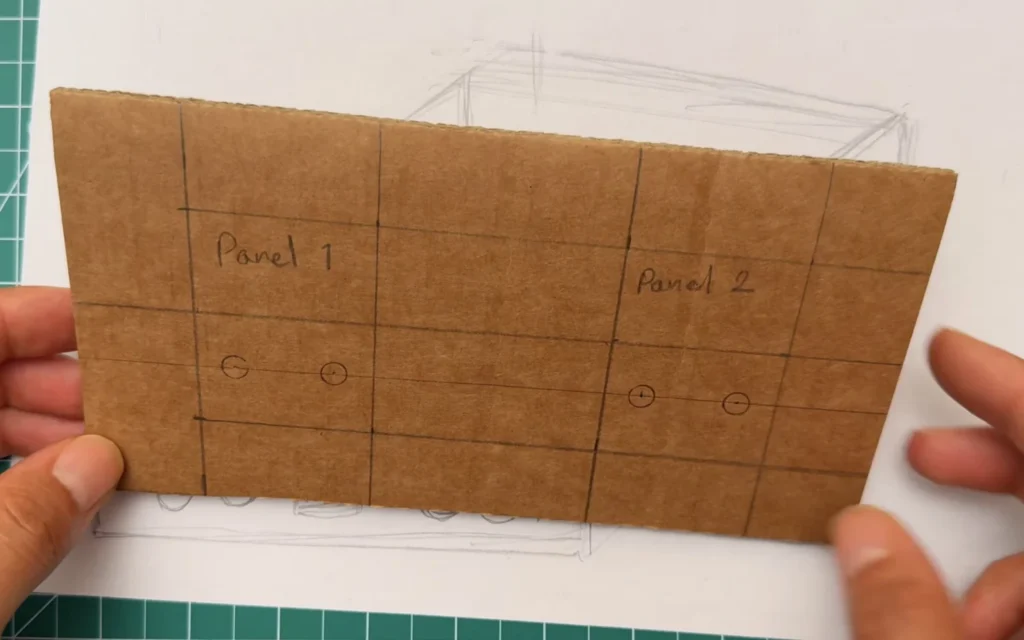
Fig. 06 -
Step 7: Cut the panel and fit the meters and terminals
With a sharp craft knife, I cut out the two meter holes and made the holes for the binding posts. The meters push in from the front and clip in place, and the binding posts are held with their nuts on the back.
Seeing the meters and terminals in the panel for the first time is a great moment. It already looks like a real bench power supply.
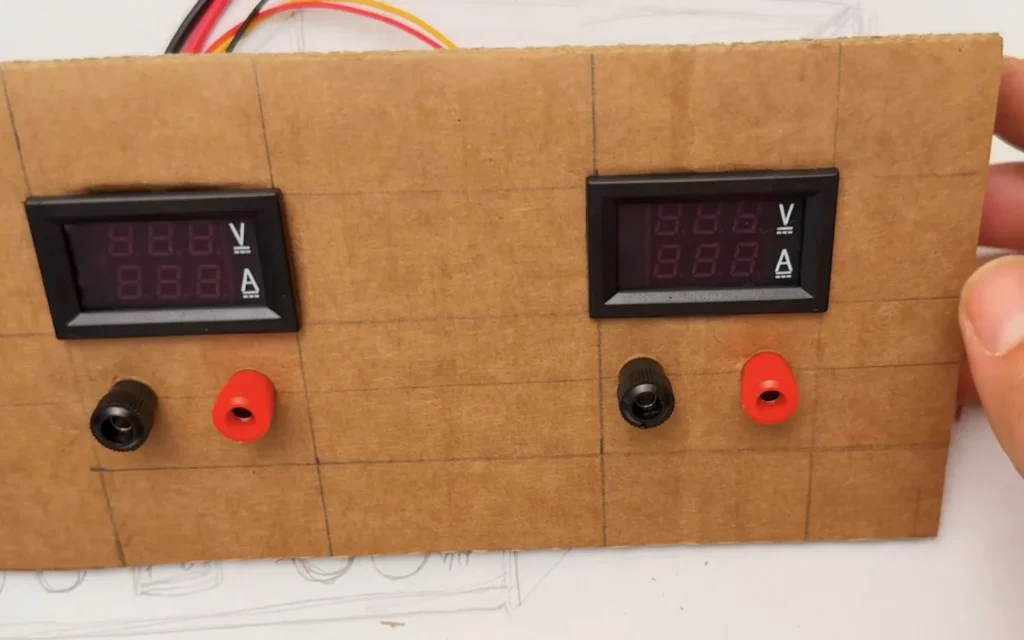
Fig. 07 -
Step 8: Check the panel against the sketch
I held the finished front panel next to the sketch and the power supply board to make sure everything still matched the plan. It did, so it was time to build the case around it.
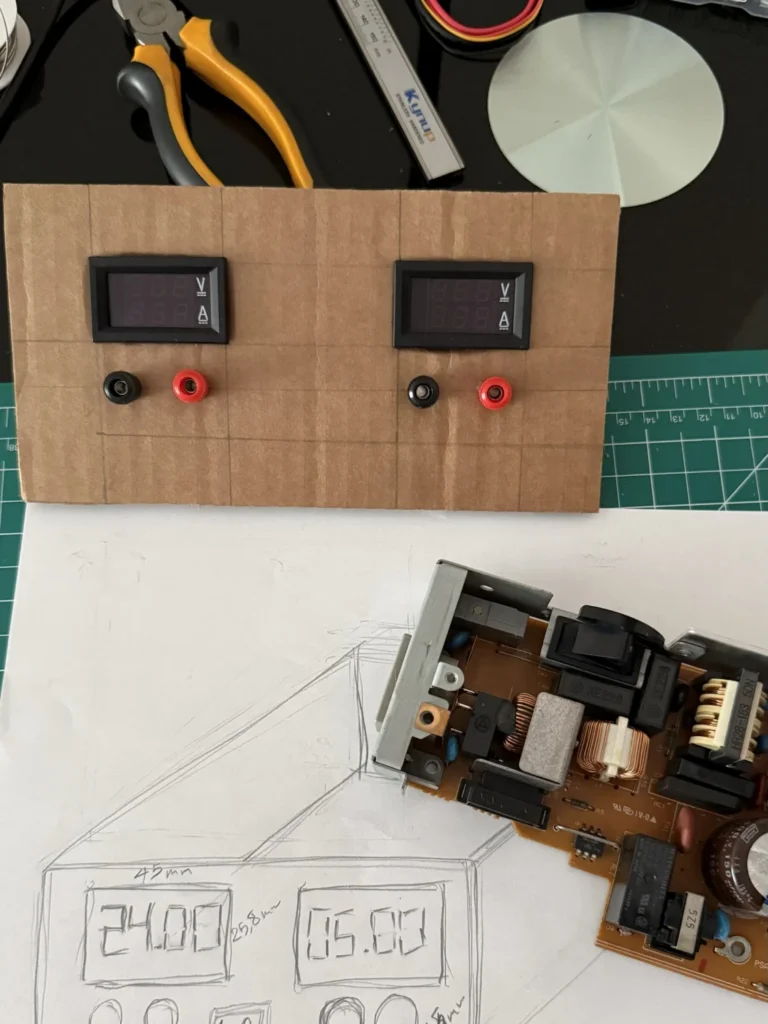
Fig. 08 -
Step 9: Build the cardboard enclosure
The case is a box made from corrugated cardboard. To make it stiff, I glued thin wooden strips along the inside edges with wood glue. They act like a frame and stop the cardboard from bending.
I glued the front panel in place and prepared the output wires: red and black leads attached to the binding posts with ring terminals, ready to connect to the power supply. The opening in the side wall is for the first ventilation grille.
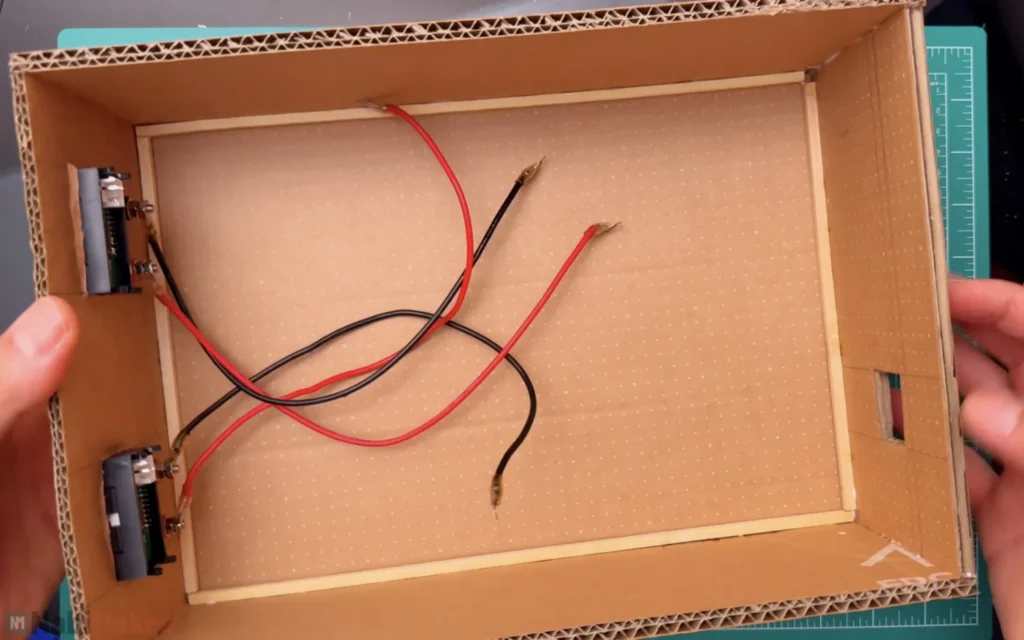
Fig. 09 -
Step 10: Test-fit the power supply board
I placed the power supply board in the case to plan the layout. The mains side of the board goes to the back, where the power cable comes in, and the low-voltage outputs face the front panel so the wires stay short.
This is also when I could see how much space was left for the fan.
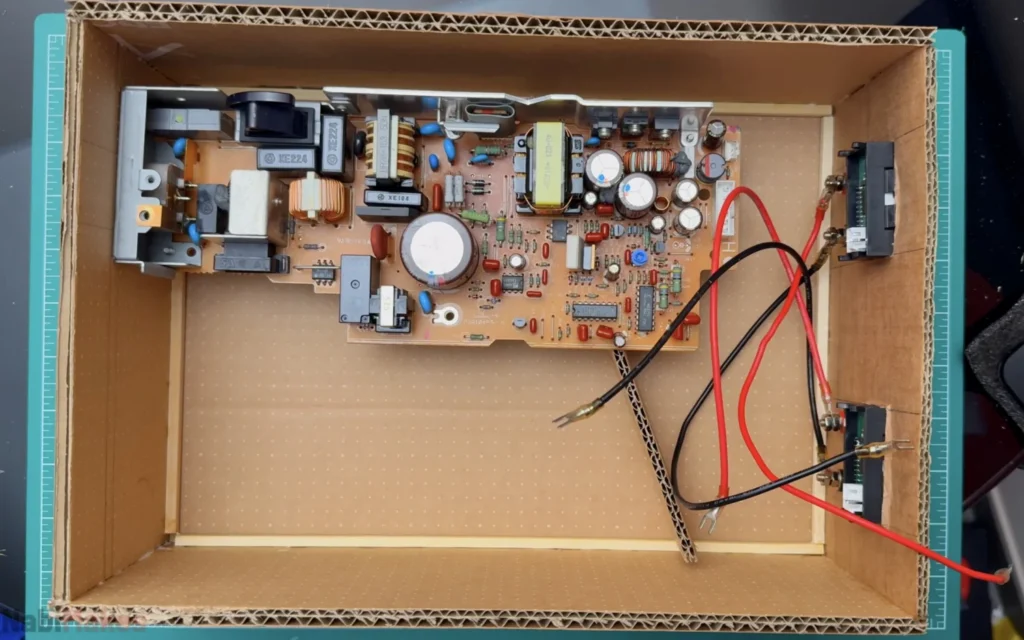
Fig. 10 -
Step 11: Glue in the mounting guides
To hold the board and the fan in place, I glued strips of cardboard to the floor of the case as guides. They stop the parts from sliding around without needing screws through the cardboard.
I used wood glue for all the cardboard joints. It takes a while to dry, but it makes a much stronger joint than hot glue.
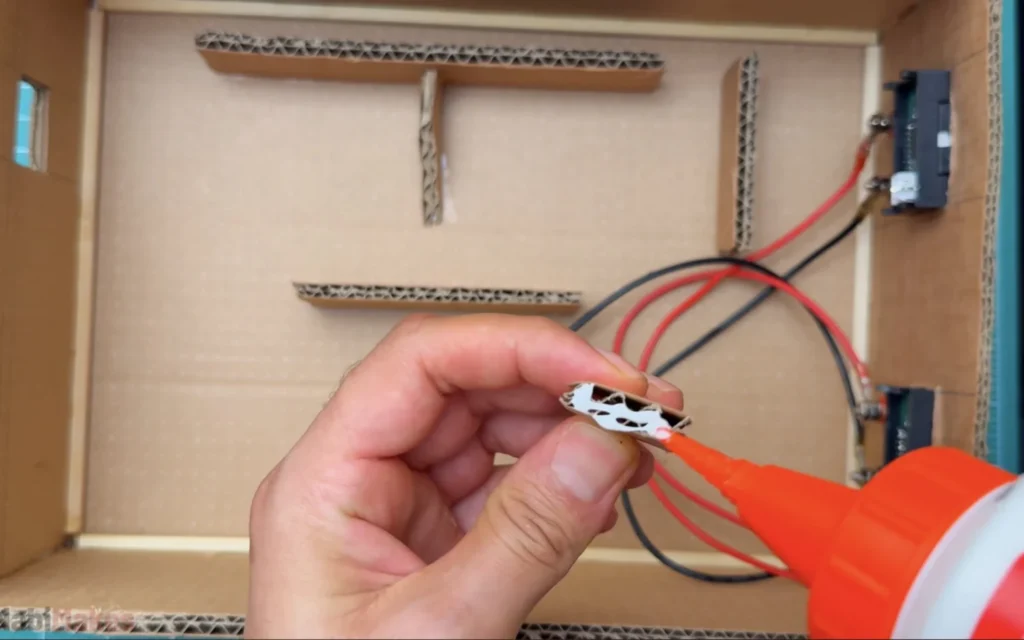
Fig. 11 -
Step 12: Place the salvaged fan
The printer also had a cross-flow fan, a Toshiba CFL-008-4A rated at 24 V and 0.1 A. Because it runs on 24 V, it can be powered straight from the power supply's own 24 V output.
I held it against the side wall and marked its position, so the grille I cut later lines up with the fan's outlet.
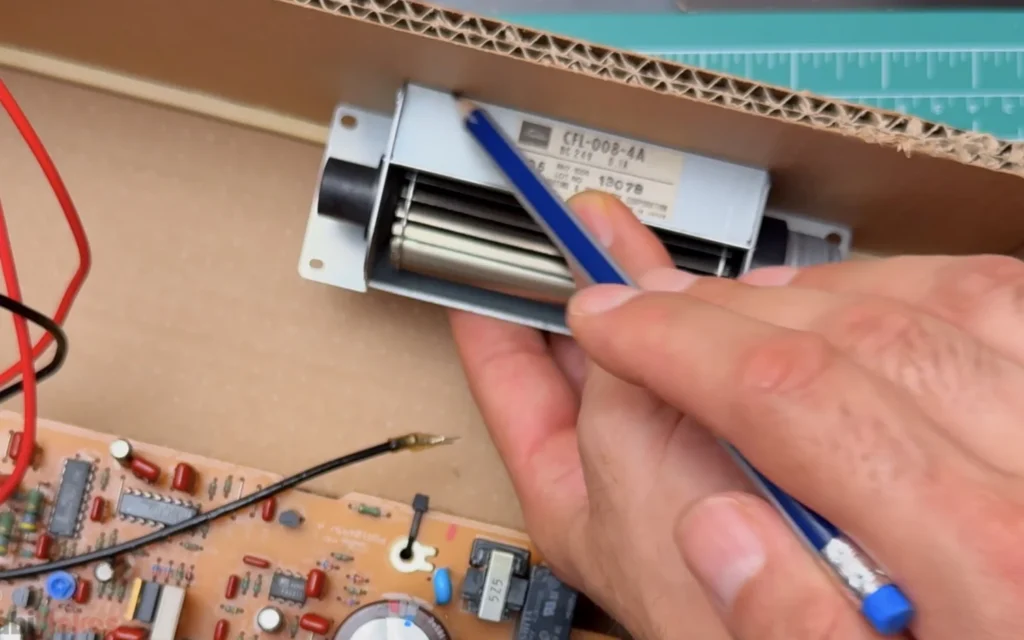
Fig. 12 -
Step 13: Make the ventilation grilles
A power supply gets warm, so the case needs airflow. I cut rectangular openings in the side walls and framed them with craft sticks. For the bars, I glued thin metal rods across the opening.
I applied the glue with a fine pipette so it stays neat. The grilles are one of my favourite details: they look like the vents on an old piece of equipment.
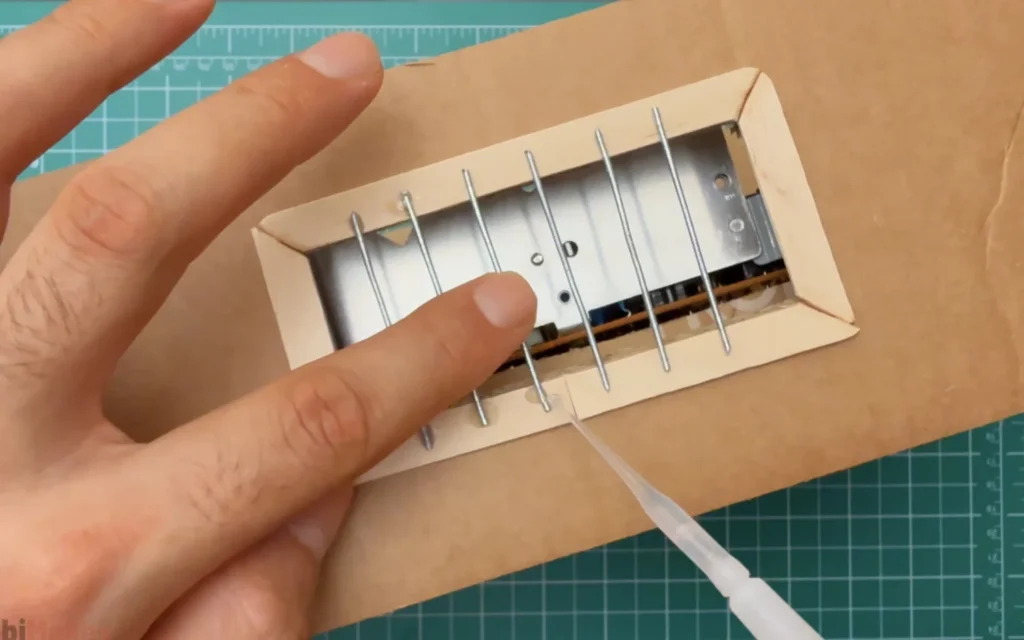
Fig. 13 -
Step 14: Secure the fan with zip ties
I fixed the fan to the case with zip ties through its mounting holes. That holds it firmly without glue, so I can still take it out later if I need to.
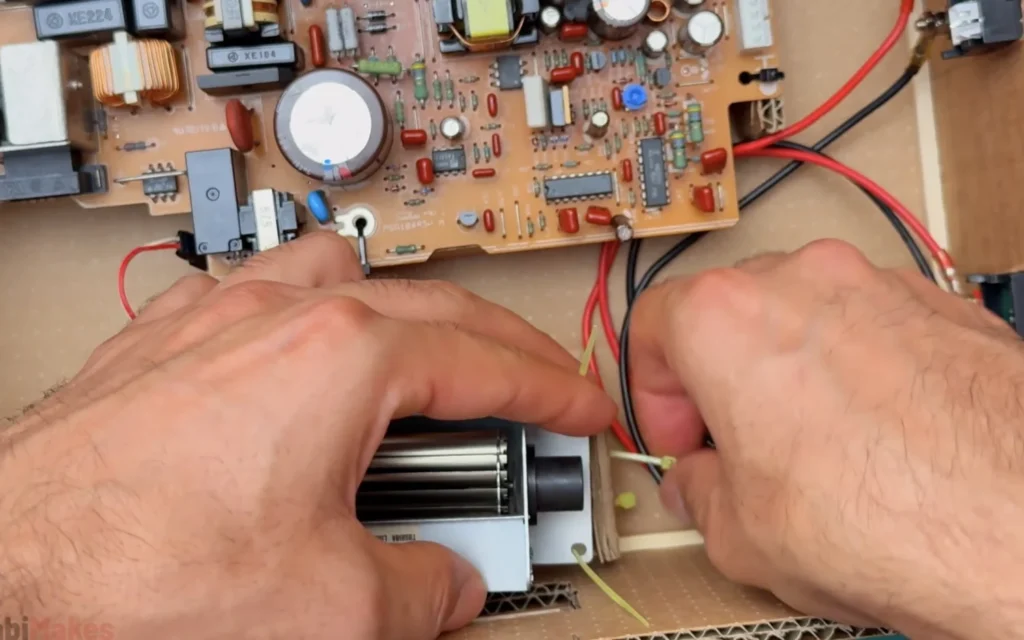
Fig. 14 -
Step 15: Test the outputs
Before wiring everything to the front panel, I checked the outputs with a multimeter. The 5 V output read 5.2 V, which is fine for a fixed supply.
Always measure first. If a rail is wrong, you want to find out before it reaches your meters or anything you plug in later.
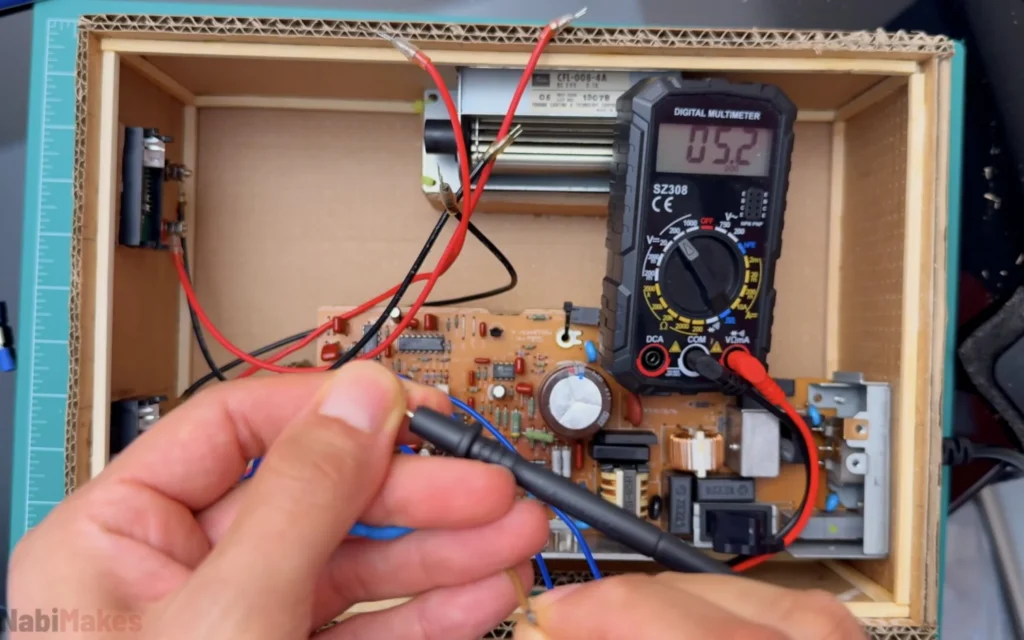
Fig. 15 Heads up
Keep one hand away from the board while you probe a live supply, and only touch the low-voltage output side.
-
Step 16: Wire up the meters, terminals and the fuse LED
This was the longest part of the build. Each meter connects to its output: the thin wires power the meter and measure the voltage, and the thick wires carry the output current through the meter's shunt. Follow the wiring diagram that comes with your meter, because the wire colours are not always the same.
For the retro touch, I mounted a glass fuse holder on a small piece of perfboard with a filament LED inside it, plus a resistor and two screw terminals. The board sits on two craft sticks between the fan and the power supply. I also wired the two switches on the back panel.
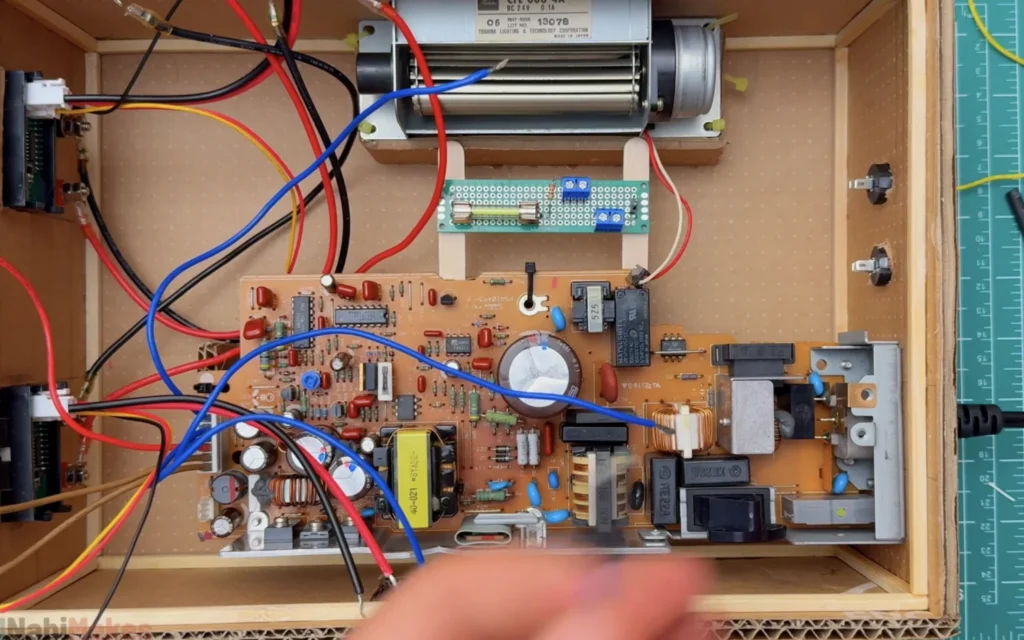
Fig. 16 Watch out
Double-check the polarity of every connection before you power up. A reversed meter or output wire is easy to miss in a tangle of red and black.
-
Step 17: Light it up and close the box
With everything connected, I powered it up. The meters lit up, the fan started, and the filament LED inside the fuse holder started to glow inside the case.
I tidied the wires with zip ties and heat-shrink, checked that nothing touches the mains side of the board, and closed the lid. The meters read 24.1 V and 5.1 V on the two outputs.
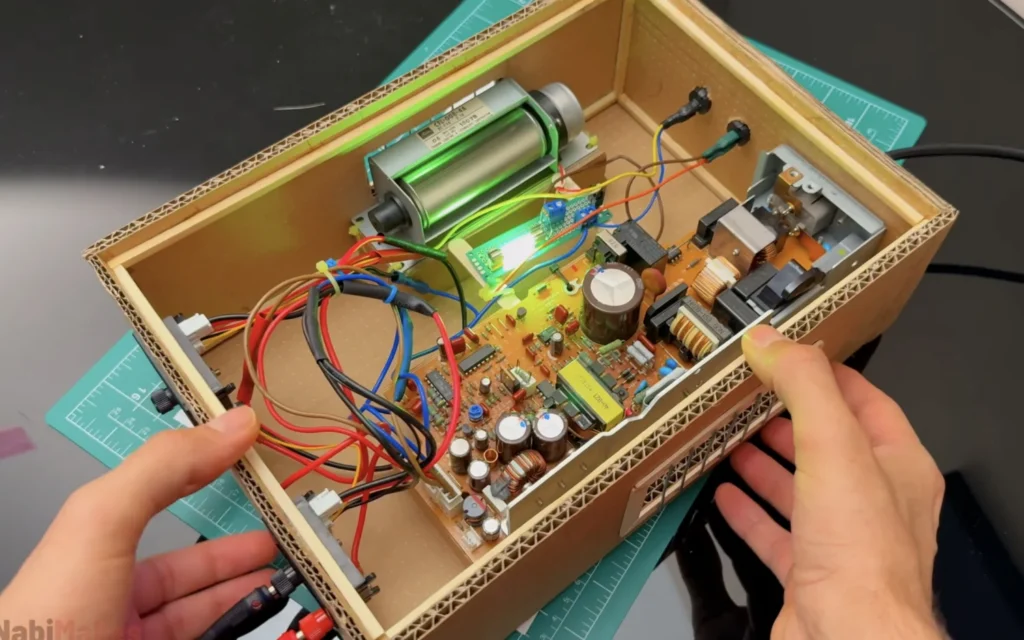
Fig. 17
Problems & mistakes
The hardest part wasn't the electronics, it was the space. The printer board is long, and fitting it, the fan, the LED board and all the wiring into a box that still looks neat took a lot of test fitting. Sketching first and gluing in guides helped a lot.
The wiring took far longer than I expected. With two outputs, two meters and their shunts, it's easy to end up with a nest of red and black wires. Plan the routes, keep the wires short and label them as you go.
Finally, remember that this is a mains-powered device inside a cardboard case. Keep the mains side of the board away from the cardboard walls, make sure no bare mains contacts can be touched, and give the board plenty of airflow.
Safety
This project involves mains voltage. If you’re not comfortable working with it, use a ready-made, enclosed power supply module instead of an open printer board.
Final result
The finished DIY bench power supply works great. It gives a steady 24 V and 5 V, the meters show exactly how much current my projects draw, and the banana terminals make it easy to clip on leads. The 24 V output is perfect for builds like my mini Tesla coil.
The cardboard case, the wire grilles and the glowing filament LED give it a retro look that I really like. Best of all, it gave an old printer a second life. You can watch the whole build in the video.
What I would change
I would add adjustable outputs with a buck converter module, so the supply isn't limited to 24 V and 5 V.
I would add a fuse on each output to protect the board if something shorts.
Next time I would build the case from thin plywood or MDF, which is stronger and more heat-resistant than cardboard.