Introduction
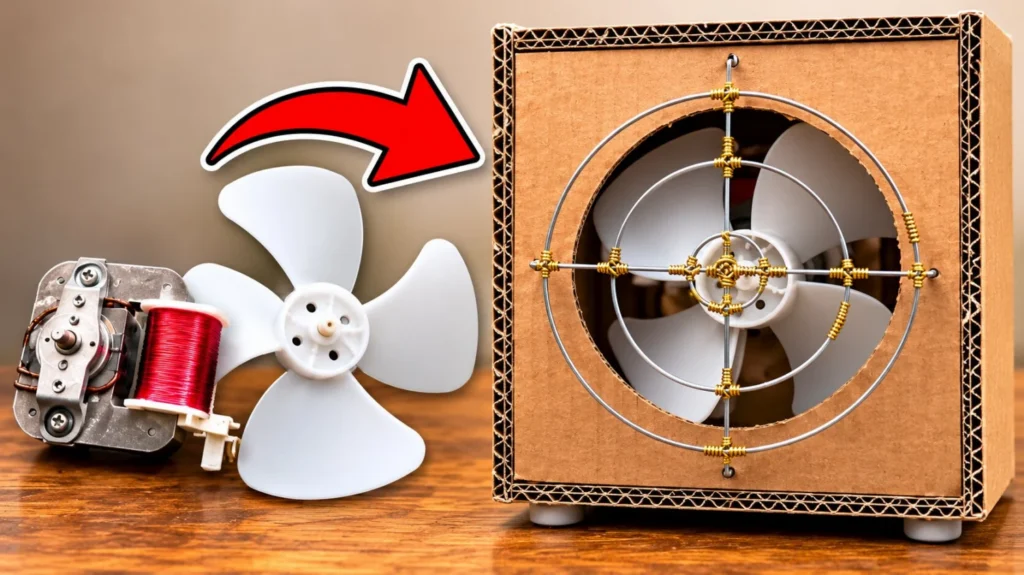
This DIY desk fan started with a part most people throw away: the cooling fan from an old microwave. Inside every microwave there's a small mains motor with a plastic blade that keeps the electronics cool, and it's strong enough to make a really nice table fan. I showed how I took it out in my microwave salvage video.
The case is double-wall cardboard, glued with hot glue and wood glue. Because a fan spins fast, I didn't want to just glue the motor to cardboard, which would be unprofessional and a little dangerous. So I designed a motor mount in FreeCAD and 3D printed it. The first version was too weak, so I went back and made it much stronger.
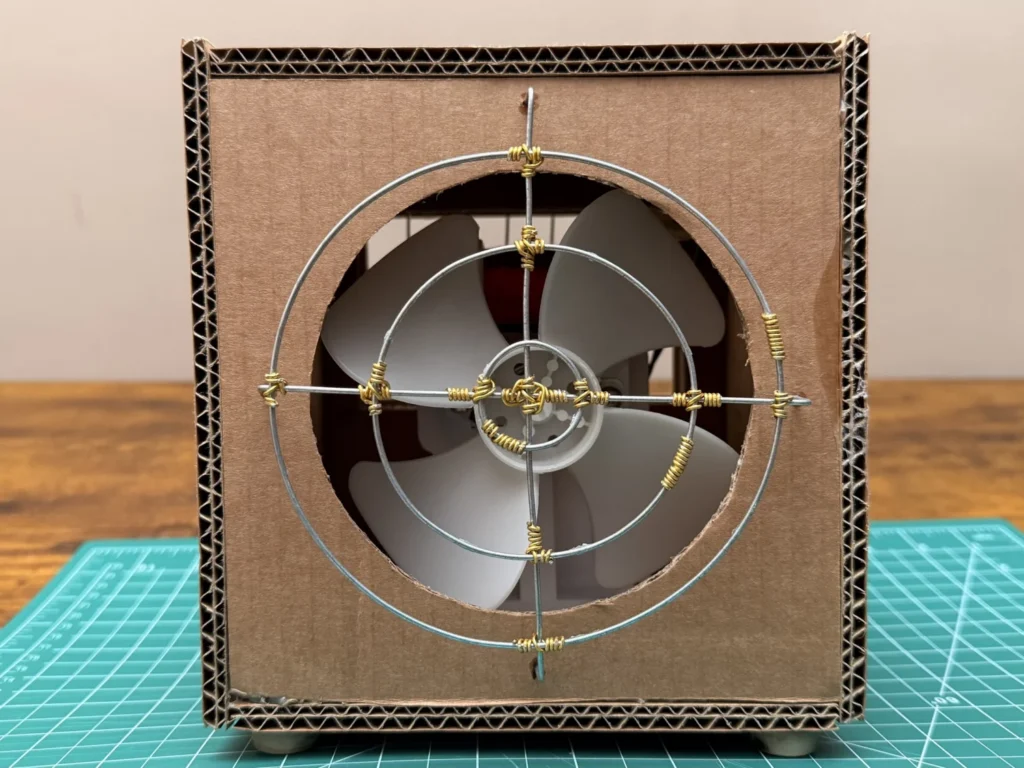
The motor runs on 230 V through a power inlet module with a fuse and a switch. On the back there's a craft-stick frame with 2 mm stainless steel bars, and on the front a handmade fan guard of stainless steel rings and a cross, with every joint wrapped in gold aluminium wire. It took me about 12 hours and around €10, since the motor was free.
If you like salvaged builds, my bench power supply from an old printer uses a cardboard case too, and the cardboard house is a good first cardboard project.
 Watch the full build on YouTube
Full build · 12:34
Watch the full build
Every step, the mistakes and the first test, in one video.
Tools and materials
01 Tools
- Digital calipers
- Steel ruler, pencil and a cutting mat
- Utility knife
- Hot glue gun
- 3D printer and FreeCAD for the motor mount
- Soldering iron to melt in the heat-set inserts
- Screwdriver
- Needle-nose pliers
- Wire cutters
02 Materials
- Fan motor and blade salvaged from an old microwave
- Double-wall corrugated cardboard
- 3D-printed motor mount (white filament)
- M3 brass heat-set inserts and screws with washers
- Power inlet module with fuse holder and rocker switch
- Power cable for the inlet
- The motor's original wires with insulated spade connectors
- Wooden craft sticks for the back frame
- 2 mm stainless steel wire
- Gold-coloured aluminium craft wire
- 4 rubber feet
- A small cable tie
03 Consumables
- Hot glue
- Wood glue
Build process
-
Step 1: Salvage the fan from an old microwave
The heart of this build is the cooling fan from a broken microwave: a small mains motor with one red copper coil and a white plastic blade with four wings. It's a simple shaded-pole motor, so it starts by itself as soon as it gets power and needs no extra electronics.
I took it out together with its original wires and spade connectors, which I reused later. You can see the whole teardown in my microwave salvage video.
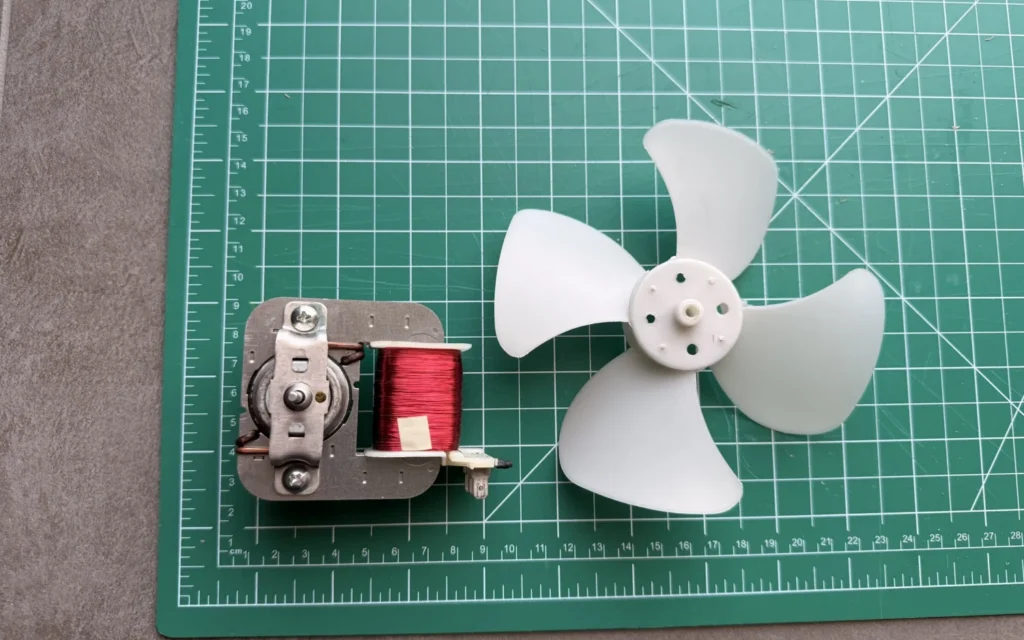
Fig. 01 Heads up
A microwave contains a high-voltage capacitor that can stay charged after it’s unplugged. Don’t open one unless you know how to discharge it safely.
-
Step 2: Measure the mounting holes
Everything else depends on the motor, so I started by measuring it. The motor's metal frame has two mounting holes, and the distance between them decides where the holes go in the 3D-printed mount.
I measured it with digital calipers: 52 mm.
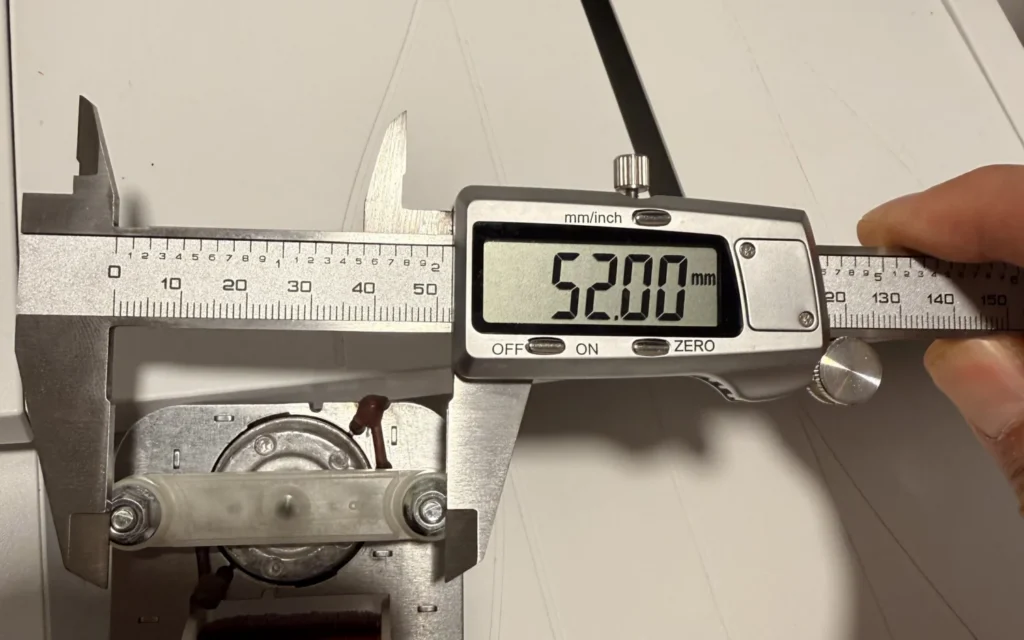
Fig. 02 Hole spacing
52 mm between the motor’s two mounting holes.
-
Step 3: Measure the motor frame
Then I measured the width of the frame, 60.15 mm, and the depth of the mounting part, 22.25 mm. With these numbers I could size both the mount and the box around the motor and the blade.
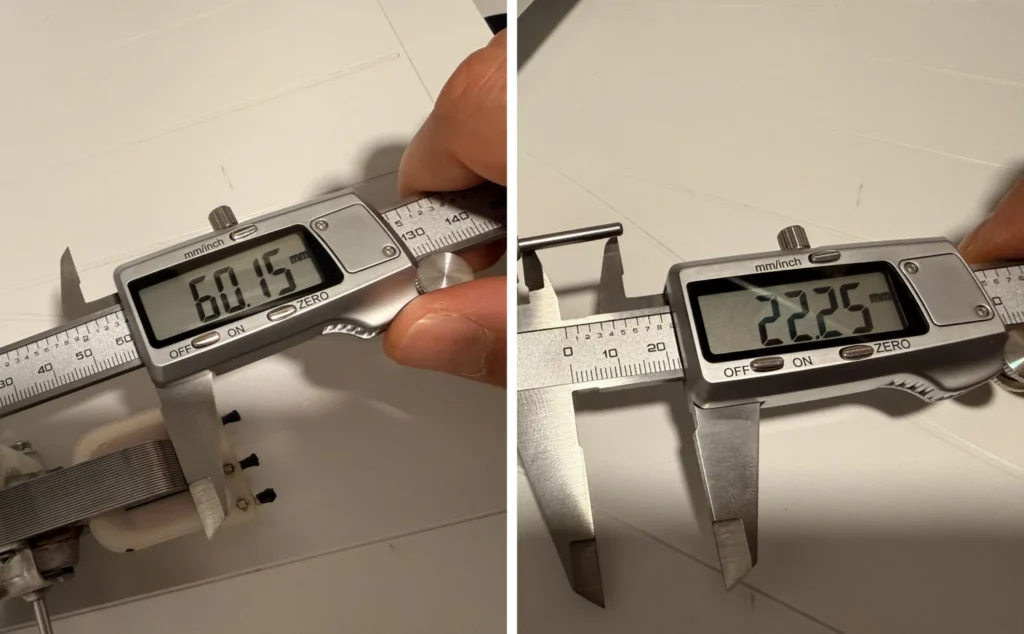
Fig. 03 -
Step 4: Plan the box and mark the cardboard
With the motor and blade measured, I imagined the box around them: a simple upright box with the fan blowing out of a round hole in the front and air coming in through the back.
I marked the panels on double-wall cardboard with a pencil and ruler, 16 cm across. Double-wall cardboard is much stiffer than normal box cardboard, which matters for something that vibrates.
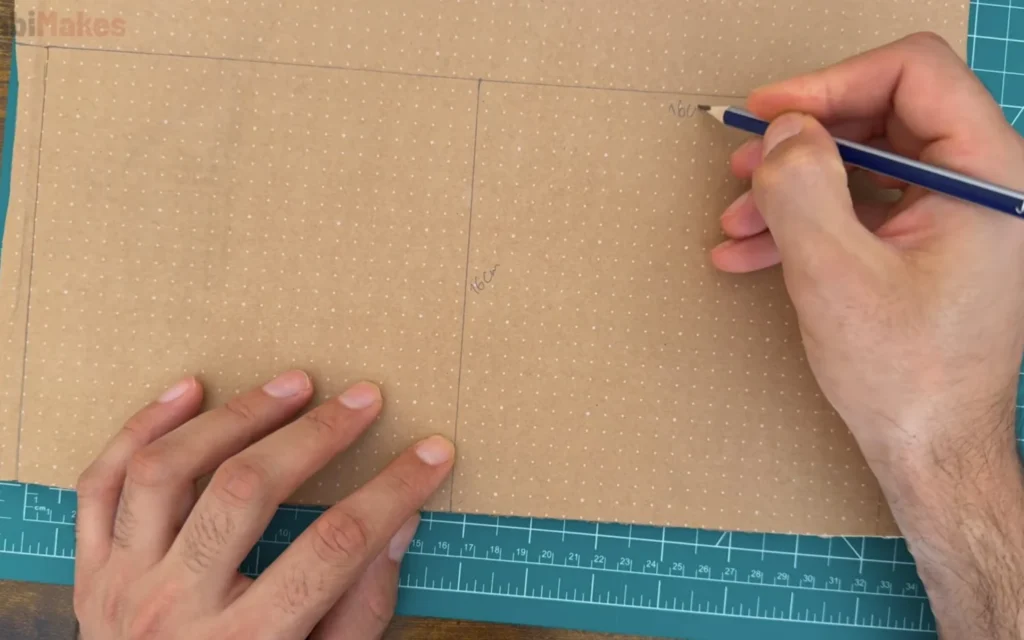
Fig. 04 -
Step 5: Cut the front panel with the fan opening
On the front panel I drew two centre lines and a big circle for the fan opening, a little bigger than the blade so it can spin freely. Then I cut the panel and the circle out with a utility knife.
Cut the circle in several light passes instead of one hard cut. It keeps the edge clean and the cardboard layers from tearing.
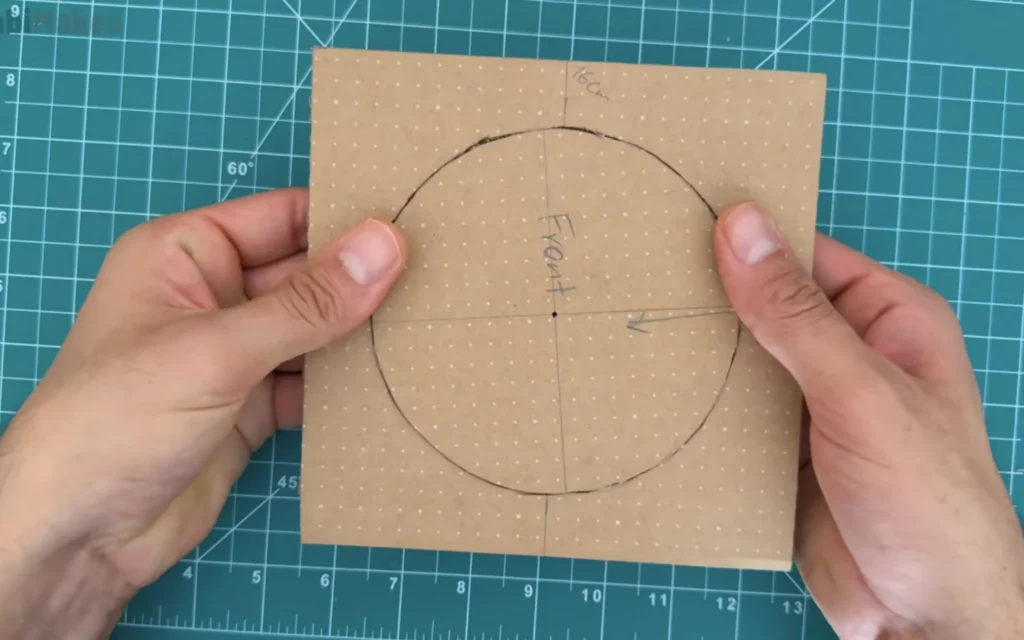
Fig. 05 -
Step 6: Mark the back panel for the power inlet
The back panel holds the power inlet module: a socket for a normal power cable, a fuse holder and a rocker switch in one part. I placed the module on the cardboard, traced around it and cut the opening so it clicks in tightly.
Above it, I cut a large rectangular opening so the fan can pull in air from behind.
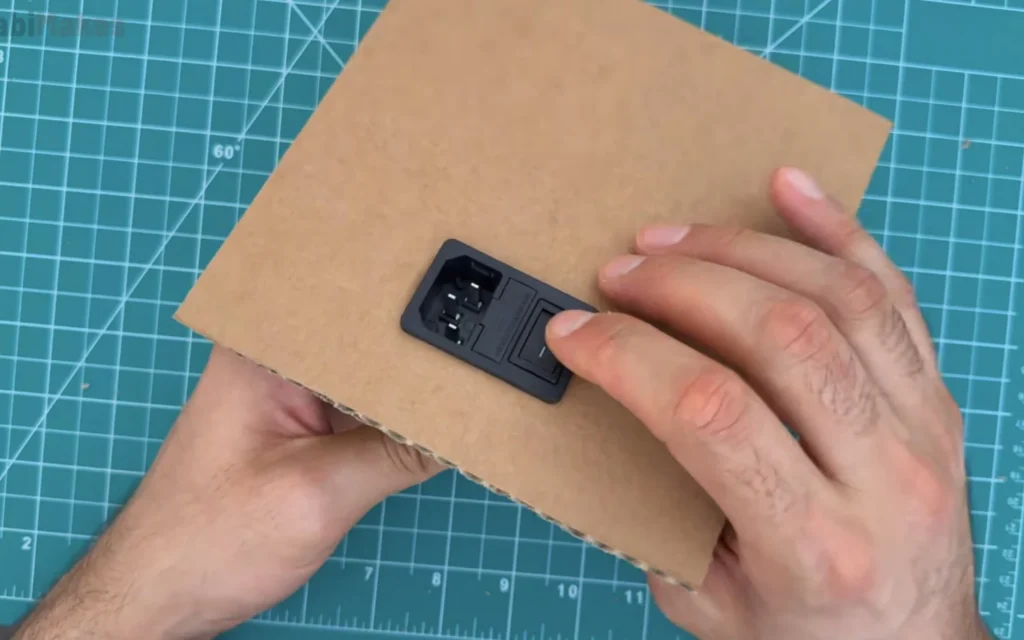
Fig. 06 -
Step 7: Glue the box together
I glued the front, bottom and back together first, so I could still reach inside. I used hot glue to hold the parts in place quickly, and wood glue along the joints for strength. Hot glue alone tends to let go over time, and wood glue soaks into the cardboard and makes a much stronger joint once it's dry.
The top and sides came later, once the motor and the wiring were in.
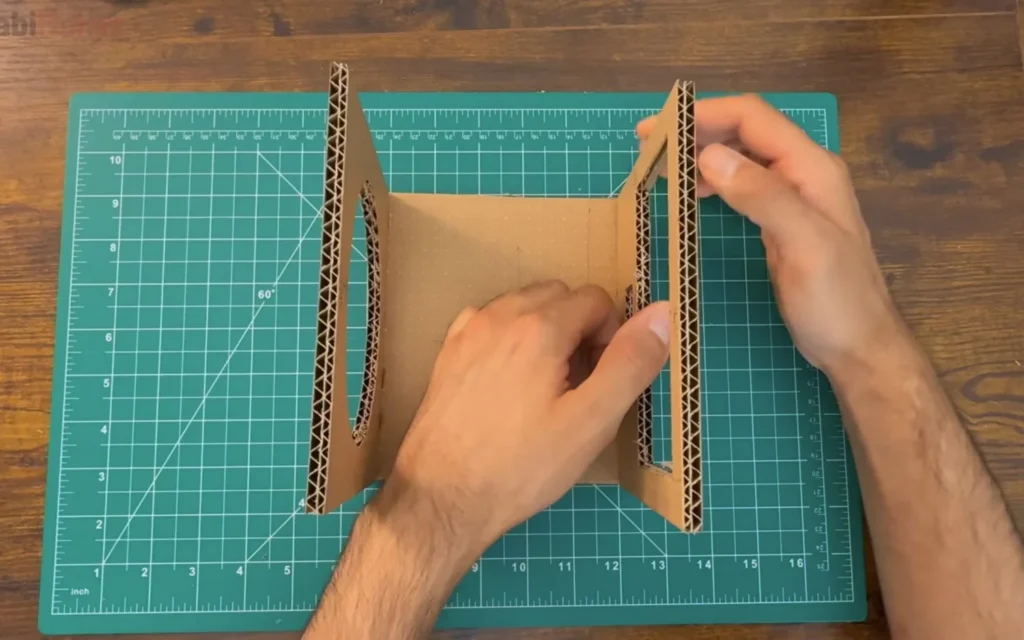
Fig. 07 -
Step 8: Sketch a 3D-printed motor mount
The motor has to sit firmly, centred behind the front opening. Gluing it to the cardboard would be unsafe at this speed, so I sketched a mount on paper first.
The first idea was a flat upright plate with the two motor holes on top, a narrow neck and a foot that screws to the bottom of the box.
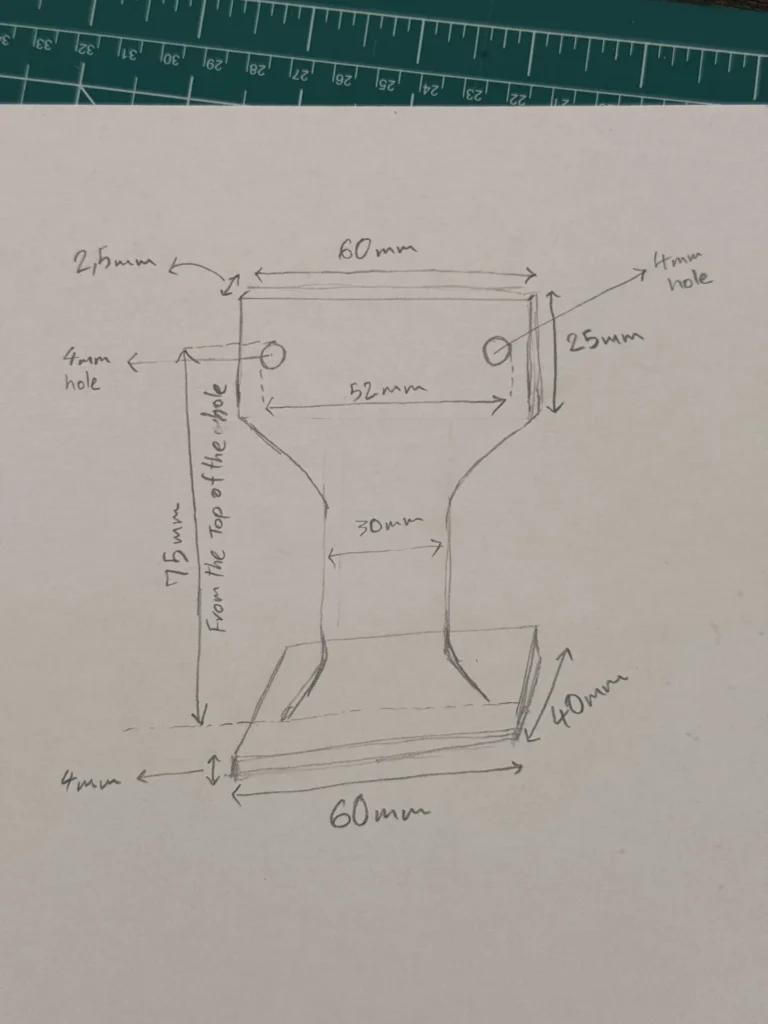
Fig. 08 First design
Top plate 60 × 25 mm and 2.5 mm thick, two 4 mm holes 52 mm apart, a 30 mm neck, 75 mm from the top of the holes to the bottom, and a 60 × 40 mm foot, 4 mm thick.
-
Step 9: Model it in FreeCAD and print it
I modelled the mount in FreeCAD from the sketch and printed it in white filament. It came out clean, with the holes in the right place and a small rib between the upright and the foot.
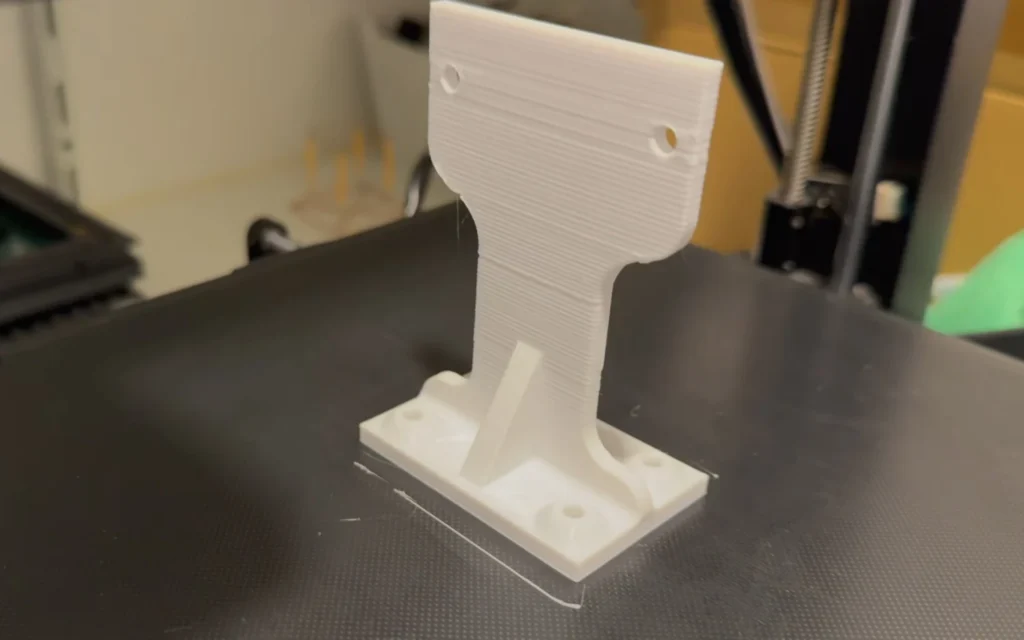
Fig. 09 -
Step 10: Test the first mount
When I held the mount against the motor and the sketch, I realised it was too weak. The upright is only 2.5 mm thick and the neck is narrow, so it flexed with the motor on it. With a spinning blade, that would wobble and could eventually crack.
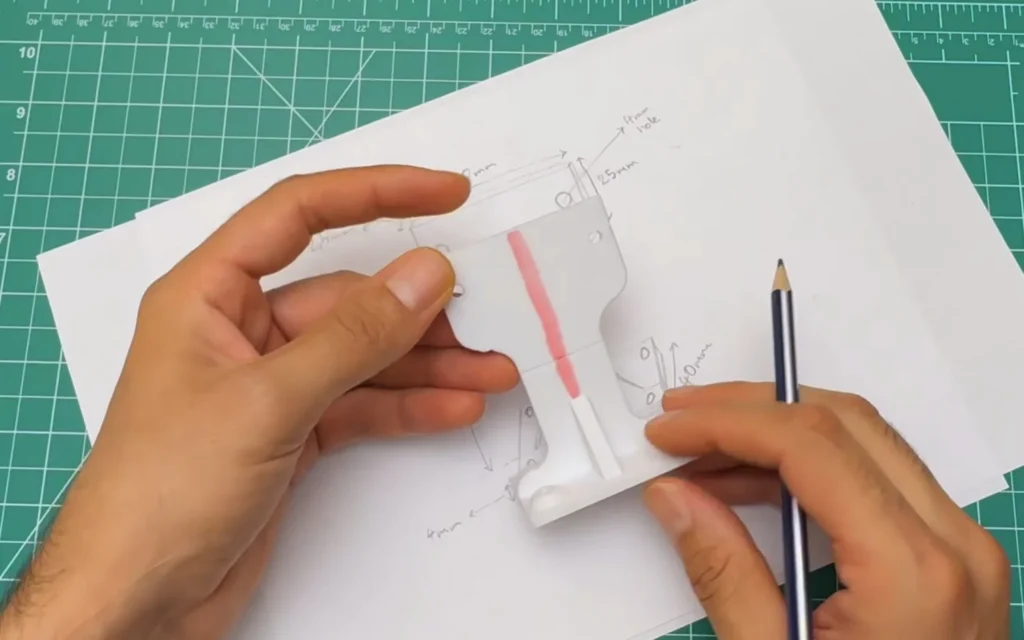
Fig. 10 Too weak
A thin printed plate is fine for a static part, but not for a motor that vibrates. Make the load-bearing parts thick and add gussets.
-
Step 11: Redesign a stronger mount
So I went back to FreeCAD and strengthened every part of the mount. I kept the important numbers, the 52 mm hole spacing and the 6 cm width, made the walls much thicker, added gussets where the top plate meets the neck, and planned M3 heat-set inserts in the foot so it can be screwed down properly.
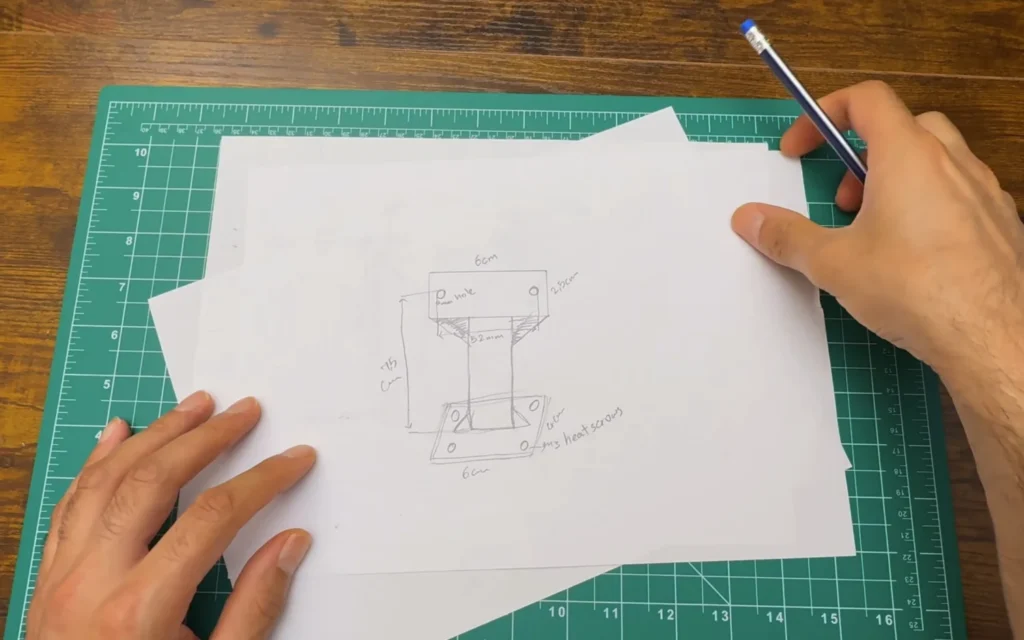
Fig. 11 -
Step 12: Print the stronger mount and fit the motor
The second mount is a lot more solid: a thick frame around the motor and a wide foot with four holes. I fixed the motor to it with the motor's original screws through the two mounting holes and tightened them firmly.
This time nothing flexed, even when I pushed on the blade.
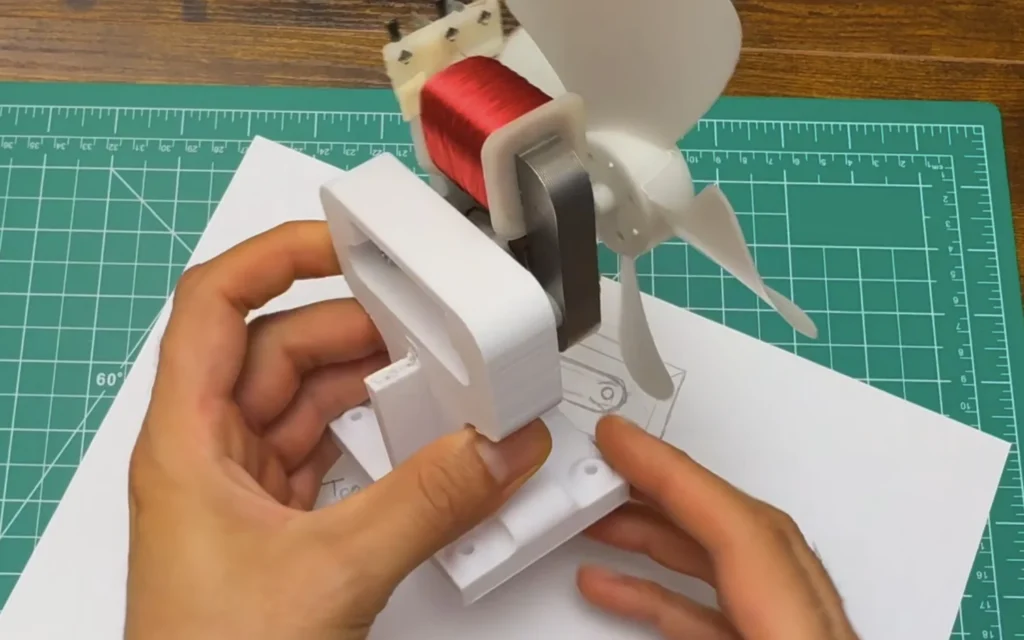
Fig. 12 -
Step 13: Test-fit the motor in the box
Before fixing anything, I put the motor and mount in the box to check the position. The blade has to sit centred in the front opening, close to it but without touching the cardboard.
I spun the blade by hand to check that it clears the edge all the way around.
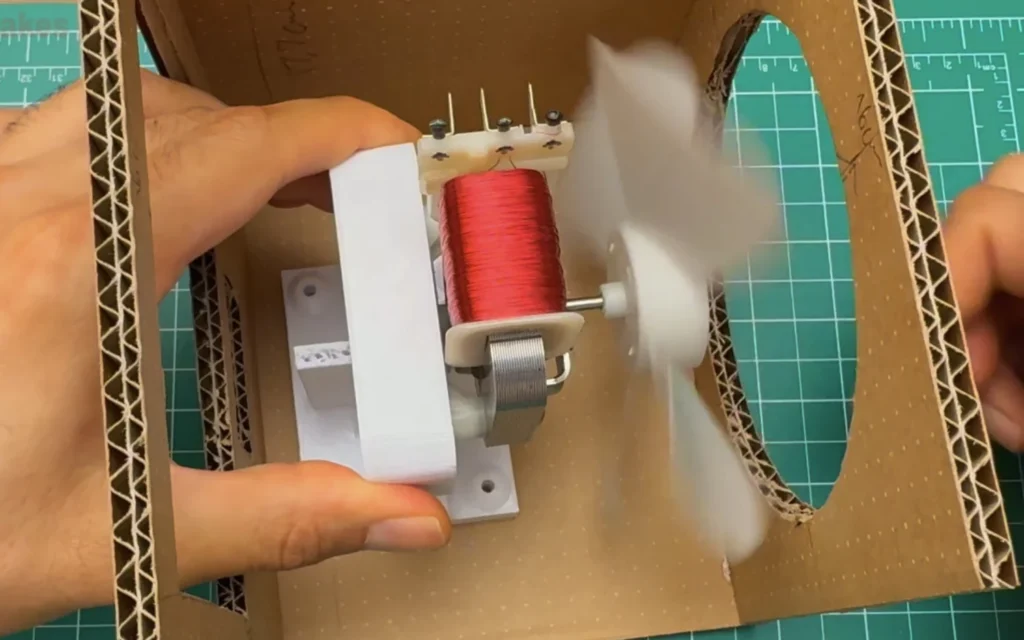
Fig. 13 -
Step 14: Wire the inlet, fuse and switch module
The wiring is simple. Mains comes in through the inlet socket, goes through the fuse and the rocker switch inside the module, and out to the two terminals of the motor. I reused the motor's original wires with their insulated spade connectors.
Make sure every spade connector is fully insulated and pushed on all the way, because these terminals carry 230 V.
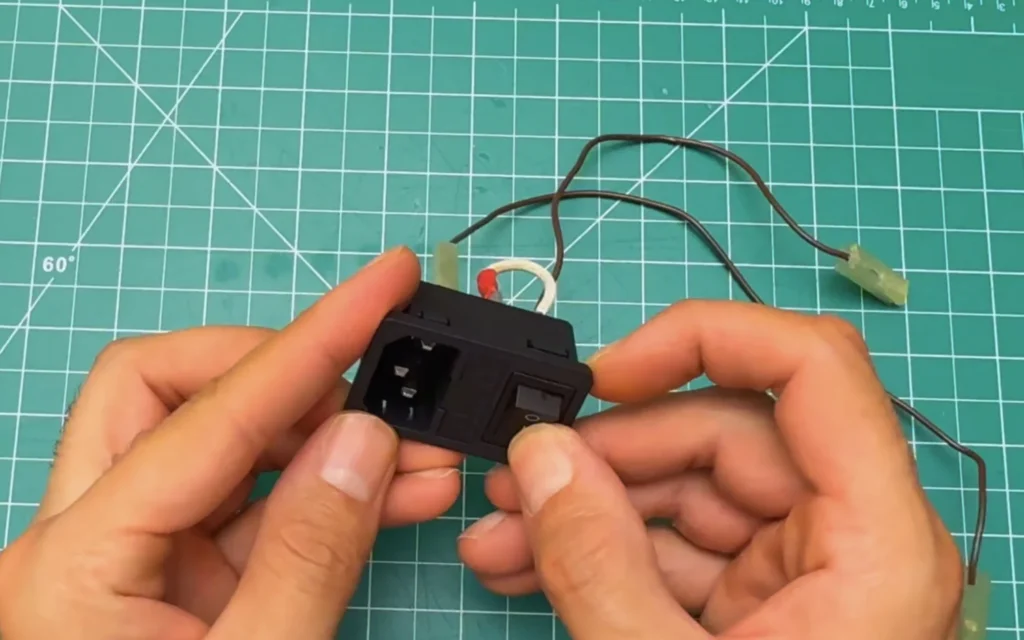
Fig. 14 Mains voltage
This fan runs on 230 V. Always unplug it before touching the wiring, use insulated connectors only, and keep a fuse in the inlet. If you’re not confident with mains wiring, ask someone who is.
-
Step 15: First power test
Before closing anything, I plugged in the power cable and flipped the switch. The motor started right away and the blade spun up to full speed. It's a good moment to check that the switch really cuts the power.
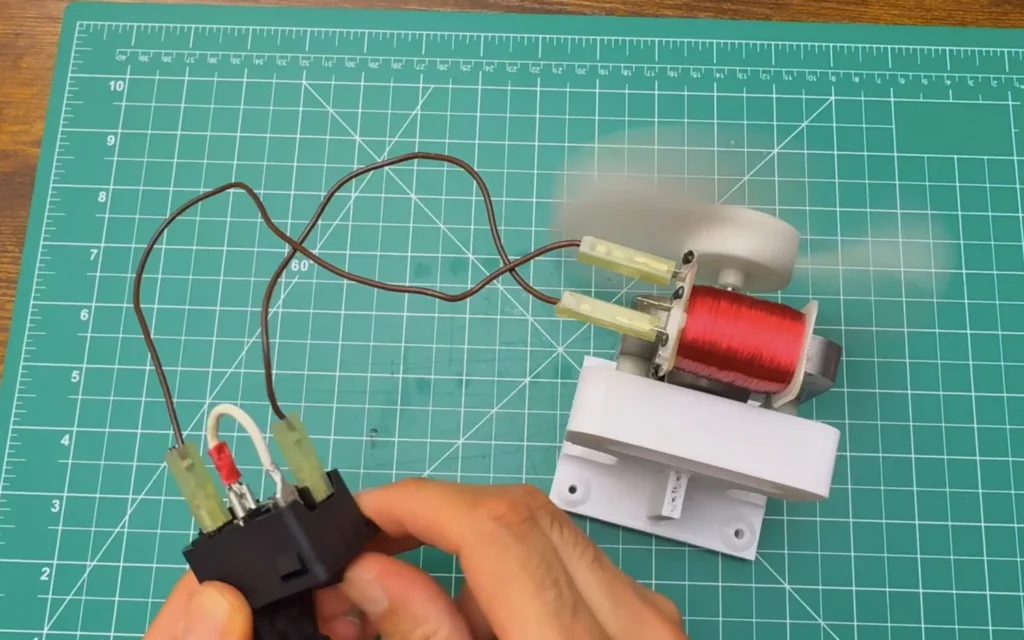
Fig. 15 -
Step 16: Melt in the heat-set inserts
To screw the mount to the box, I put M3 brass heat-set inserts into the four holes in the foot. You heat each insert with the soldering iron and press it gently into the plastic. The plastic melts around it, and once it cools you have a strong metal thread.
Press slowly and keep the insert straight, or the screw won't line up later.
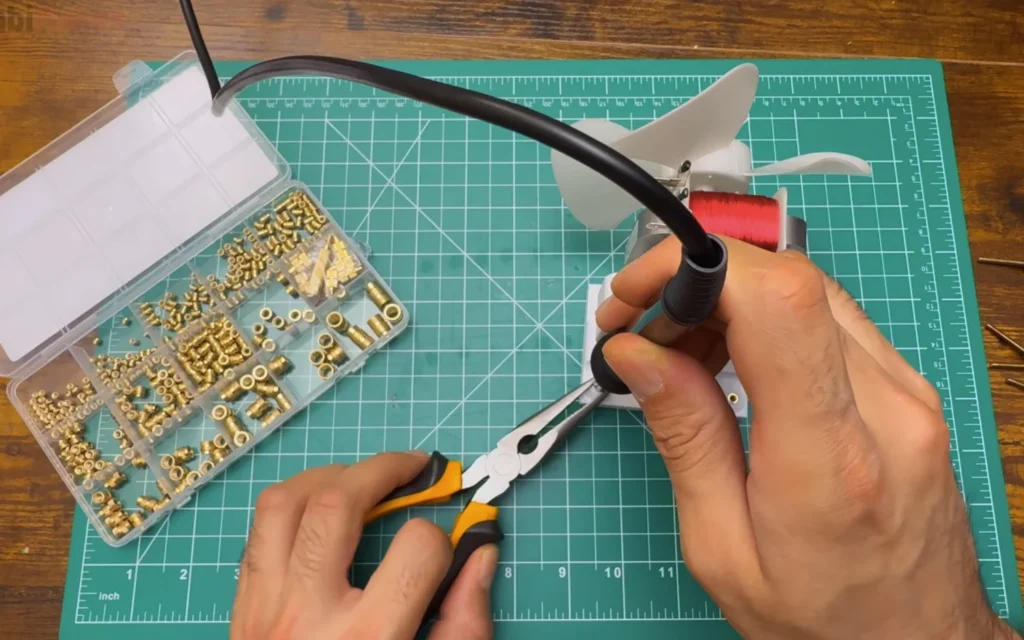
Fig. 16 -
Step 17: Screw the mount to the bottom of the box
I drilled holes in the bottom panel of the box, right under the inserts, and screwed the mount down from below with screws and washers. The washers spread the load so the screws can't pull through the cardboard.
Now the motor is held by metal threads and a thick printed part, not by glue.
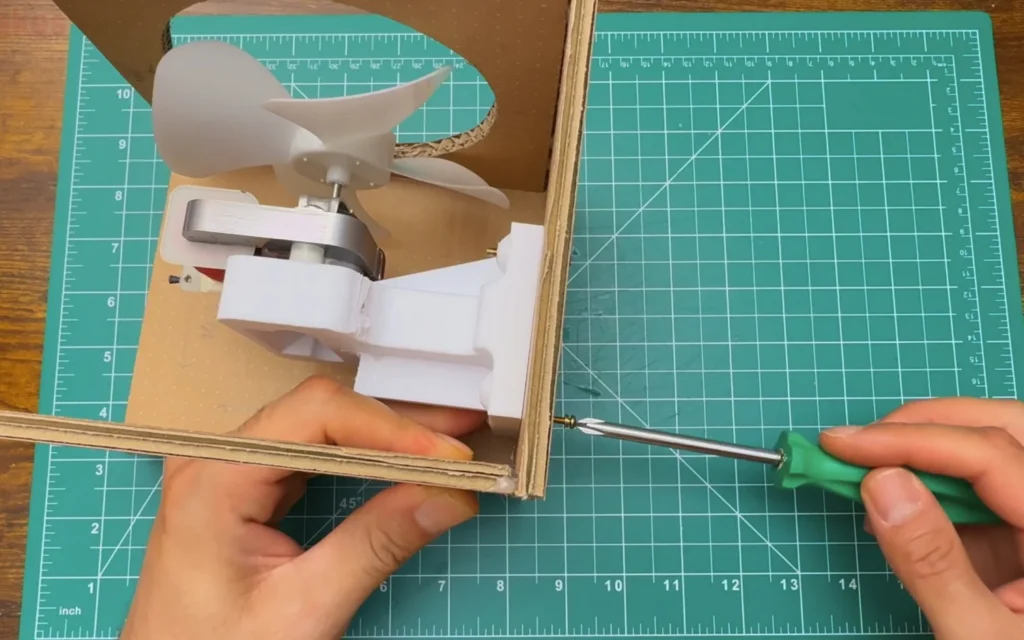
Fig. 17 -
Step 18: Fit the inlet module and run it in the box
Then I clicked the inlet module into the back panel, tidied the wires with a small cable tie and kept them well away from the blade. With the power cable plugged in, the fan ran nicely inside the box.
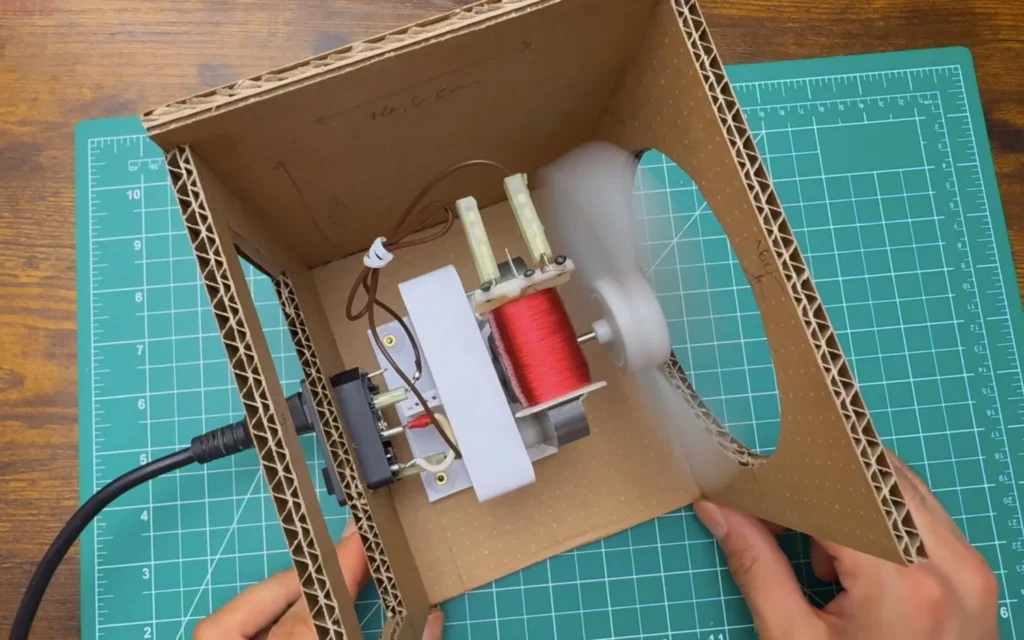
Fig. 18 -
Step 19: Add rubber feet
On the bottom, I added four rubber feet at the corners. They lift the box off the desk, stop it from sliding, and soak up some of the vibration. You can see the four screws holding the motor mount between them.
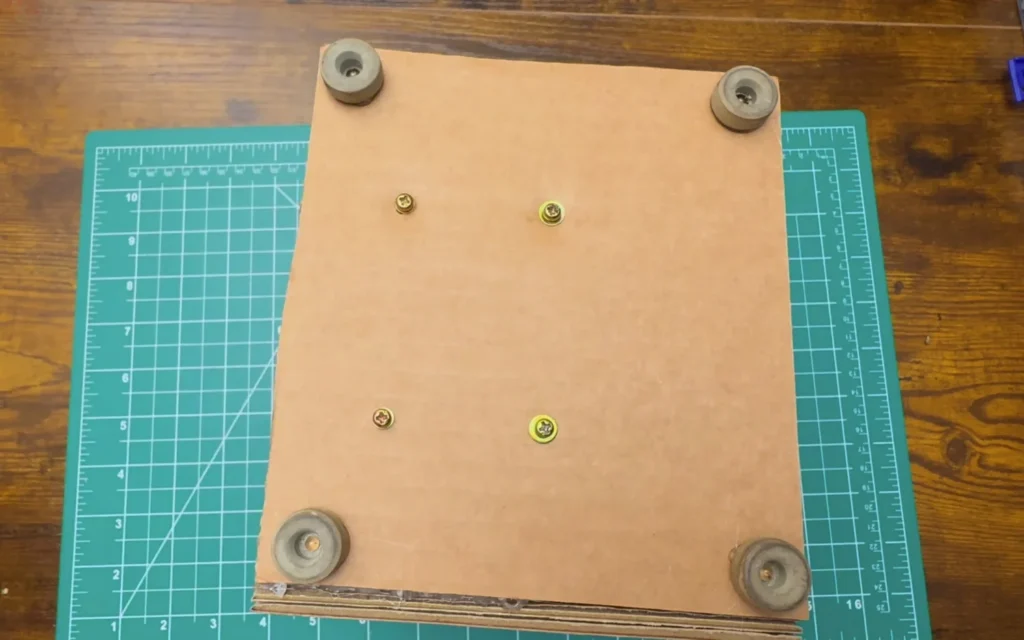
Fig. 19 -
Step 20: Cut the stainless steel wire for the front guard
Now the decorative part. For the fan guard on the front, I used stainless steel wire, about 2 mm thick. It's stiff enough to keep its shape and it doesn't rust. I cut lengths from the coil with wire cutters.
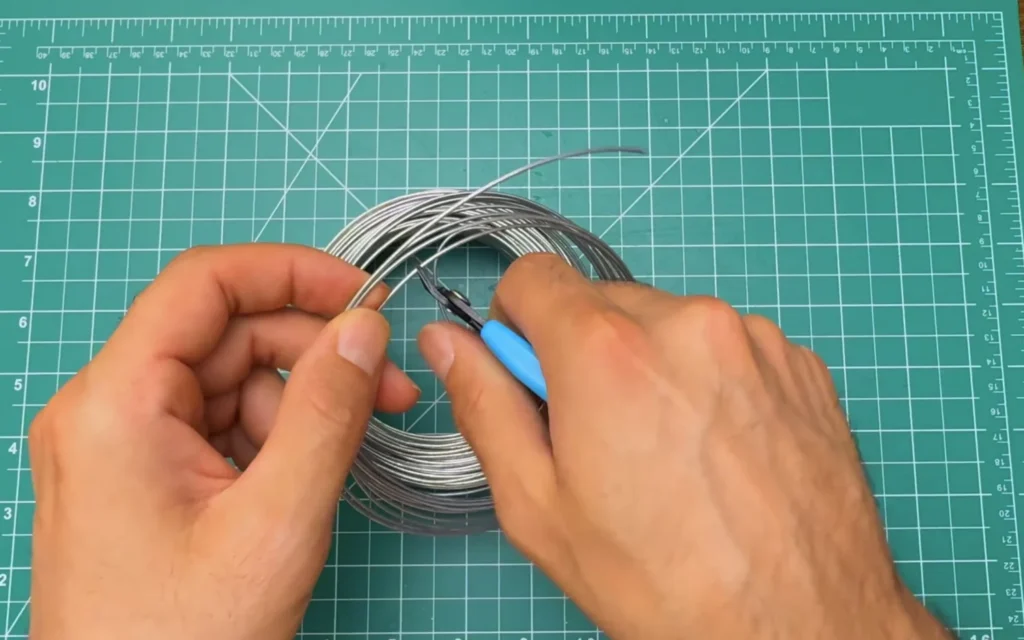
Fig. 20 -
Step 21: Size the outer ring
I bent the first piece into a ring a little bigger than the fan opening and held it on the front panel to check the size. It should frame the opening with a small even gap all around.
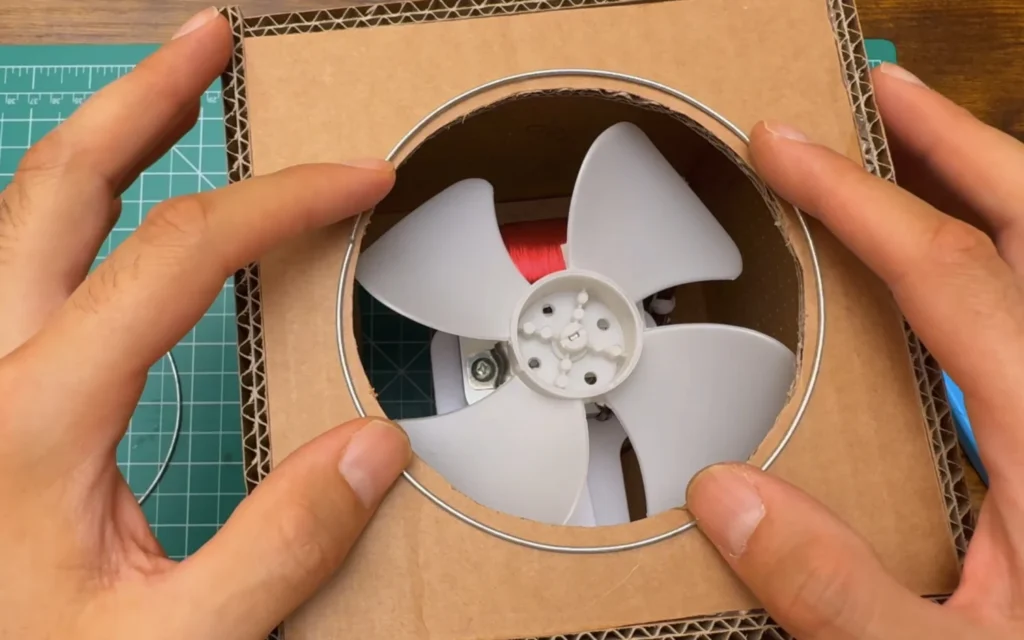
Fig. 21 -
Step 22: Join the ring ends with aluminium wire
To close each ring, I overlapped the ends and wrapped them tightly with gold-coloured aluminium wire. Aluminium craft wire is soft and easy to wrap, and the gold colour gives a nice contrast to the steel and the cardboard.
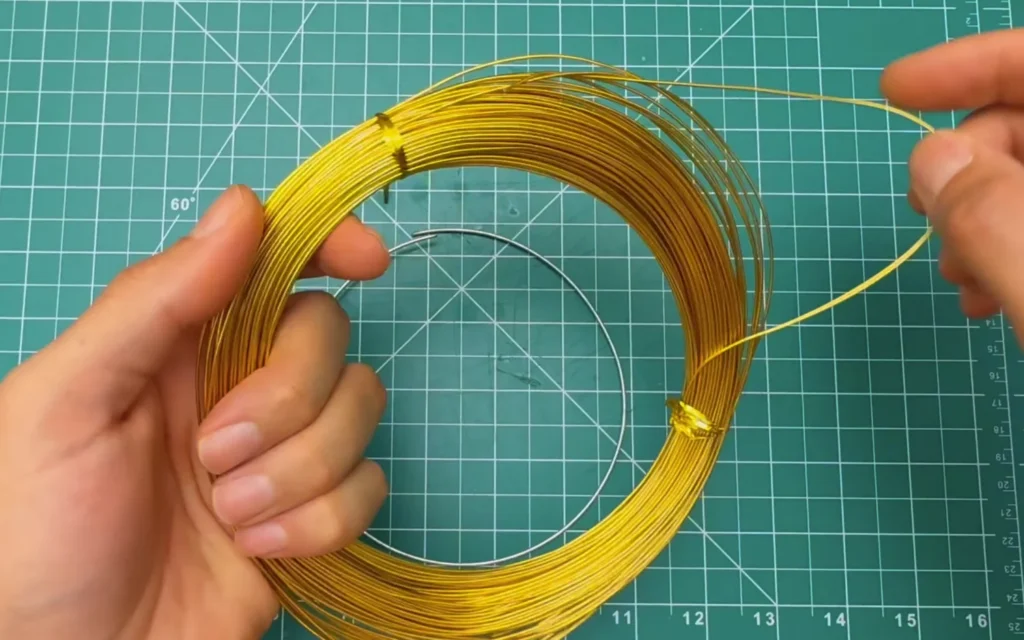
Fig. 22 -
Step 23: Make three rings
I made three rings in different sizes: a large outer ring, a middle ring and a small one for the centre, each closed with a neat gold wrap.
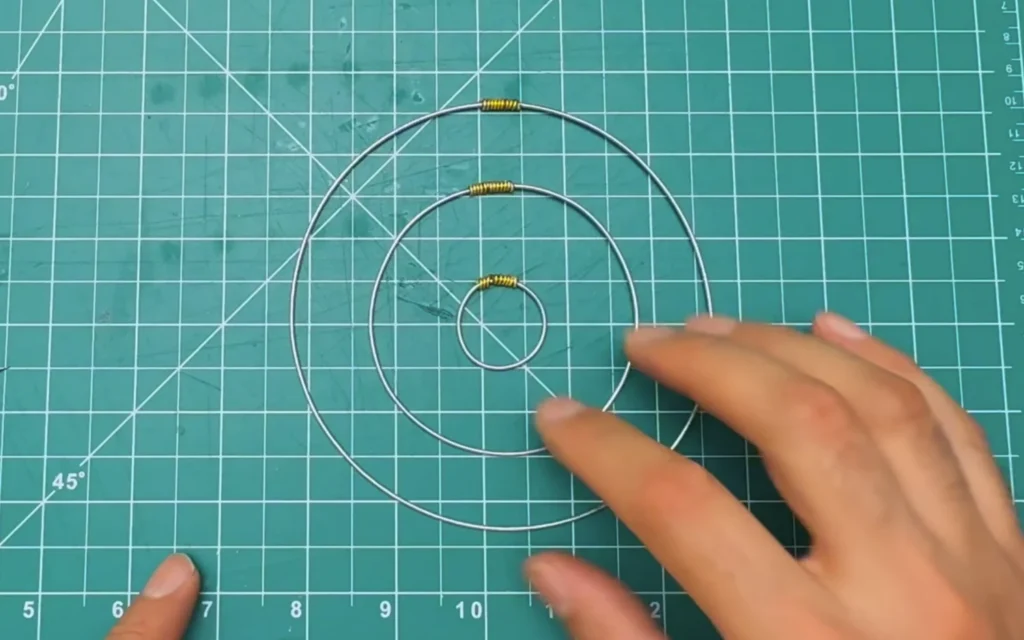
Fig. 23 -
Step 24: Add the cross wires
Two straight wires form a cross through the middle of the rings and hold everything together. I bent their ends into small hooks and made four small holes in the front panel, at the top, bottom, left and right, so the hooks can go through the cardboard.
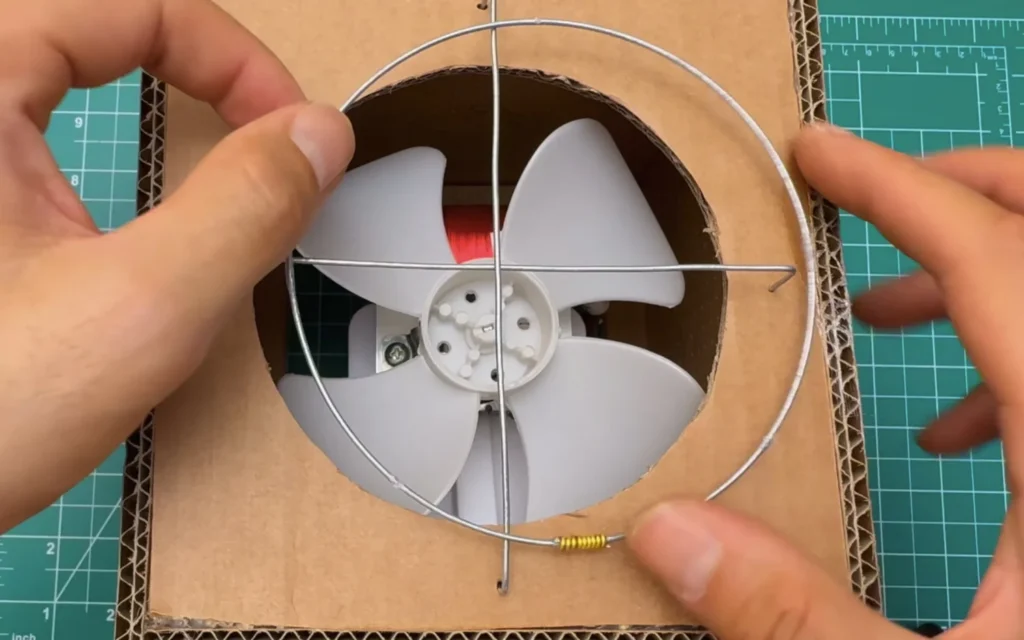
Fig. 24 -
Step 25: Hook the guard into the front panel
With the hooks pushed through the panel, the guard sits flat on the front and stays put. The outer ring and the cross now cover the opening, so fingers can't reach the blade as easily.
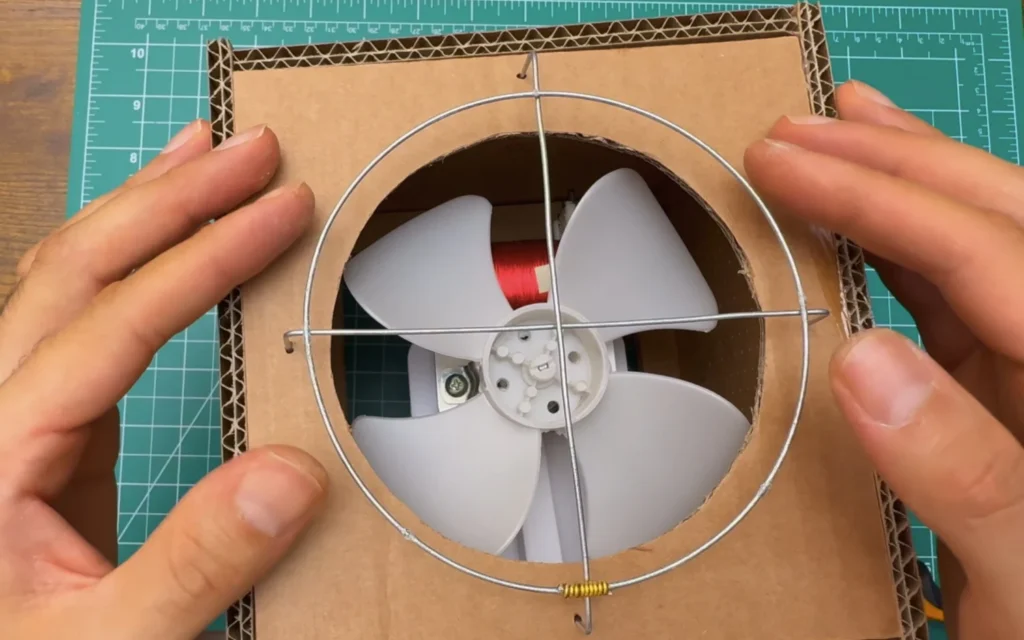
Fig. 25 -
Step 26: Frame the back opening with craft sticks
For the back, I wanted something different: a small wooden frame with bars, a bit like an old radiator grille. I glued wooden craft sticks around the rectangular opening above the power inlet.
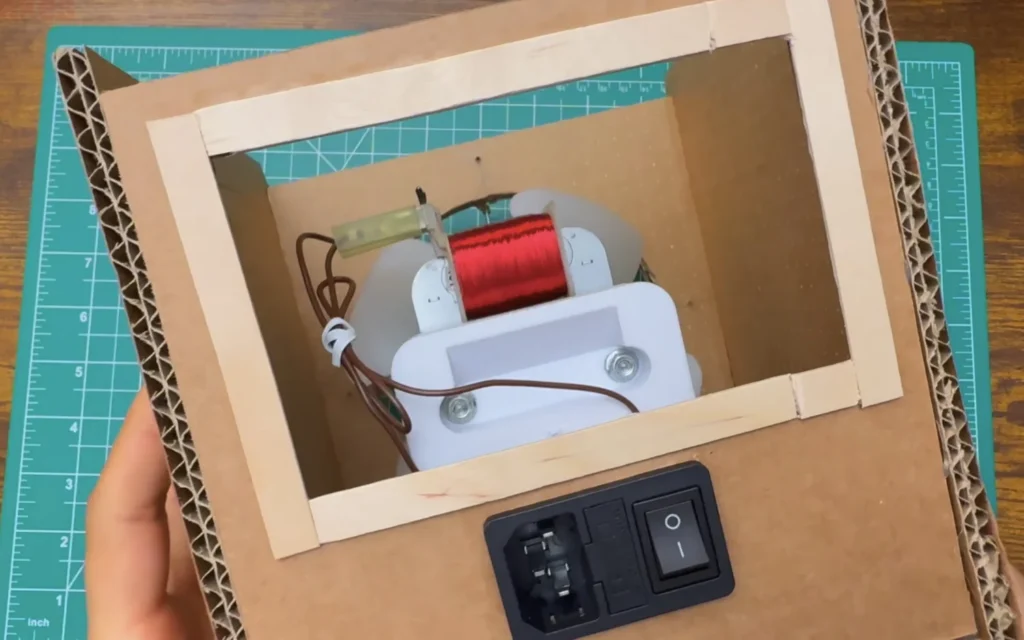
Fig. 26 -
Step 27: Measure the back opening
I measured the height of the opening with a steel ruler, so I could cut all the bars to the same length.
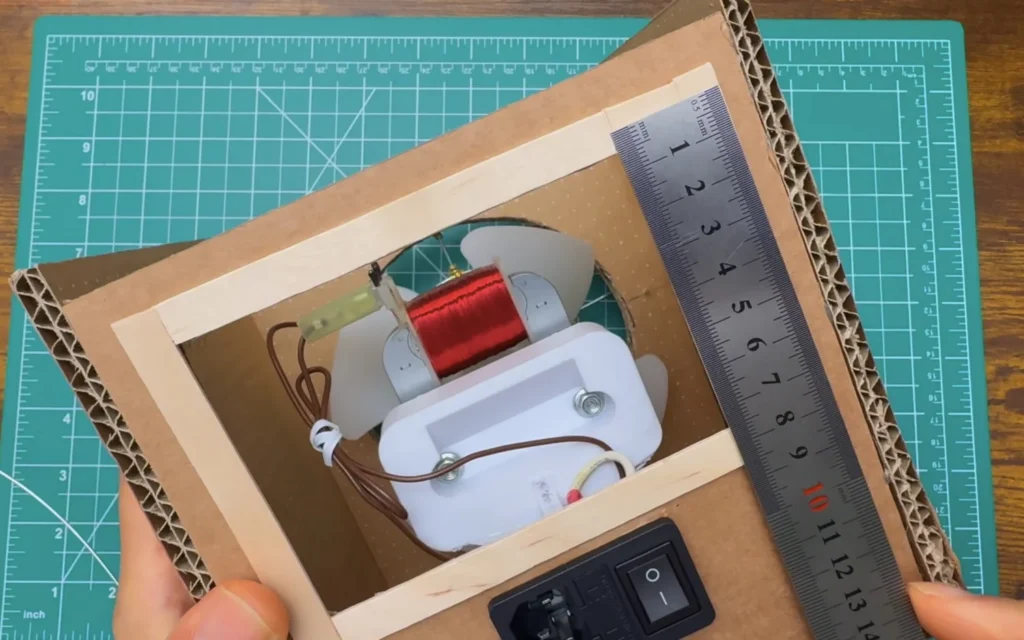
Fig. 27 -
Step 28: Cut the stainless steel bars
I cut short, straight rods from the same 2 mm stainless steel wire, all the same length. Straightening them first makes the grille look much neater.
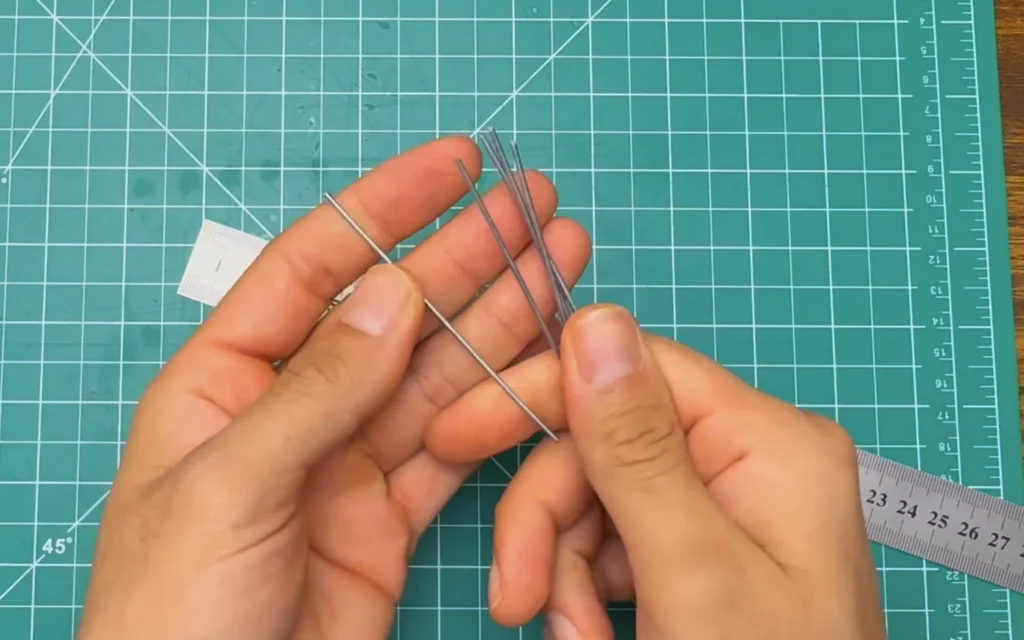
Fig. 28 -
Step 29: Fit the bars into the back frame
I fixed the bars into the top and bottom strips of the craft-stick frame, evenly spaced and at a slight angle. They let plenty of air in and keep fingers away from the back of the motor.
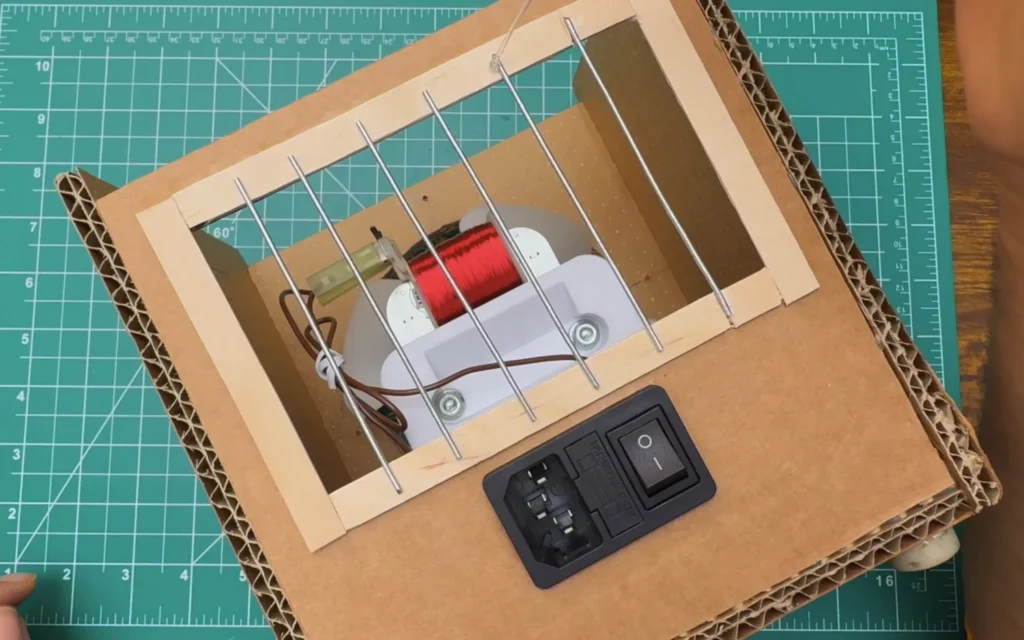
Fig. 29 -
Step 30: Wrap every joint in gold aluminium wire
The last step was the most fun. I wrapped every place where the rings cross the cross wires with gold aluminium wire, plus a few extra spirals on the outer ring. The wraps lock the guard together so nothing rattles, and they make it look handmade on purpose.
Then I closed the box, and the fan was done.
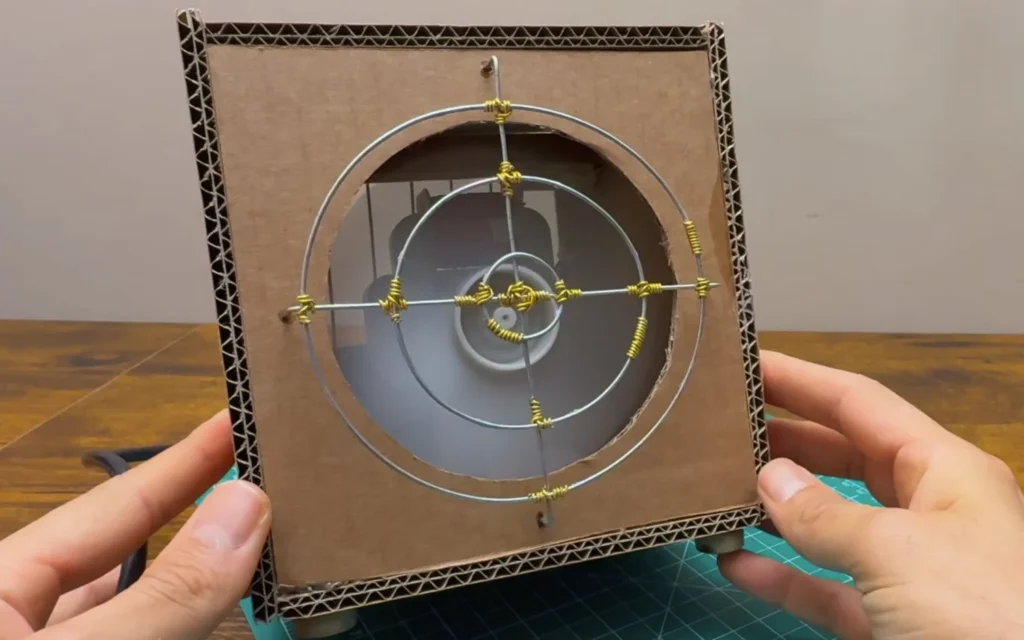
Fig. 30
Problems & mistakes
The biggest lesson was the motor mount. My first printed version looked fine but flexed, because the upright was only 2.5 mm thick with a narrow neck. A part that holds a spinning motor needs thick walls and gussets, and should be screwed down with metal threads, not glued.
The second thing is safety. This fan runs on 230 V inside a cardboard box, so every connection has to be insulated, the wires must stay away from the blade, and the fuse in the inlet module is not optional.
Don’t glue the motor
A fast fan glued to cardboard will work loose. Use a proper mount and screws.
Final result
The finished DIY desk fan works really well. The salvaged microwave motor blows a strong breeze, the 3D-printed mount keeps it steady, and the rubber feet keep the box from walking across the desk.
I love how it looks: plain cardboard, the steel bars on the back and the gold-wrapped wire guard on the front. It's proof that an old microwave still has useful parts inside. You can watch the whole build in the video.
What I would change
I would connect the earth pin of the inlet to the motor's metal frame, so the fan is earthed like a store-bought one.
A finer front guard with more rings would make it safer around kids and pets.
A speed control, or a second switch position, would make it more useful on cooler days.