Introduction
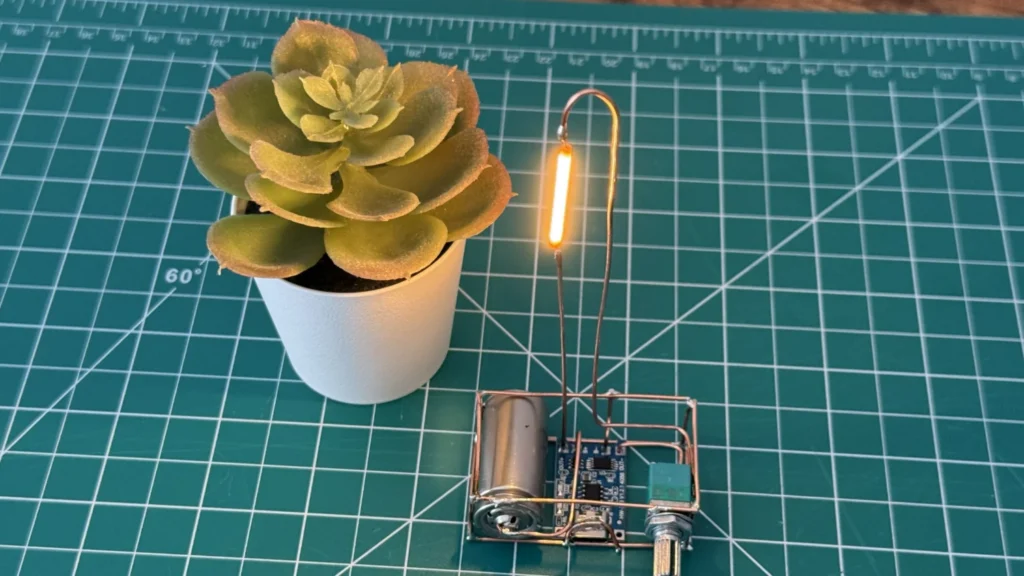
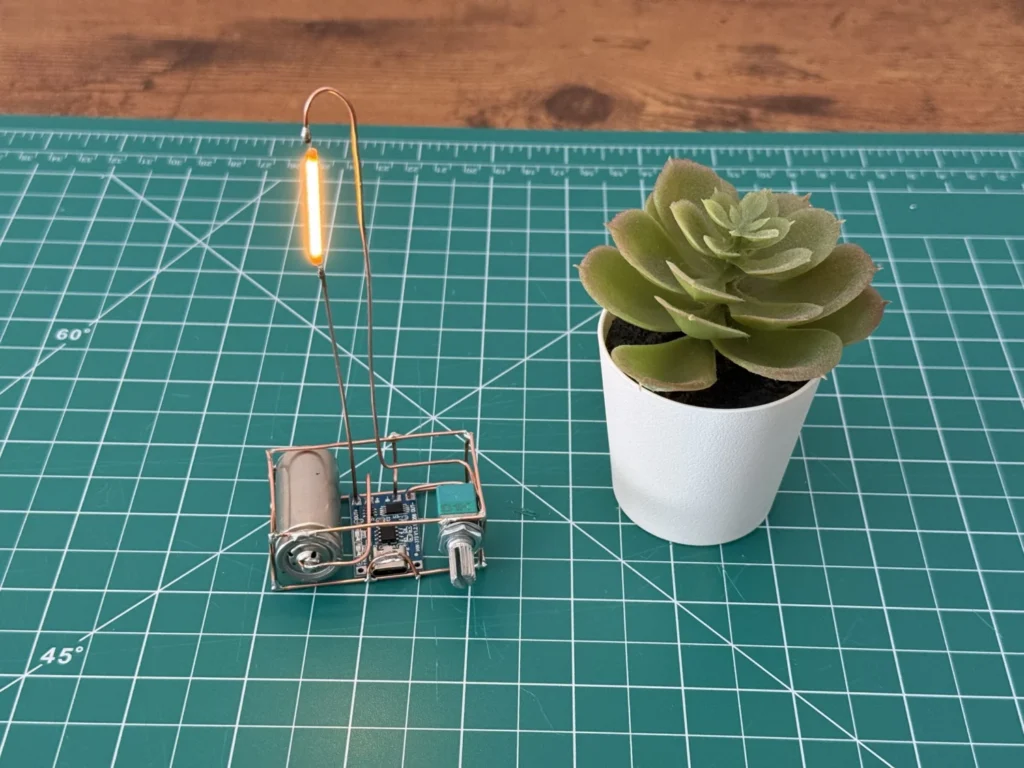
This copper wire lamp is a tiny Edison-style desk light that I built almost entirely from bare copper wire. A warm LED filament glows at the top of a tall copper arm, and the base is an open copper cage that holds the battery, a USB-C charger board and a dimmer knob.
The idea was to make the electronics part of the design instead of hiding them. The copper wires do double duty: they form the frame and they carry the power, so every solder joint is both structural and electrical. It's small enough to sit next to a plant on your desk, and because it's rechargeable, you can take it camping or use it as a reading light.
If you have never shaped wire before, my first wire craft lantern is a gentler place to start. This build adds soldering and a lithium cell on top of the wire work.
 Watch the full build on YouTube
Full build · 13:52
Watch the full build
Every step, the mistakes and the first test, in one video.
Tools and materials
01 Tools
- Soldering iron with a fine tip
- Flat-nose and round-nose pliers for bending the wire
- Side cutters
- Cutting mat with a grid (it keeps the frame square)
- Helping hands or a clamp to hold parts while soldering
- Multimeter for checking polarity and short circuits
- USB-C cable and charger for the first charge
02 Materials
- Bare solid copper wire, cut into straight rods for the frame and the lamp arm
- Thinner copper wire for the small connections
- LED filament (the yellow filament rod, warm white)
- 16340 rechargeable Li-ion cell
- TP4056 USB-C lithium charger module with battery protection (HW-373 board)
- B1K (1 kΩ) rotary potentiometer with a built-in on/off switch
03 Consumables
- Solder
- Flux
- Fine sandpaper or steel wool to clean the copper before soldering
Build process
-
Step 1: Gather the parts
The parts list is short. The frame is just copper rods, and the electronics are four pieces: a TP4056 USB-C charger board, a 16340 lithium cell, a 1 kΩ potentiometer with a built-in switch, and an LED filament.
The TP4056 board I used (HW-373) has battery protection built in, which matters because the cell sits right inside a bare copper frame. It charges the cell over USB-C and cuts the power if the battery runs too low or something shorts.
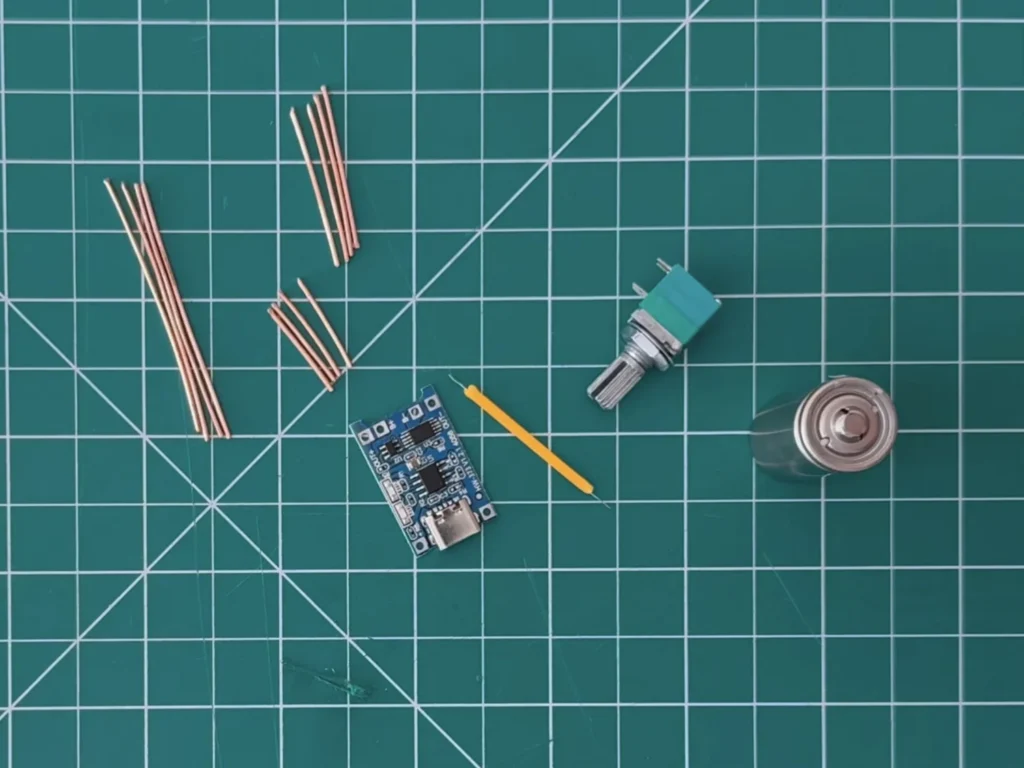
Fig. 01 -
Step 2: Straighten and cut the copper rods
Clean, straight wire makes everything after this easier. I straightened the copper, cleaned it so the solder would flow, and cut it into rods for the edges of the base and the two long pieces for the lamp arm.
Cut a few extra short pieces. You will want them for cross-braces and small connections while you fit the electronics.
-
Step 3: Solder the base cage around the battery
The base is a small rectangular cage, sized so the 16340 cell sits on one side and the charger board and potentiometer fit next to it. I built it on the cutting mat and used the grid lines to keep the corners square.
Solder the bottom rectangle first, then add the uprights and the top rails. Tack each joint with a little solder, check that it's square, then finish the joint. Copper carries heat away fast, so hold the iron on long enough for the solder to flow properly.
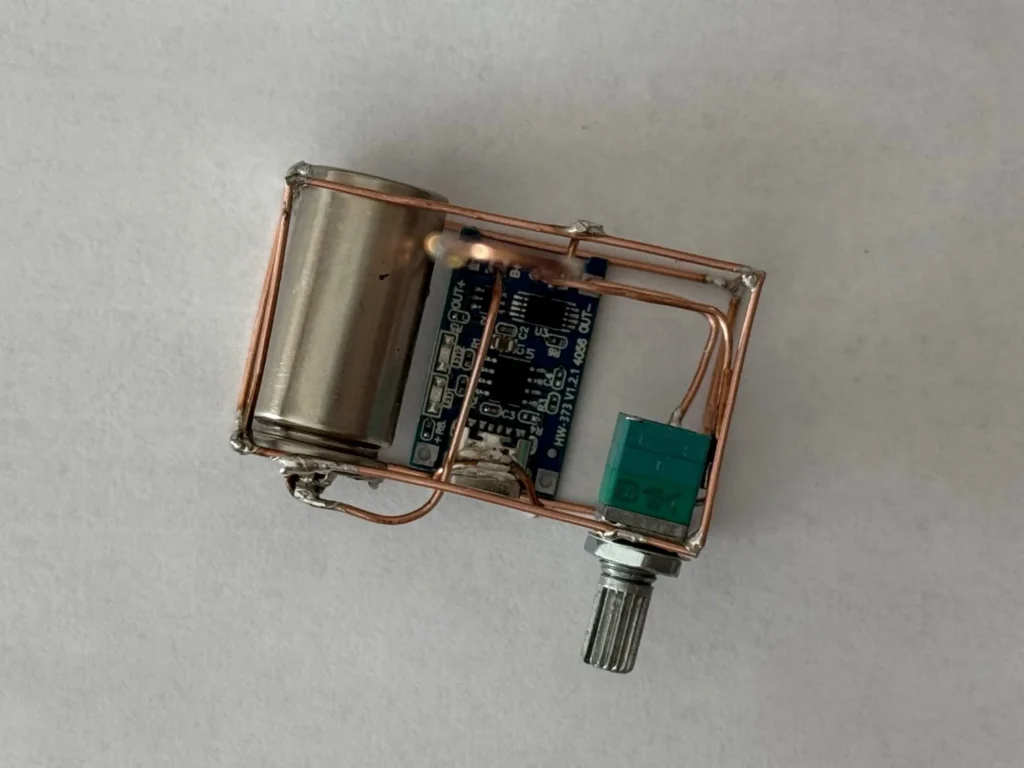
Fig. 02 Heads up
Don’t solder directly onto the battery with the iron held there for long. Heat damages lithium cells. Make the frame hold the cell instead, and keep soldering heat away from it.
-
Step 4: Fit the cell and the charger board
The cell connects to the B+ and B− pads of the TP4056 board, and the lamp gets its power from the OUT+ and OUT− pads. I placed the board so its USB-C port faces the front edge of the base, where it's easy to plug in.
Check the polarity twice before connecting the battery. B+ goes to the positive end of the cell and B− to the negative end. Reversing it can destroy the board.
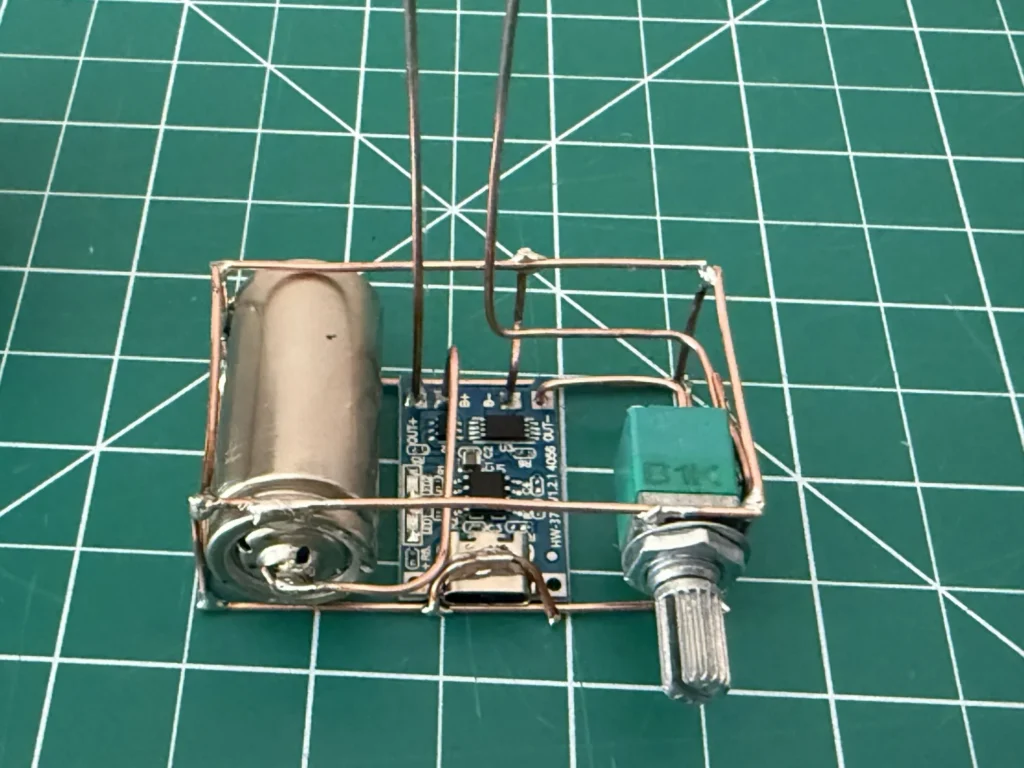
Fig. 03 Wiring
Cell + → B+, cell − → B−. OUT+ → potentiometer switch → filament → OUT−.
-
Step 5: Add the dimmer switch
The B1K potentiometer has a switch built in. Turn it all the way one way and it clicks off; turn it back and it switches on and dims or brightens the filament. That makes it both the on/off switch and the brightness control, with just one knob.
I wired it between OUT+ on the charger board and one leg of the lamp arm, and held its body in the copper frame so the knob sticks out of the side of the base.
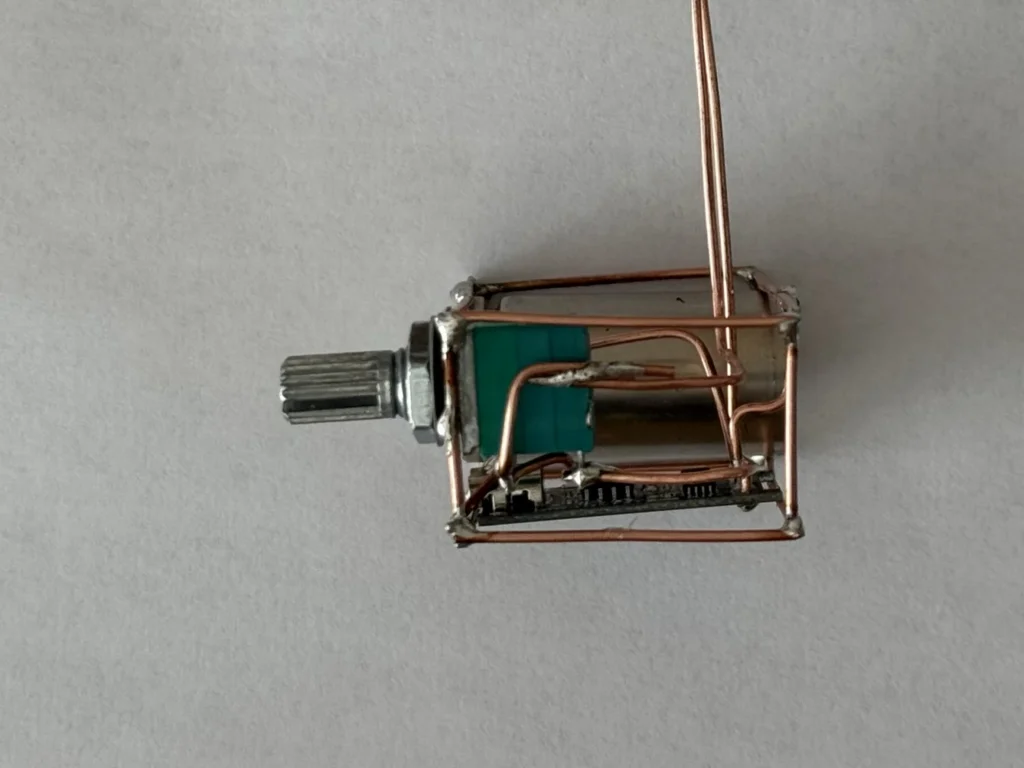
Fig. 04 -
Step 6: Bend the arm and solder the filament
The lamp arm is two long copper rods that rise from the base and bend over at the top like a hook. Each rod is one side of the circuit, and the LED filament is soldered across them near the top, so it hangs just like the filament in an old Edison bulb.
LED filaments have polarity. The positive end is usually marked with a small hole or a mark on the metal tab. Connect that end to the wire coming from the potentiometer, and the other end to OUT−. Keep the two arm wires apart along their whole length; if they touch, it's a short circuit.
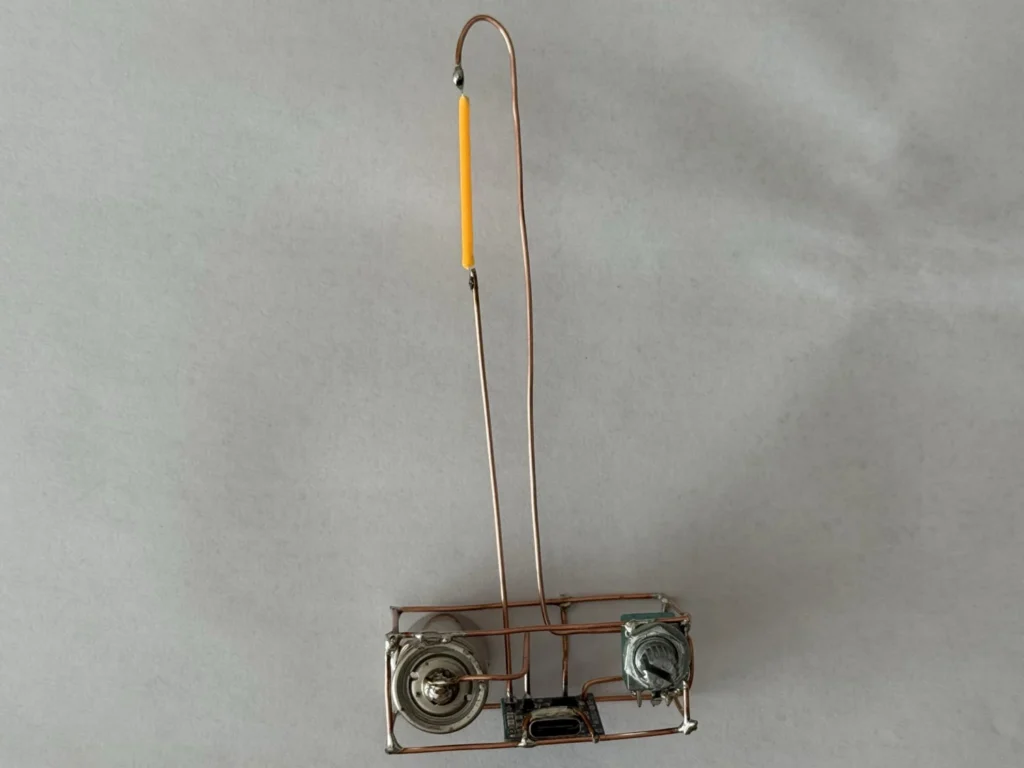
Fig. 05 Watch for shorts
The frame is live. If a + wire touches a − wire anywhere, the protection on the TP4056 board will cut the power. Check with a multimeter before you switch it on.
-
Step 7: Charge it and test the dimmer
For the first test, I plugged in a USB-C cable to charge the cell. The charger board's LED shows when it's charging and when it's full. Then I turned the knob: it clicks on, the filament starts to glow, and turning it further changes the brightness.
If nothing lights up, check the filament polarity first, then the switch position, and then look for a short between the frame wires.
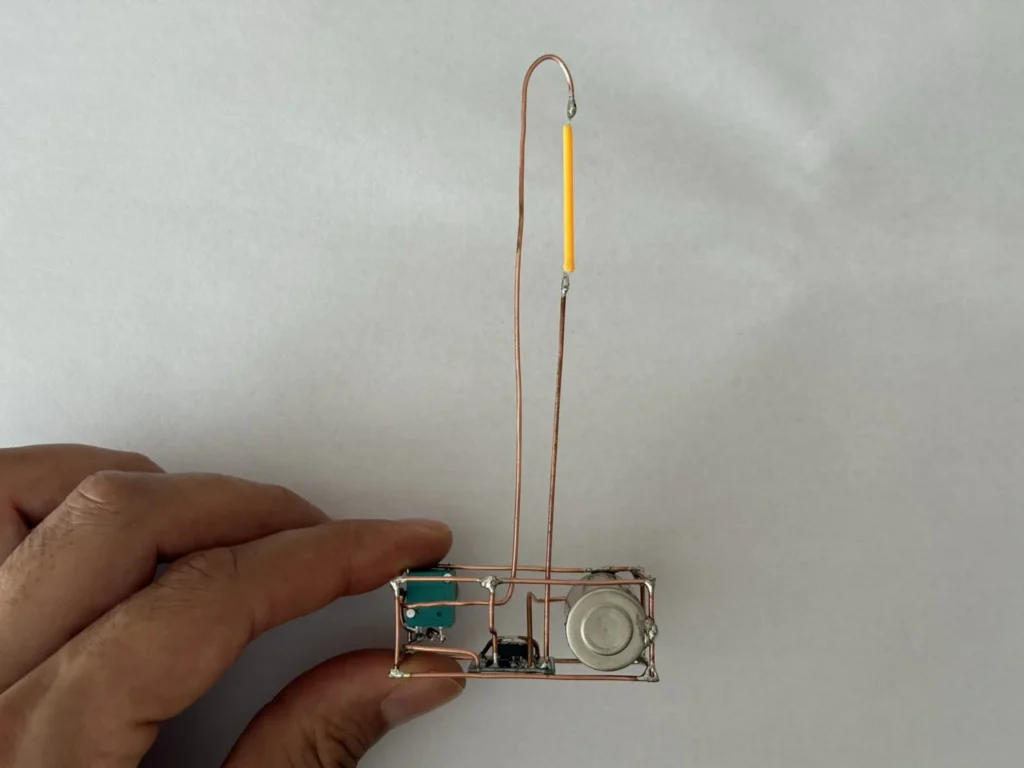
Fig. 06
Problems & mistakes
The hardest part is keeping the frame square while soldering. Copper bends easily when it's hot, and soldering one joint can loosen the one next to it. Tacking every joint first and only finishing them once the shape is right helped a lot.
The other thing to watch is that the frame carries power. Every wire belongs to either the + or the − side, so plan which rods are which before you start, and keep them from touching.
Lithium safety
Use a charger board with battery protection, never charge the cell unattended for long periods, and don’t leave a damaged or swollen cell in the lamp.
Final result
The finished copper wire lamp is small, warm and surprisingly bright for its size. The filament gives a cosy Edison-bulb glow, the knob dims it smoothly, and it charges over USB-C like a phone.
It looks great next to a plant on my desk, and it's just as nice as a reading light or for camping. You can watch the whole build in the video.
What I would change
I would mount the base on a small wooden block. It would look even more like a classic desk lamp and keep the frame from sliding around.
A small glass dome over the filament would protect it and make the Edison-bulb look even stronger.
A bigger cell, like an 18650, would give a much longer run time, though the base would have to grow with it.