What can you make with Drill Bit Index Generator?
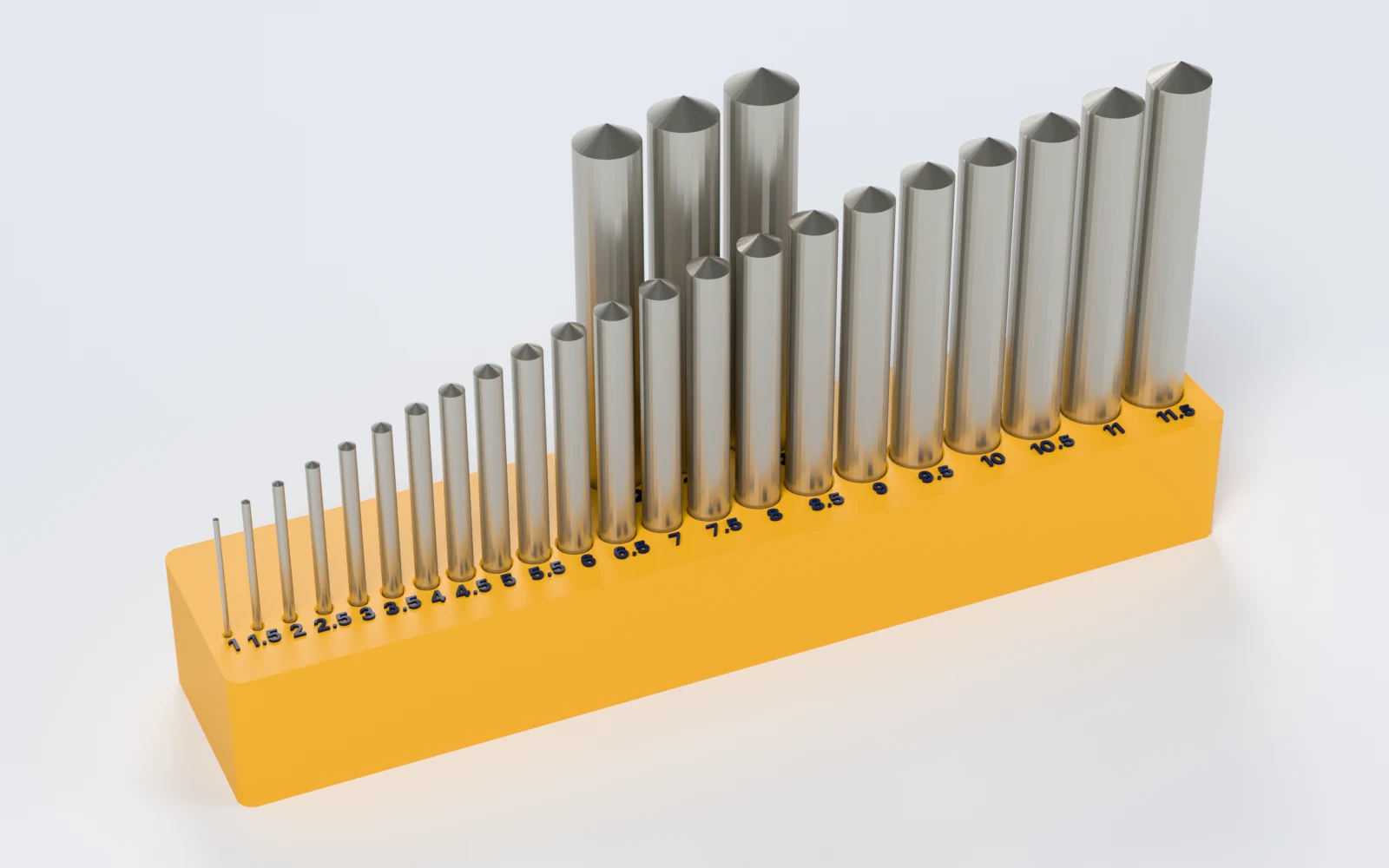
Indexes for bits from 0.5 mm to 1 inch, in rows that fit your bed. Makers print:
- An index for a 25-piece metric set on the bench.
- A wall-hung index for fractional bits, leaning back 10°.
- Number and letter drills with their decimal sizes.
- A Gridfinity bin for the small bits.
How do you make a drill index, step by step?
Everything is in the panel beside the index, which updates as you change it. Start from a preset, then change what you need.
1. Start from a preset
Pick Metric 1–13 mm, Fractional 1/16"–1/2", Number #1–#60, Letter A–Z or Gridfinity 1–6 mm. A preset sets only what it names; Surprise me tries another lean and label and keeps your set.
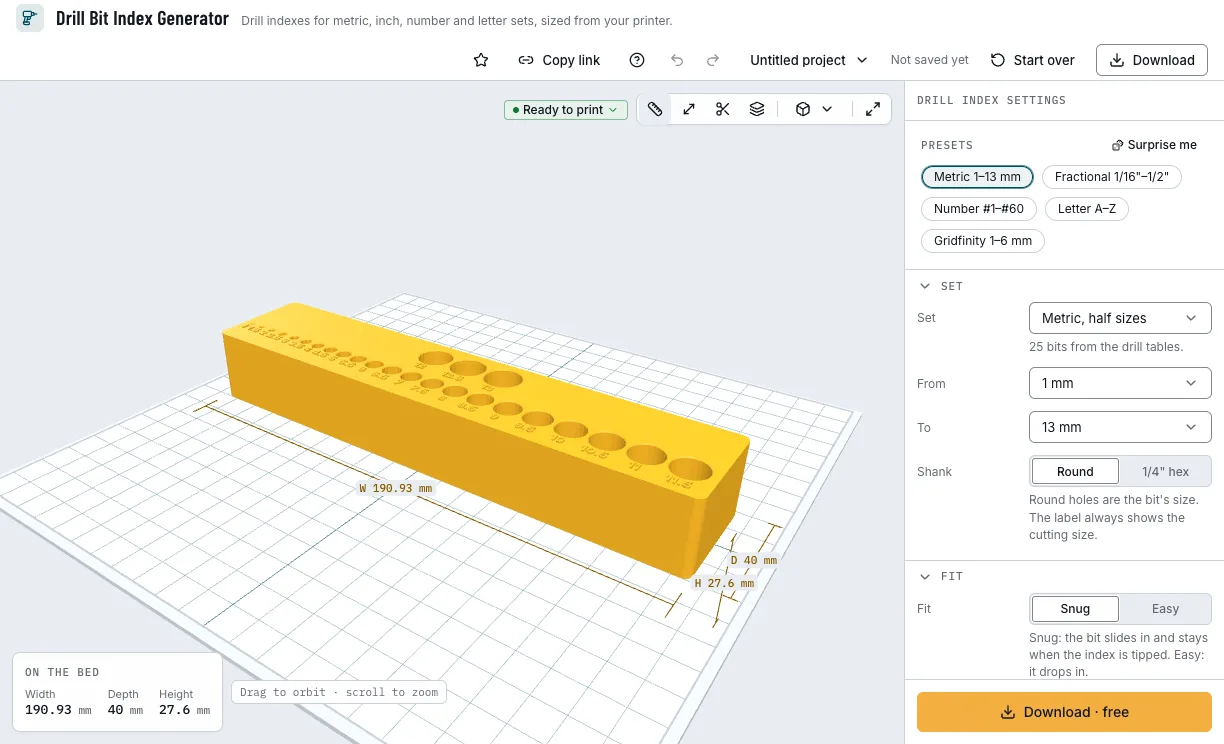
The presets and the index they make. 2. Pick your set
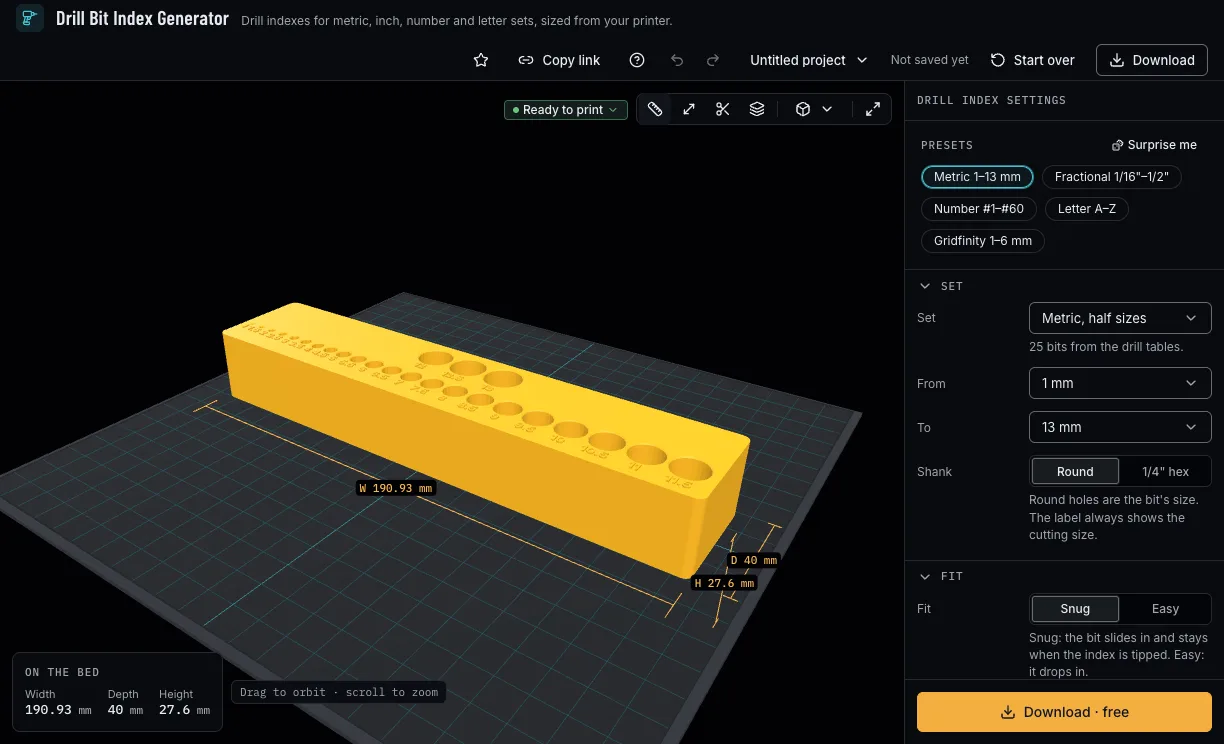
A metric set in half sizes, whole sizes or 0.1 mm, fractional inch, number or letter drills, and the range you own; or your own sizes in millimetres or inches. Pick a 1/4 inch hex shank for hex-shank bits: the label still shows the cutting size.
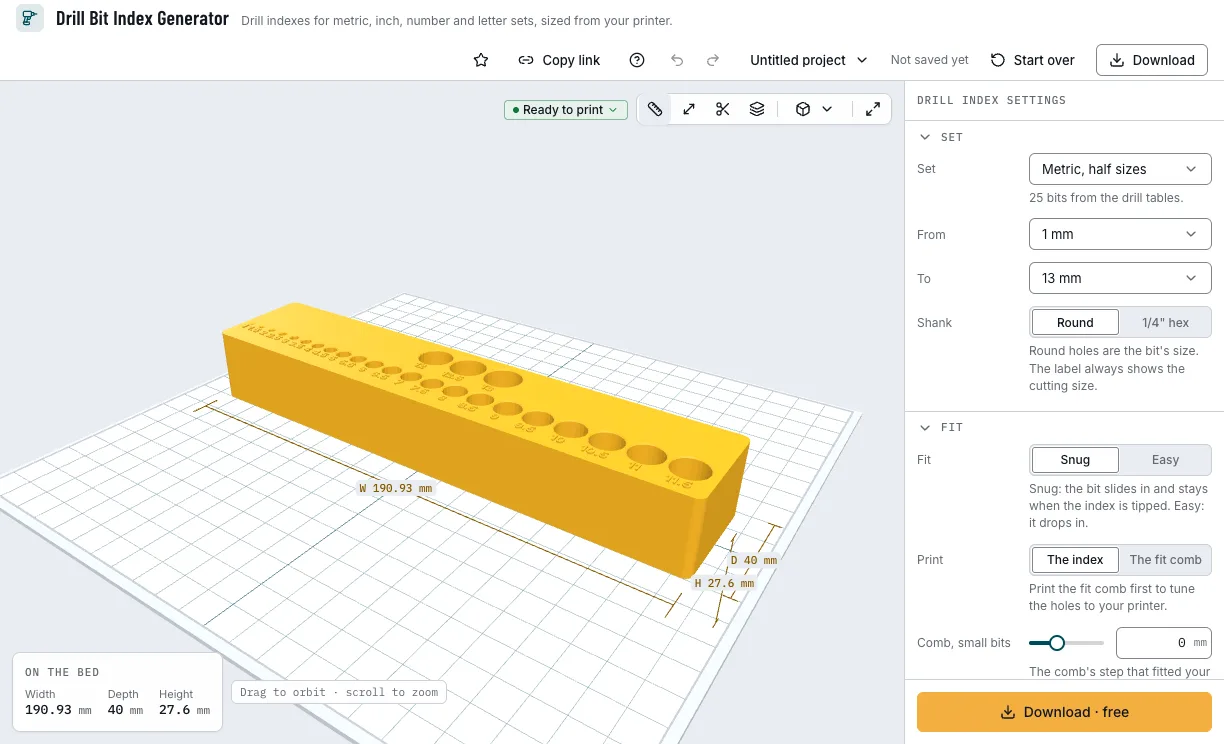
The metric set from 1 to 13 mm. 3. Tune the fit with the comb
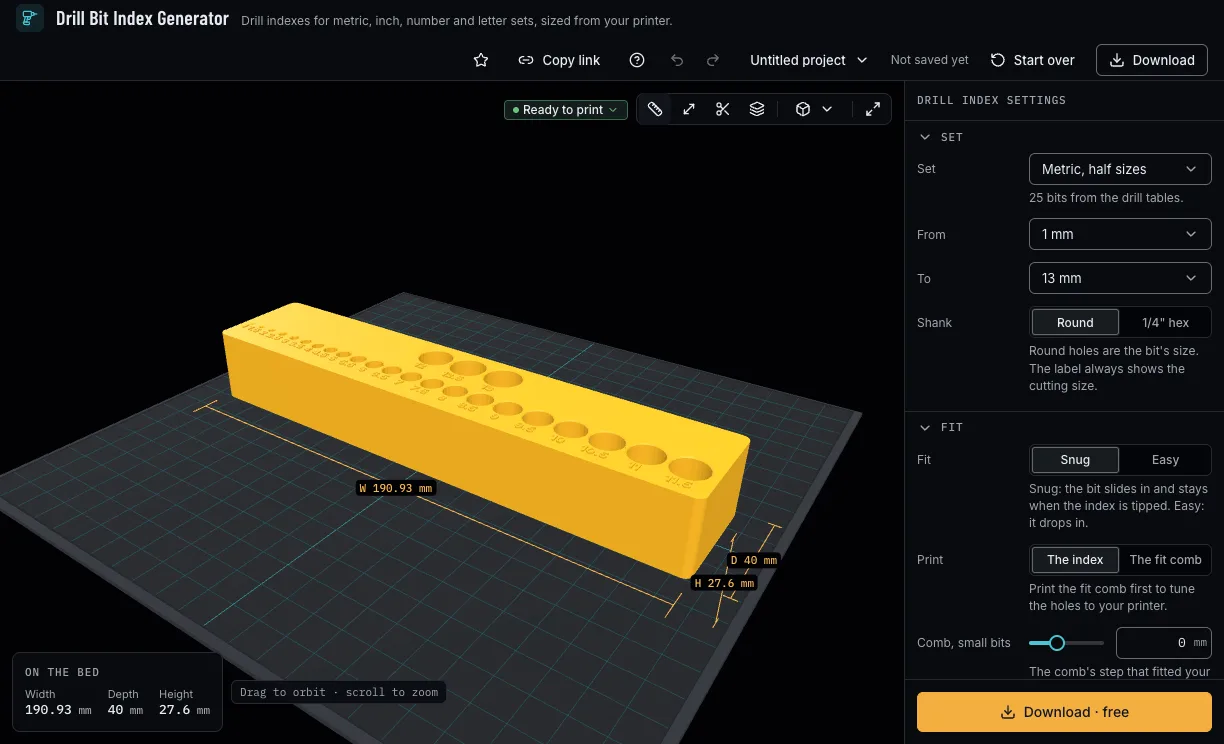
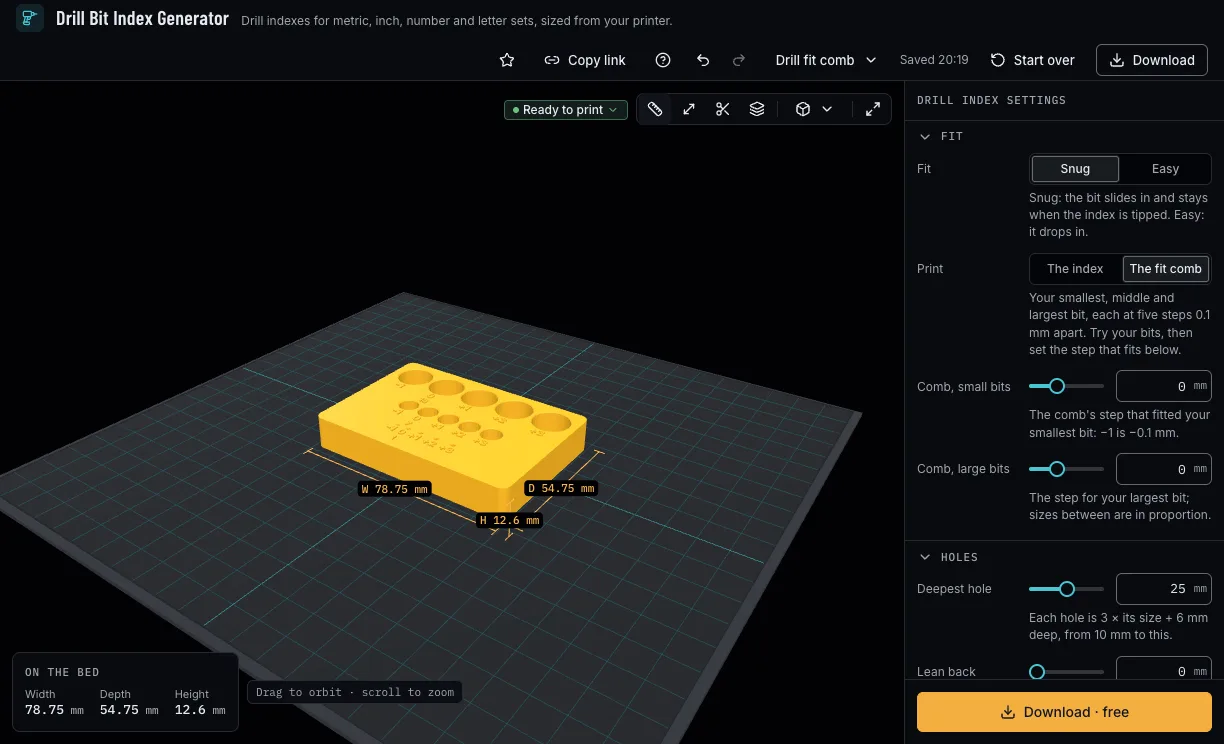
Choose Snug, which holds a bit when you tip the index, or Easy. Print the fit comb first: your smallest, middle and largest bit each in five holes 0.1 mm apart. Set the step that fitted the small and the large bits; the sizes between follow.
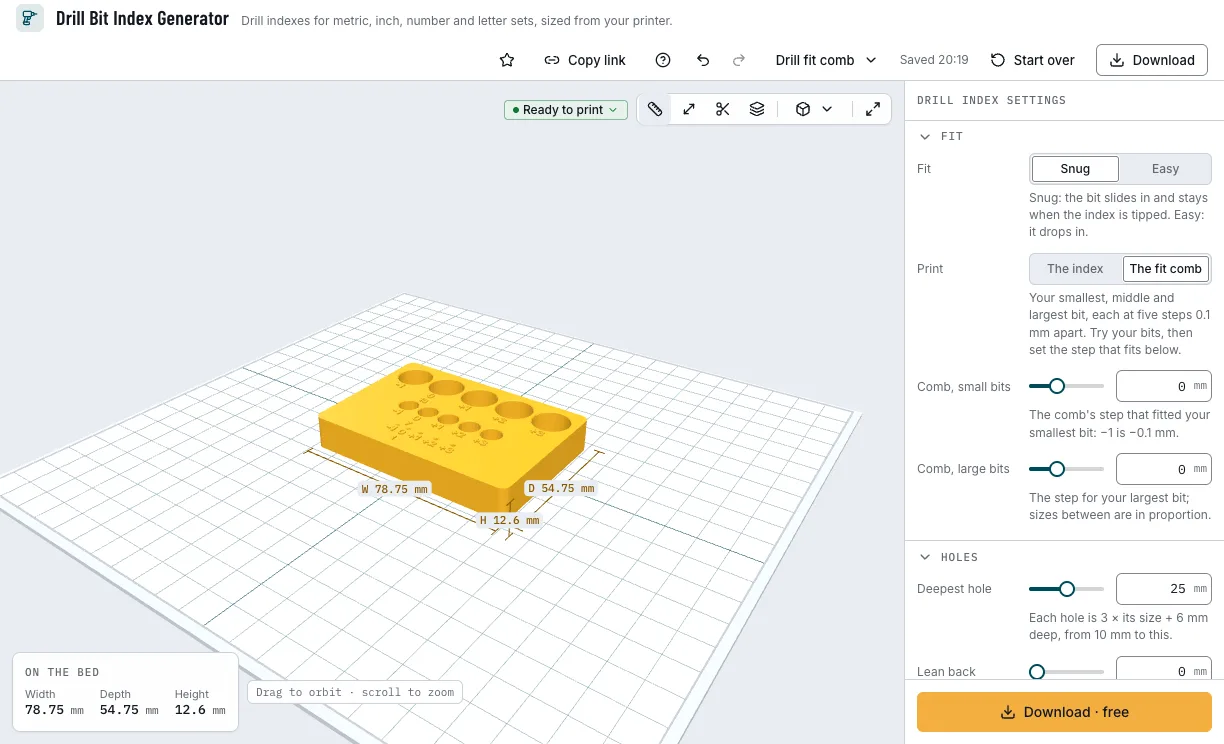
The fit comb: three bits at five steps. 4. Choose the labels
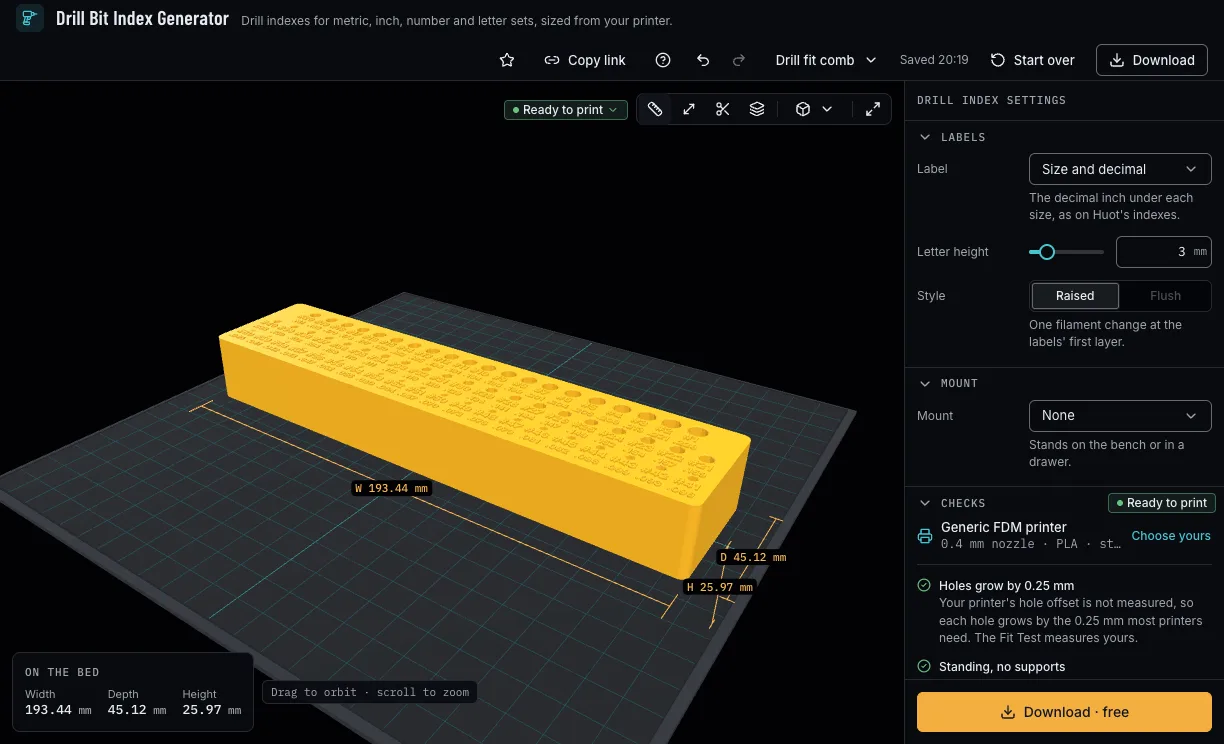
The size, or for inch sets the size and its decimal inches; the letter height; raised for one filament change, or flush on a printer with several filaments.
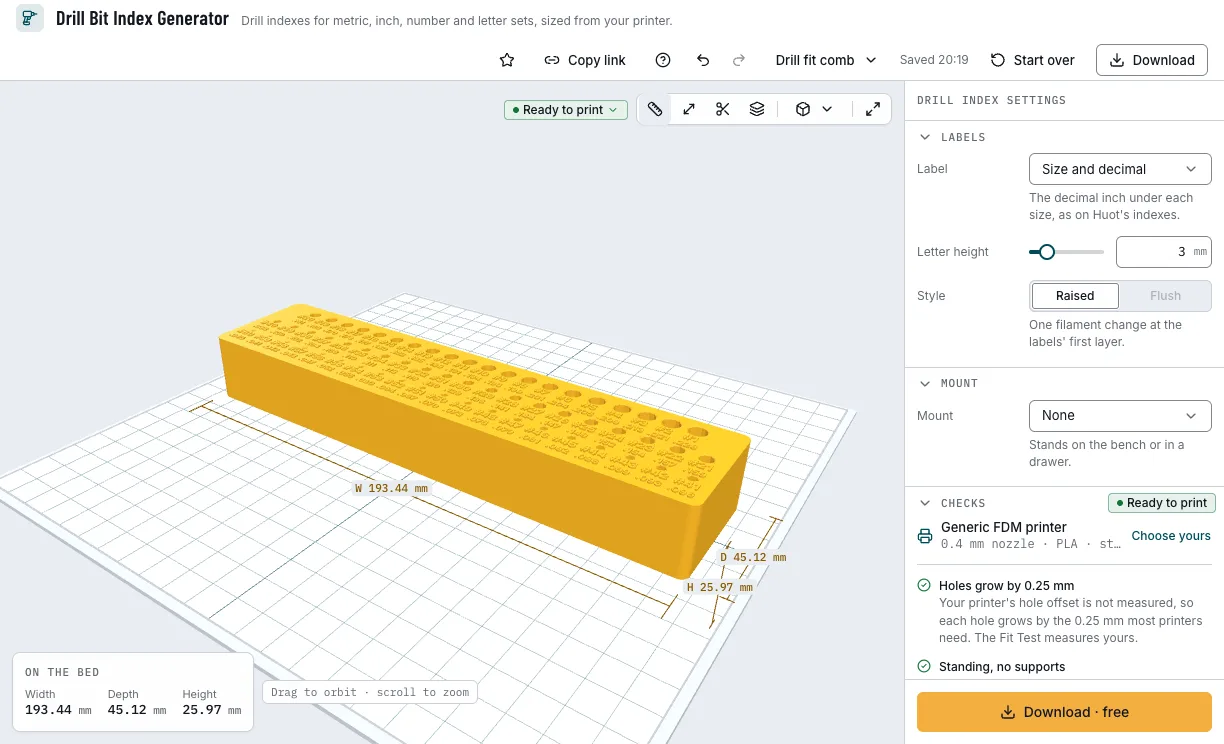
Number drills with their decimals. 5. Choose a mount and download
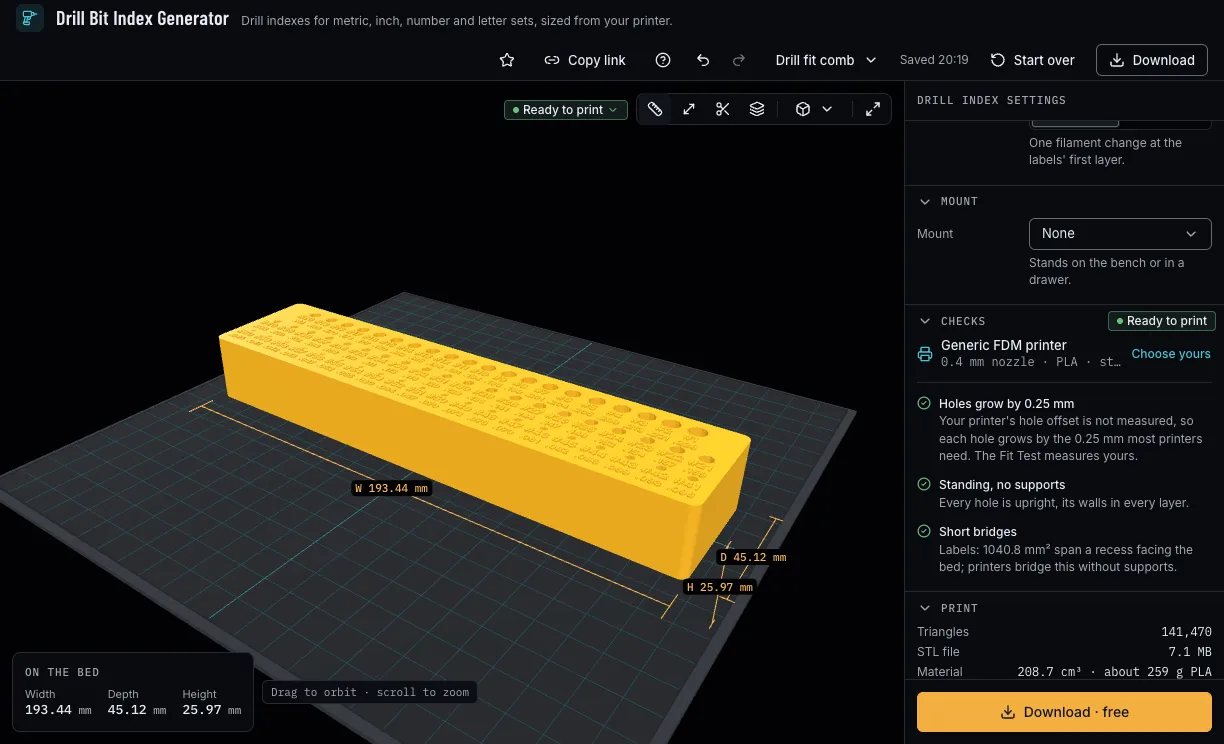
Leave it on the bench, or hang it on screws, keyholes or a 45° French cleat on a back plate that prints with it, or set it on Gridfinity. The checks say whether the smallest holes print with your nozzle and the rows fit your bed. Then download 3MF or STL.
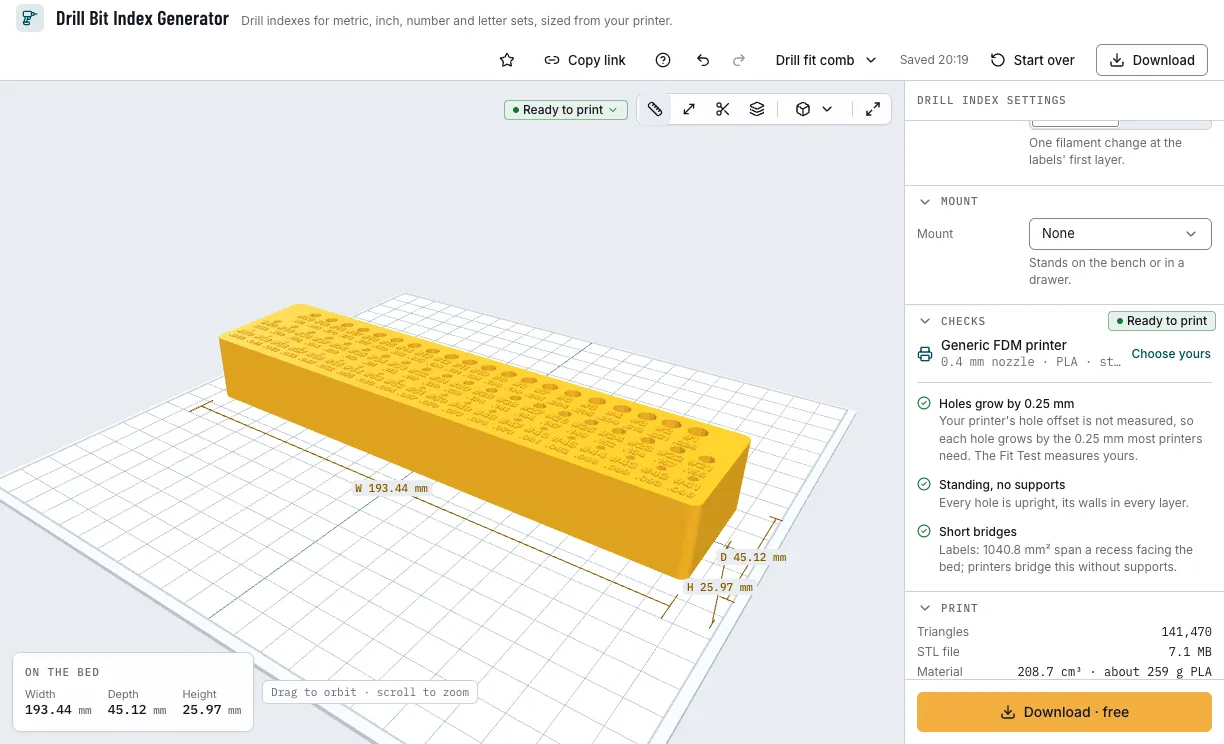
The mount, the checks and the download.
Which drill indexes can you start from?
Each example opens in Drill Bit Index Generator as a new design, beside your own.
Metric 1–13 mm
The common 25-piece metric set, 1 to 13 mm in half sizes, on the bench.
- 25 bits
- 1–13 mm
- On the bench
- Free
Fractional 1/16"–1/2"
Fractional bits on the wall, leaning back 10°, with their decimal inches.
- 29 bits
- 1/16"–1/2"
- Screw holes
- Free
Number #1–#60
Number drills #60 to #1 with their decimal sizes.
- 60 bits
- #60–#1
- Decimals
- Free
Gridfinity 1–6 mm
The small metric bits in a Gridfinity bin with magnets.
- 11 bits
- 1–6 mm
- Gridfinity
- Free
Which print settings work best for a drill index?
The index prints standing, its top up: every hole is upright or leans back well under 45°, so no supports are needed, and its back plate stands with it. The layer height is a starting point; the thinnest wall is the one the printer checks hold each filament to.
| Filament | Layer height to start | Thinnest wall | Supports | Notes |
|---|---|---|---|---|
| PLA | 0.2 mm | 0.8 mm | None | Crisp holes and labels for the bench. |
| PETG | 0.2 mm | 0.8 mm | None | Tougher, for an index that gets knocked about. |
Tips for bits that stay put
- Print the fit comb first: small holes print tighter than large ones on most printers.
- Run the Fit Test once: every hole then grows by your printer's own offset, not the 0.25 mm stand-in.
- Lean the holes back about 10° for an index on the wall.
- Raised labels need one filament change at their first layer; pause there to change colour.
- Before you print, check it on the view's bar: Dimensions shows its size, Measure the distance between two points, Section cuts it open and Layers steps through it as your printer will.
What if the bits are tight, loose or the holes will not print?
- The bits are too tight or too loose
- Print the fit comb, find the step that fits your smallest and your largest bit, and set them in Comb, small bits and Comb, large bits. Easy adds your filament's sliding fit.
- The checks say a hole is under two nozzle widths
- Press Apply to start the set at the first size your nozzle prints, or use a finer nozzle.
- The rows are wider than the bed
- Press Apply for rows 10 mm under your bed's width; the index grows deeper instead.
- The checks say a 30° cleat would overhang
- Press Apply for a 45° cleat. The index prints standing, so its hook prints at 45° only.
Is Drill Bit Index Generator free?
Yes. Every set, size and download is free; downloading needs a free NabiMakes account, which also keeps your projects.
Free
Free- Metric, fractional, number and letter sets, or your own
- The fit comb
- Labels, screws, cleat and Gridfinity
- 3MF and STL
Every setting, with its range and default
Lengths are in millimetres. Each setting shows only where it applies: From and To for a set, your sizes for your own list, the mount's settings for its kind.
| Setting | Range | Default | What it does |
|---|---|---|---|
| Set | |||
| Set | 7 options | Metric, half sizes | The drill set, from the drill tables, or your own sizes. |
| From | 25 options | 1 mm | The set's first size you own. |
| To | 25 options | 13 mm | The set's last size you own. |
| Sizes | Up to 400 characters | 2, 3, 4, 5, 6, 8, 10 | Your sizes, numbers separated by commas. |
| In | mm, inch | mm | Your sizes in millimetres or inches. |
| Shank | Round, 1/4" hex | Round | Round holes the bit's size, or a 1/4 inch hex socket. |
| Fit | |||
| Fit | Snug, Easy | Snug | Snug holds a bit when the index is tipped; Easy lets it drop in. |
| The index, The fit comb | The index | The index, or the fit comb to print first. | |
| Comb, small bits | −0.2–0.4 mm | 0 mm | The comb's step that fitted your smallest bit, in tenths of a millimetre. |
| Comb, large bits | −0.2–0.4 mm | 0 mm | The comb's step that fitted your largest bit; sizes between follow. |
| Holes | |||
| Deepest hole | 10–40 mm | 25 mm | The deepest hole; each is 3 × its size + 6 mm deep, from 10 mm. |
| Lean back | 0–20 mm | 0 mm | How far the holes lean back, for an index on the wall. |
| Row width | 40–400 mm | 200 mm | Rows wrap at this width. |
| Labels | |||
| Label | Size, Size and decimal, None | Size | The size, the size and its decimal inches, or none. |
| Letter height | 2–8 mm | 3 mm | The labels' letter height. |
| Style | Raised, Flush | Raised | Raised for one filament change, or flush for several filaments. |
| Mount | |||
| Mount | None, Screw holes, French cleat, Gridfinity compatible | None | On the bench, screws or keyholes, a 45° cleat, or Gridfinity. |
| Hole | Straight, Keyhole | Straight | Straight holes, or keyholes to slide onto screw heads. |
| Screw | 27 options | 4 mm wood screw · countersunk | The wall screw, from the hardware tables or your own. |
| Head | Countersunk 90°, Countersunk 82° (inch), Pan or round | Countersunk 90° | Your own screw's head. |
| Shank | 1.5–10 mm | 4 mm | Your own screw's shank. |
| Head diameter | 2–20 mm | 8 mm | Your own screw's head diameter. |
| Head height | 0.5–10 mm | 2.5 mm | The head's height, for a keyhole's pocket. |
| Holes | 1–6 | 2 | How many screw holes. |
| Angle | 45°, 30° | 45° | The cleat's angle; an index that prints standing hangs on 45°. |
| Wall cleat | 8 options | 18 mm plywood | Your wall cleat, from the presets or your own. |
| Thickness | 6–30 mm | 18 mm | Your own cleat's thickness. |
| Cleat height | 20–130 mm | 60 mm | The wall cleat's front face, top to bottom. |
| Gap between rows | 0–300 mm | 75 mm | The gap down to the next row; 0 for a single row. |
| Magnets | On, off | Off | 6 × 2 mm magnets in the feet. |
| Screw holes | On, off | Off | M3 screws into the baseplate. |