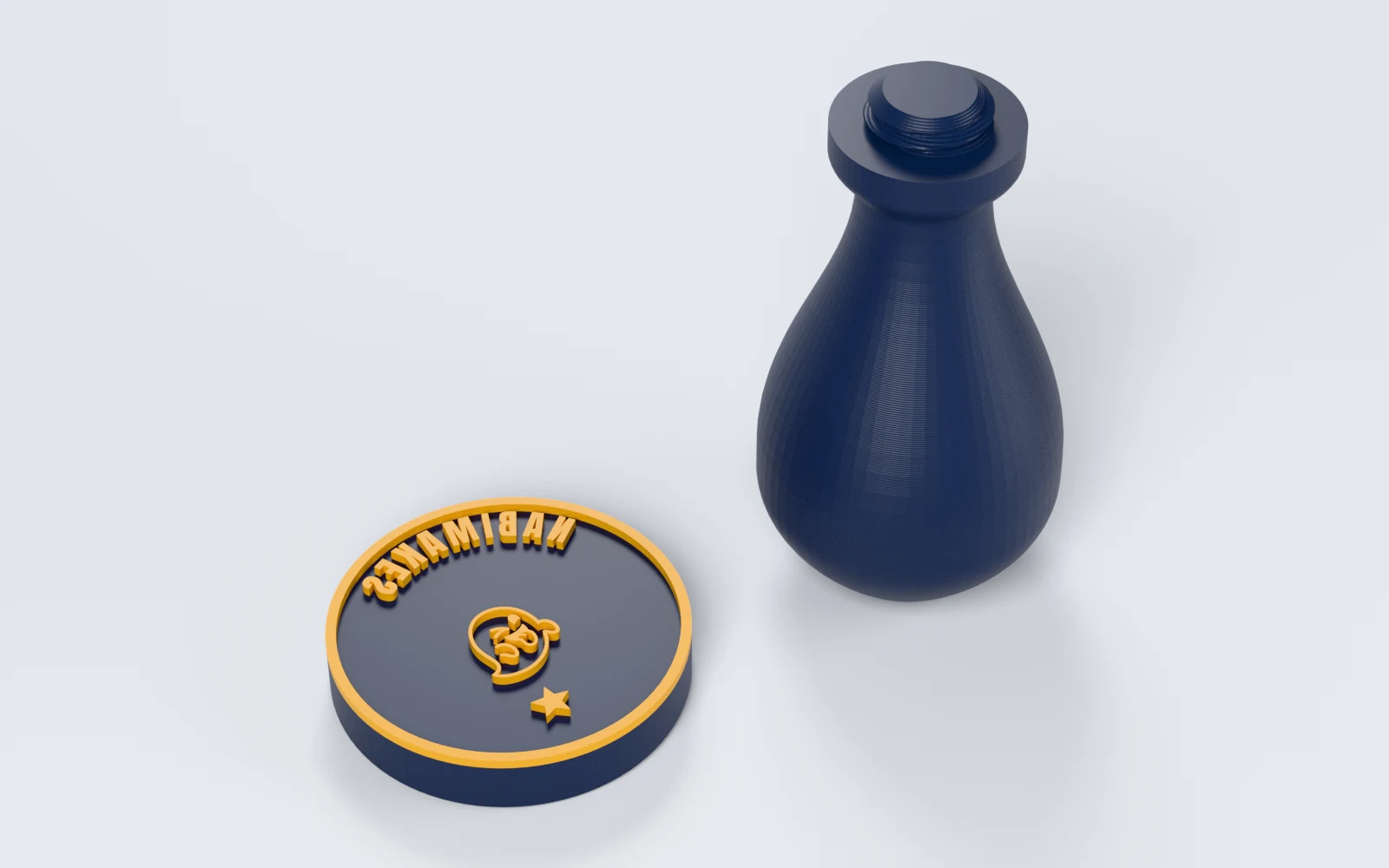
What can you make with Stamp Maker?
Stamps from 10–150 mm across, with up to 40 texts, icons and shapes on the face. Makers print:
- A round shop stamp with the shop's name on an arc and its logo.
- Journaling and scrapbook stamps with icons and short words.
- Labels for gift wrap, coffee bags and envelopes.
- A recessed name stamp, where the background inks and the letters stay clear.
How do you design a stamp, step by step?
Stamp Maker is a free editor: add things from the rail on the left, place them on the face, and set the plate, the handle and the download in the tabs on the right.
1. Shape the plate
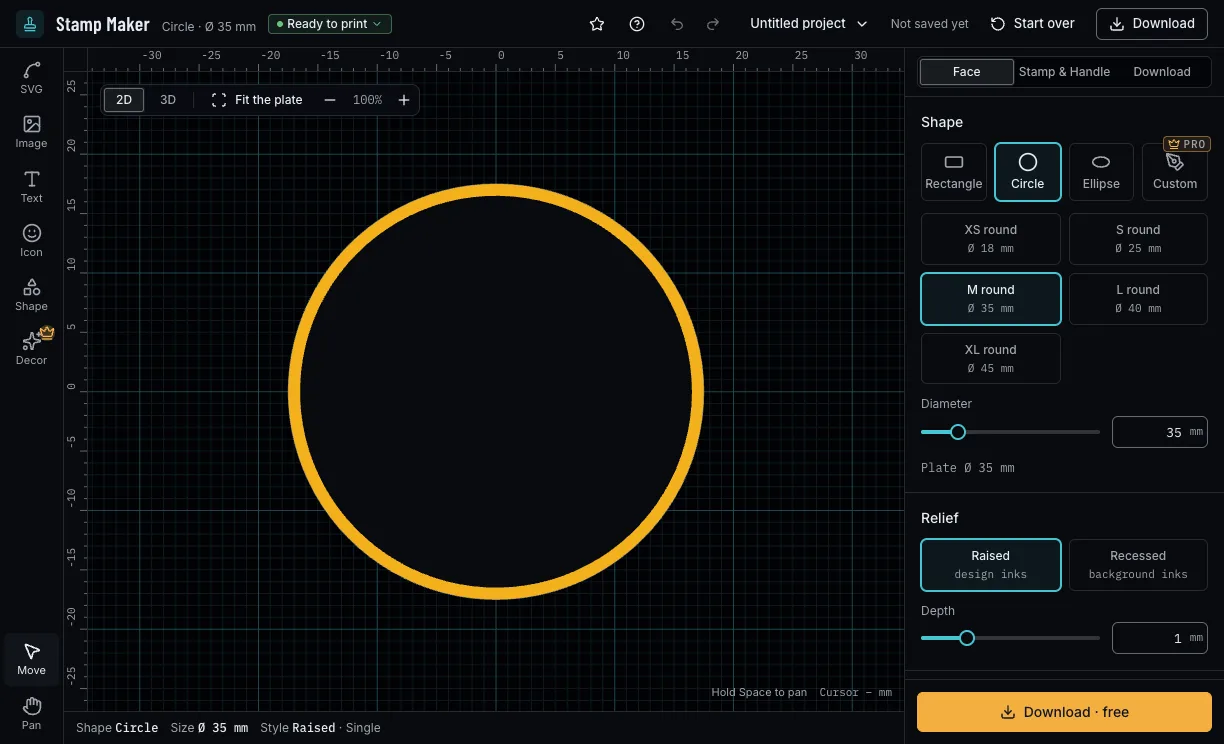
In the Face tab, pick a rectangle, a circle or an ellipse and a size (round from XS round, S round, M round, L round, XL round), or type your own. Then raised (the design inks) or recessed (the background inks), its depth, and a single or double border.
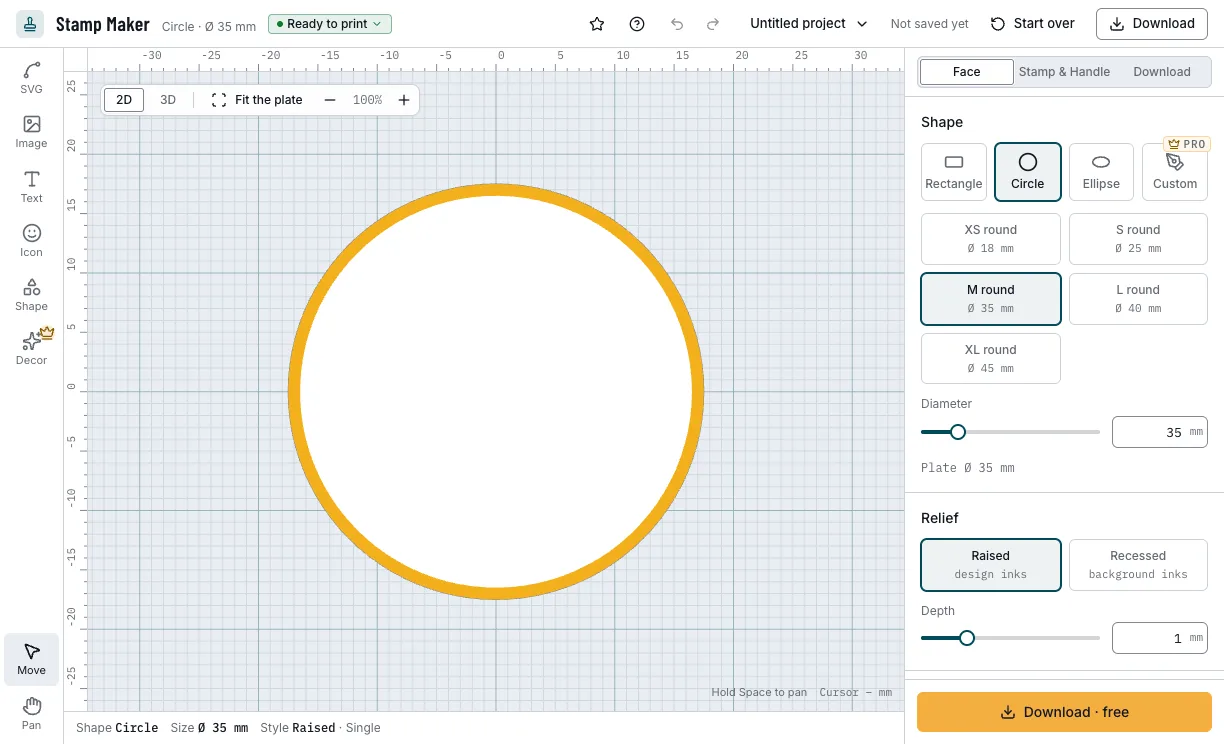
The plate, the relief and the border. 2. Add text, icons and artwork
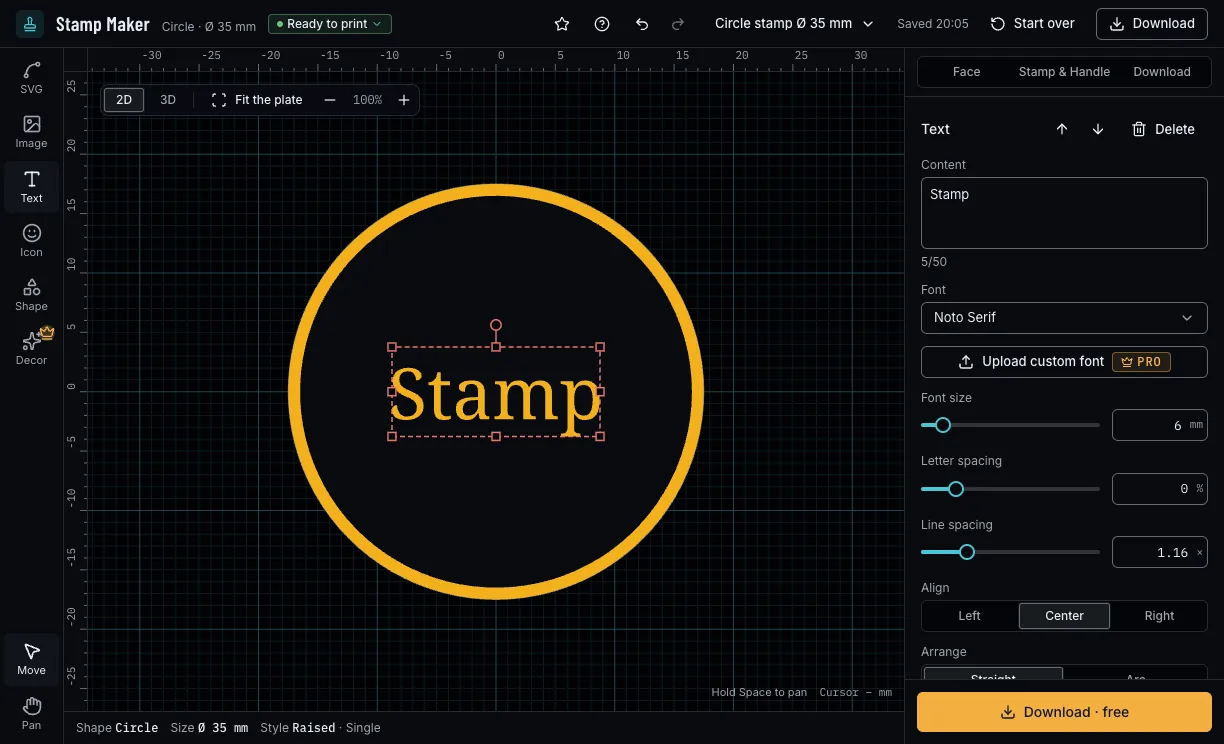
Add text in 8 fonts, straight or on an arc, an icon, a shape, an SVG, or a PNG or JPEG traced into outlines. Drag each into place on the face, or type its position, size and turn.
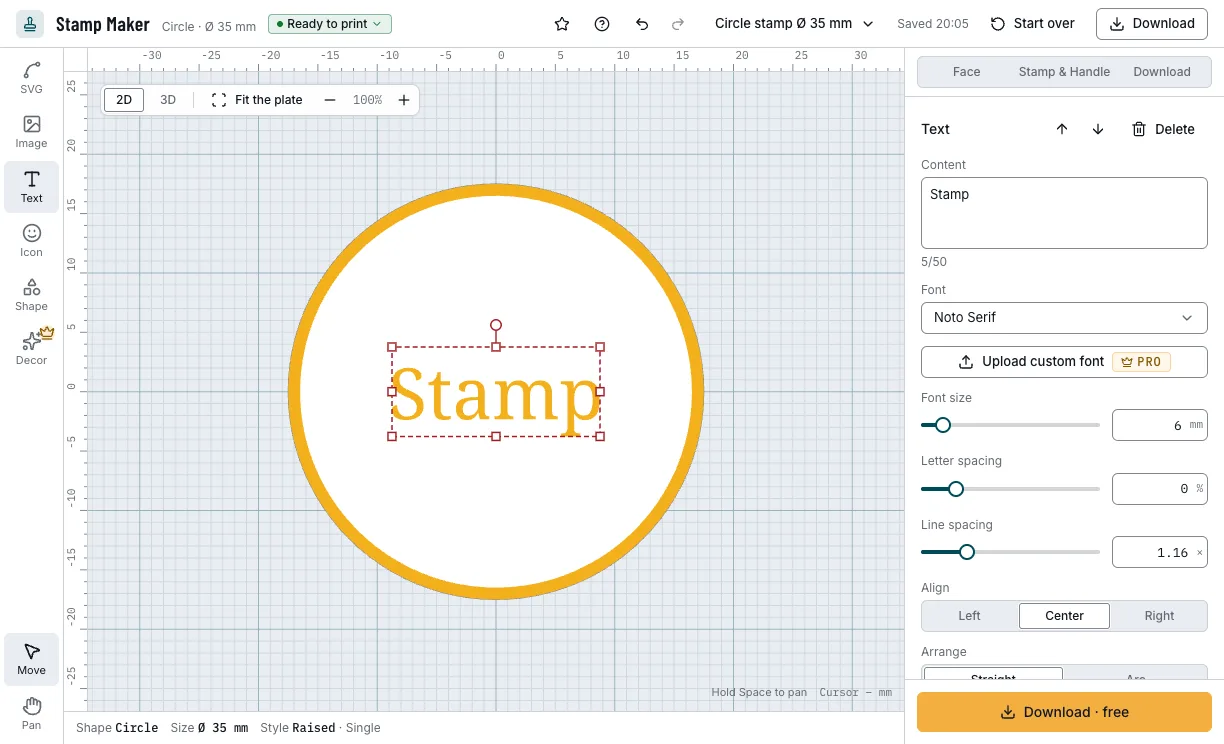
Text on the face, with its settings. 3. Pick the handle
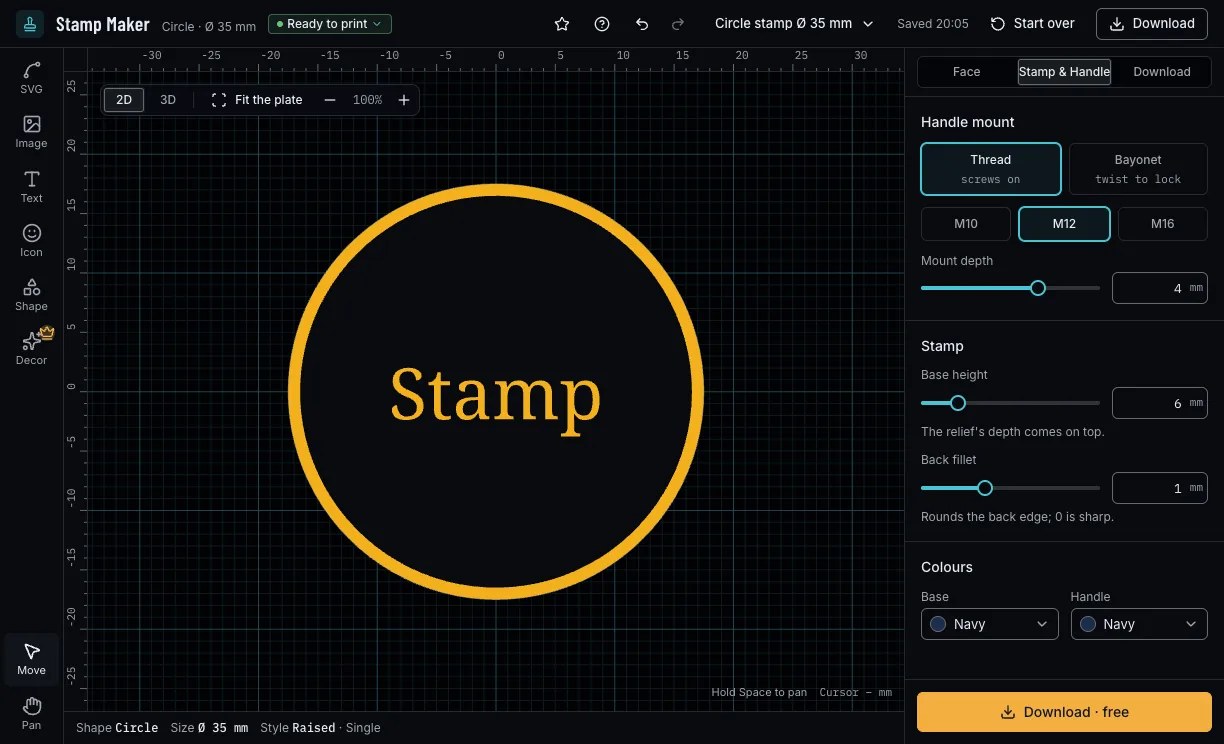
In the Stamp & Handle tab, choose a thread (M10, M12, M16) that screws on or a bayonet (Ø 20, Ø 24, Ø 32) that twists to lock, the base's height and the colours of the base and the handle.
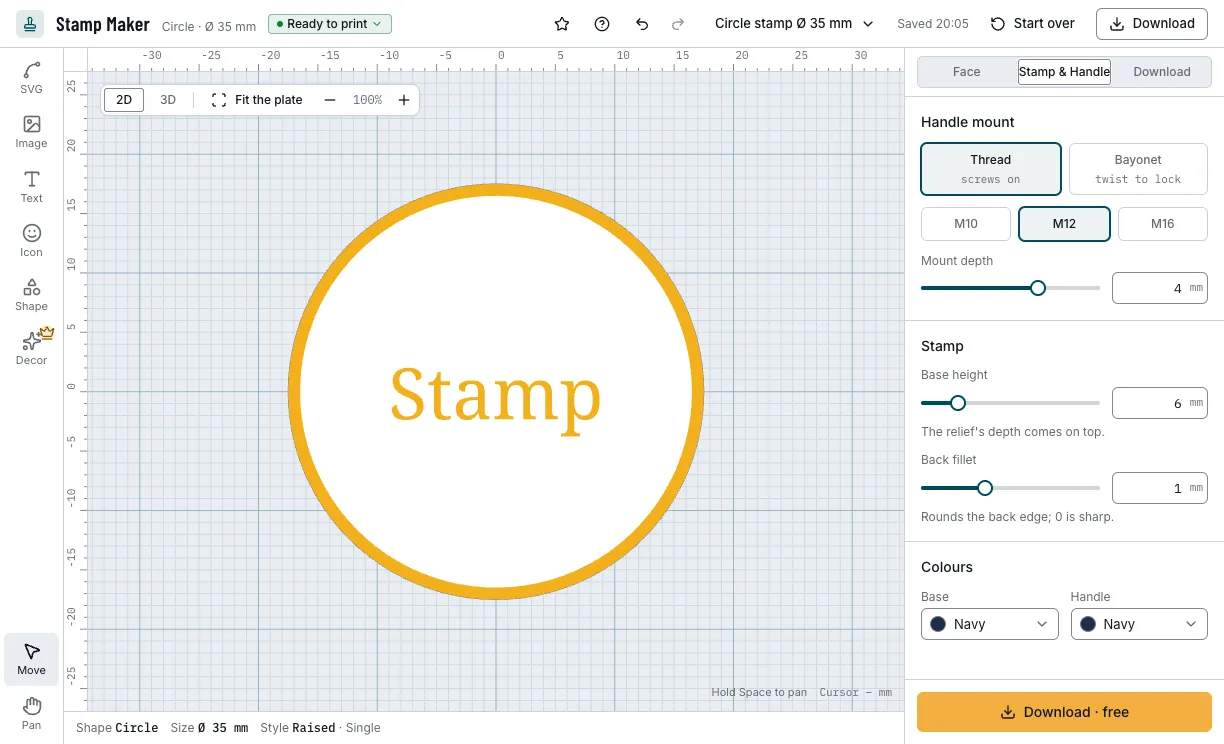
The handle mount and the base. 4. Check it and download
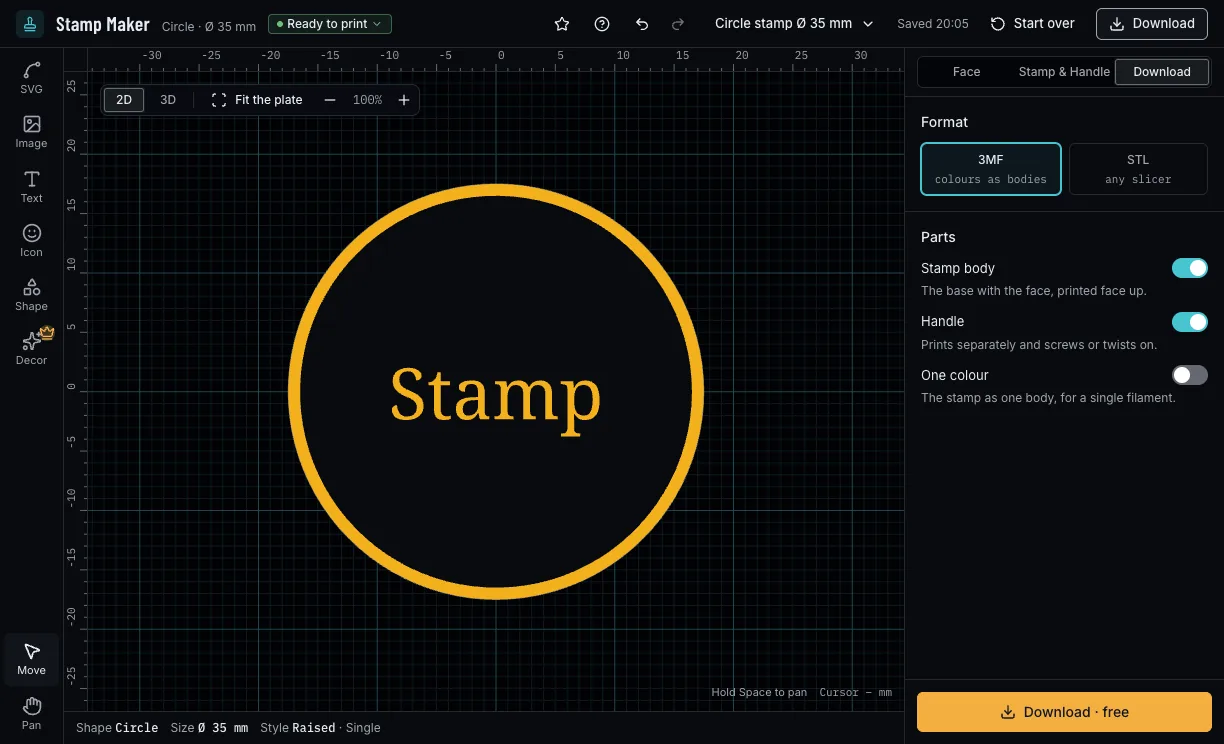
The checks beside the title say whether a line is too thin to print or the mount fits the plate. Download 3MF (each colour its own body) or STL, the stamp, the handle or both; the face is mirrored, so the print reads the right way round.
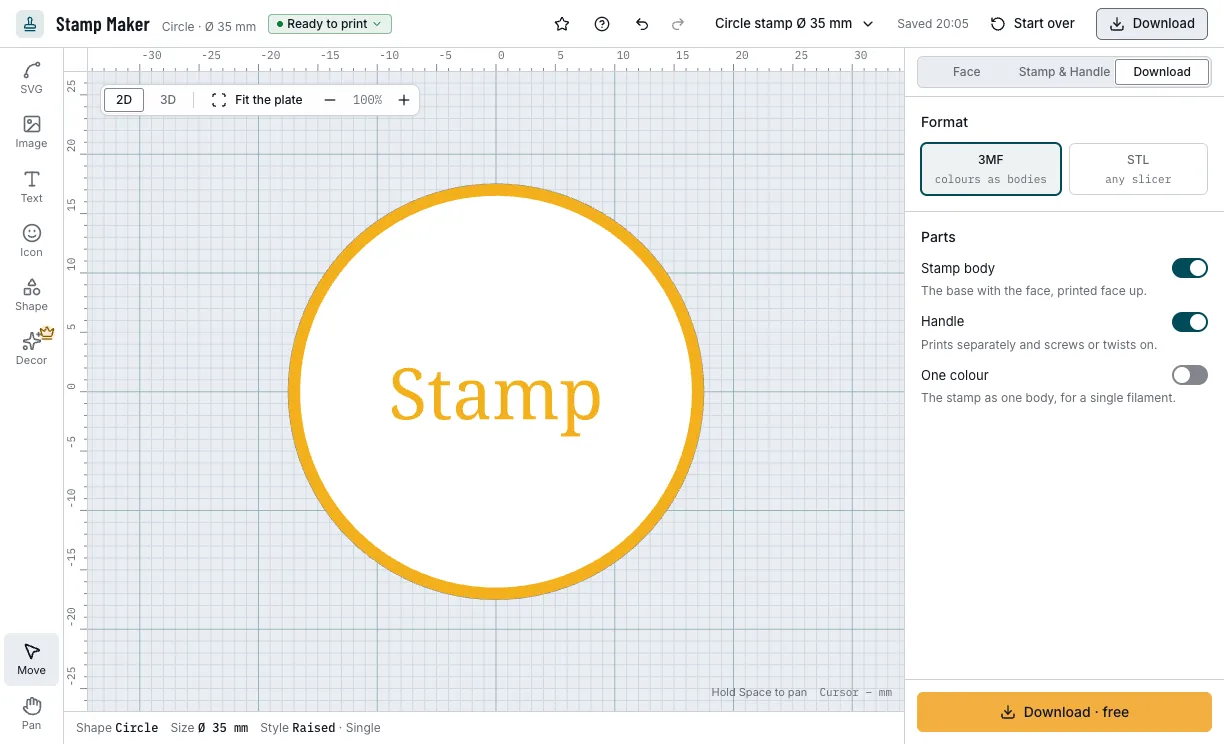
The download: the stamp and its handle.
Which stamps can you start from?
Each example opens in Stamp Maker as a new design, beside your own.
Round logo stamp
A name on an arc round the top, with an icon and a star under it.
- Ø 35 mm
- Arc text
- M12 thread
- Free
Admit one
A recessed ticket stamp with two lines of text in a double border.
- 47 × 18 mm
- Recessed
- M10 thread
- Free
Logo stamp with a wave ring
The round logo stamp inside a decorative wave ring that follows the plate.
- Ø 40 mm
- Decorative ring
- Pro
Which print settings work best for a stamp?
Print the stamp body face up and the handle on its domed top, as they download; neither needs supports. The layer height is a starting point for your slicer; a thin line prints best from one and a half nozzles wide.
| Filament | Layer height to start | Thinnest wall | Supports | Notes |
|---|---|---|---|---|
| PLA | 0.2 mm | 0.8 mm | None | Crisp edges; sand the face lightly for an even print. |
| PETG | 0.2 mm | 0.8 mm | None | Tougher for a stamp in daily use; clean off any strings on the face. |
Tips for a stamp that prints clearly
- Sand the face lightly on 200-grit paper: it evens the impression.
- Keep lines at least one and a half nozzles wide, or they print thin and break.
- A recessed stamp inks the background: keep its letters bold.
- Ink the stamp lightly and press it straight down.
- Before you print, check it on the view's bar: Dimensions shows its size, Measure the distance between two points, Section cuts it open and Layers steps through it as your printer will.
What if a line is too thin or the handle does not fit?
- The checks say a line is too thin
- Make the text or the stroke bigger, or print with a finer nozzle.
- The mount does not fit the plate
- Pick a smaller mount or a larger plate: a thread needs the plate 4 mm wider than it.
- The back fillet is refused
- Keep it under half the base's height.
- Letters are missing from a text
- Pick another font: the letters it lacks are left out.
- The artwork is too detailed
- Simplify the artwork or remove an element.
Is Stamp Maker free?
Designing is free for everyone, Pro features included. A design without Pro features downloads free with a free account; one with them needs the one-time unlock, which covers every project.
Free
Free- Rectangle, circle and ellipse plates in every size
- Text in 8 fonts, on an arc too, icons and shapes
- Your SVG or a traced picture, raised or recessed
- Both handles, 3MF and STL
Pro
- Custom plate shape
- Decorative rings
- Custom fonts
Every setting, with its range and default
Lengths are in millimetres. Stamp Maker refuses values outside these ranges.
| Setting | Range | Default | What it does |
|---|---|---|---|
| Face · plate | |||
| Plate shape | Rectangle, circle, ellipse, custom (Pro) | Circle | A custom plate is your SVG's outline. |
| Size preset | 12 sizes | M round | Sizes for each shape; typing a size leaves the preset. |
| Diameter, or width | 10–150 mm | 35 mm | A circle's diameter; the other shapes' width. |
| Height | 10–150 mm | 35 mm | Rectangles, ellipses and custom plates. |
| Corner radius | 0–20 mm | 1 mm | Rectangles: at most half the shorter side. |
| Include strokes | On, off | Off | Custom plate: whether the SVG's strokes count towards the outline. |
| Relief | Raised, recessed | Raised | Raised: the design inks; recessed: the background inks. |
| Depth | 0.4–3 mm | 1 mm | How far the design stands out or sinks in. |
| Face · border and colours | |||
| Border | None, single, double | Single | A line round the plate's edge. |
| Stroke | 0.3–5 mm | 1 mm | The border's width; the outer ring of a double one. |
| Inner stroke | 0.3–5 mm | 0.6 mm | Double border: the inner ring. |
| Gap | 0.3–5 mm | 1.2 mm | Double border: between the two rings. |
| Break for content | On, off | Off | Gaps where content crosses the border; arc text excepted. |
| Border colour | Every filament colour | Amber | The border's filament; in 3MF it can print in its own colour. |
| Face colour | Every filament colour | Amber | The face's filament. |
| Elements | |||
| Text | Up to 50 characters | Stamp | New lines start a new line on the face. |
| Font | 8 fonts, or your own (Pro) | Noto Serif | A TTF or OTF font of your own is Pro. |
| Font size | 1–60 mm | Fitted to the plate | The height of the letters. |
| Letter spacing | −20–100 % | 0 % | Room between the letters. |
| Line spacing | 0.6–3 × | 1.16 × | Room between the lines. |
| Align | Left, center, right | Center | For text over several lines. |
| Arrange | Straight, arc | Straight | On an arc: circular or an arch, with its radius. |
| Shape | Rectangle, circle, ellipse, polygon, star | Rectangle | A shape element, filled or as an outline. |
| Points or corners | 3–24 | 5, or 6 for a polygon | A star's points or a polygon's corners. |
| Position, rotation and scale | On the face, −180–180°, by scale | The centre, 0°, 1× | Drag on the face, or type them. |
| Decorative rings (Pro) | |||
| Motif | Wave, Dash, Dots, Double + dots, Sawtooth, Meander, Gear | Wave | Up to 6 rings, stacked. |
| Radius | 20–100 % | 80 % | Of the way from the middle to the edge. |
| Stroke | 0.3–5 mm | 1 mm | The ring's line width. |
| Segments | 4–96 | 24 | How often the motif repeats. |
| Relief | Low, medium, high | Medium | How far the ring stands out. |
| Path | Follow outline, circle | Follow outline | Along the plate's edge, or a circle. |
| Stamp & Handle | |||
| Handle mount | Thread, bayonet | Thread | A thread screws on; a bayonet twists to lock. |
| Thread size | M10, M12, M16 | M12 | The handle's stud. |
| Mount depth | 2–12 mm | 4 mm | How deep the thread goes, at most the base less 1 mm. |
| Bayonet size | Ø 20, Ø 24, Ø 32 | The smallest that fits | Sizes the plate cannot take are left out. |
| Base height | 3–20 mm | 6 mm | The block under the face. |
| Back fillet | 0–3 mm | 1 mm | Rounds the back edge; under half the base. |
| Base colour | Every filament colour | Navy | The base's filament. |
| Handle colour | Every filament colour | Navy | The handle's filament. |
| Download | |||
| Format | 3MF, STL | 3MF | 3MF keeps the colours as bodies; STL works in any slicer, in one colour. |
| Stamp body | On, off | On | Whether the download holds the stamp. |
| Handle | On, off | On | Whether the download holds the handle. |
| One colour | On, off | Off | Merges the colours; always on for STL. |