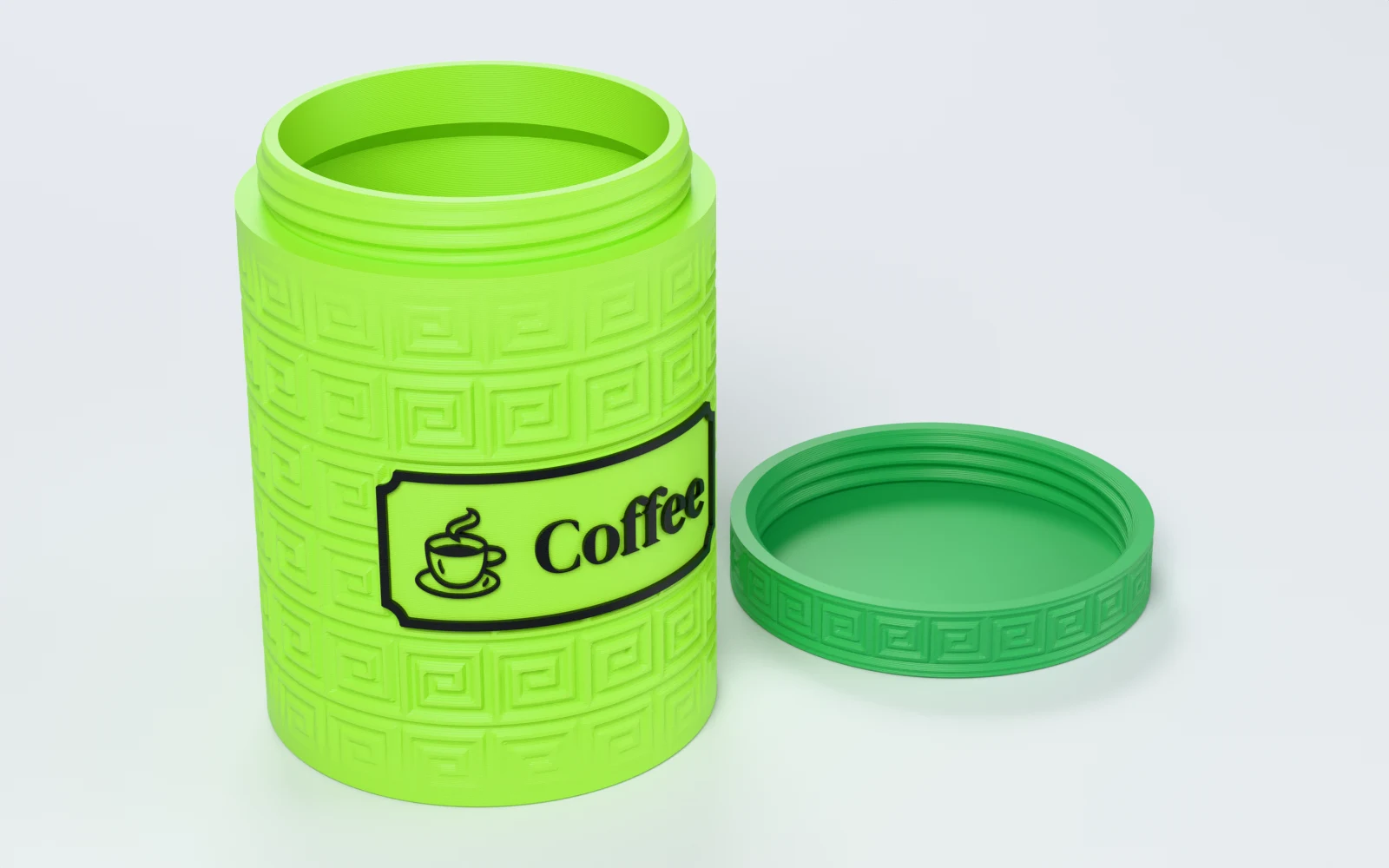
What can you make with Jar Studio?
Any round jar from 25–160 mm tall and 25–160 mm wide, with a lid that screws on flush. Makers use it for:
- Spice jars of one size on a shelf, each in its own colour.
- Small parts storage for screws, beads or SD cards.
- A gift jar for tea or sweets with a textured lid.
- A kitchen set labelled coffee, tea, sugar and salt, each with its icon.
- A replacement lid for a jar printed earlier.
How do you design a jar, step by step?
Jar Studio walks you through five steps. Continue takes you to the next one, and you can click any step to go back. The jar beside the steps follows every change.
1. Size the jar
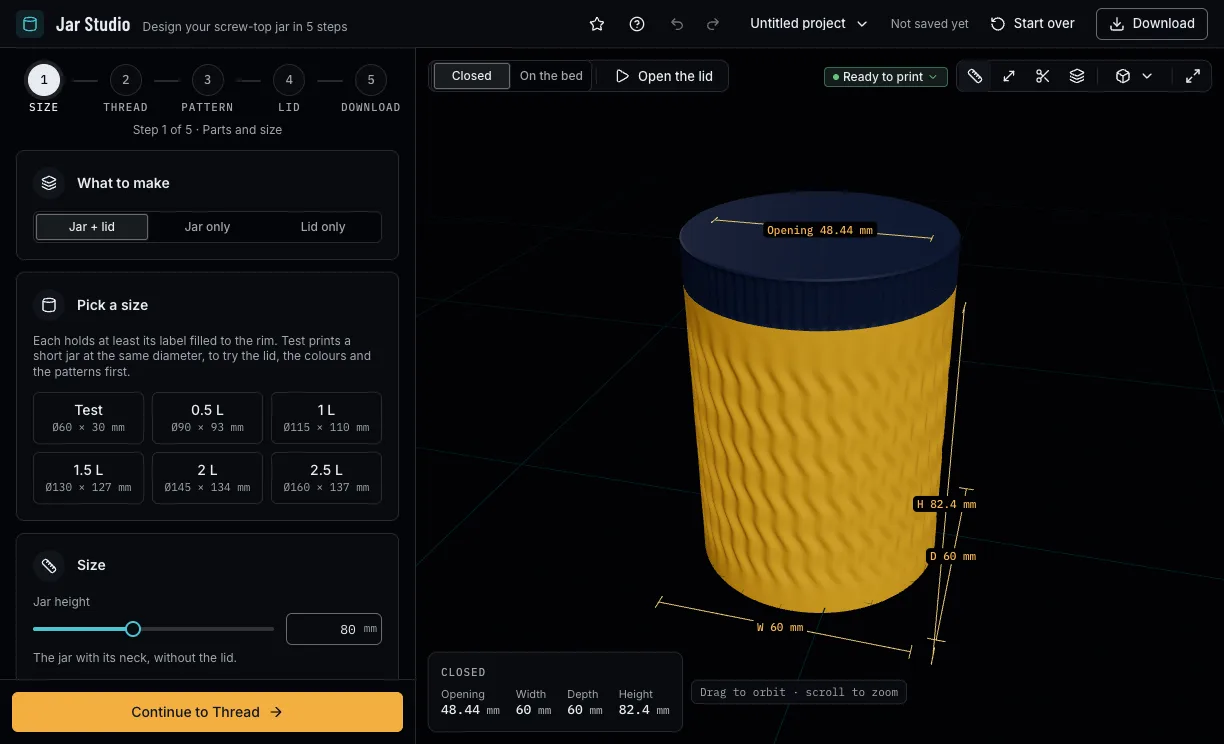
Choose to make a jar with its lid, or only one of them. Pick a ready size from 0.5 to 2.5 litres, or the short Test jar, or set the height, the diameter and the wall yourself. The capacity, the inside and the opening under the fields follow as you change them.
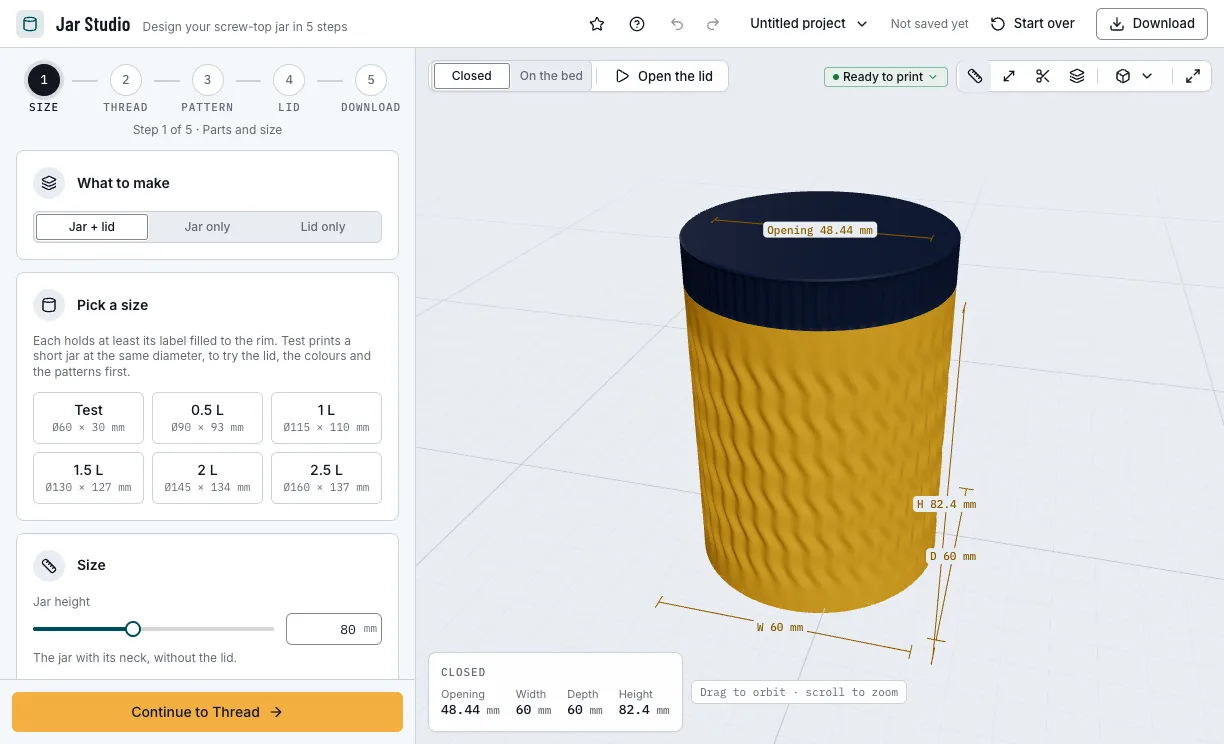
Step 1: the size and what the jar holds. 2. Pick the thread
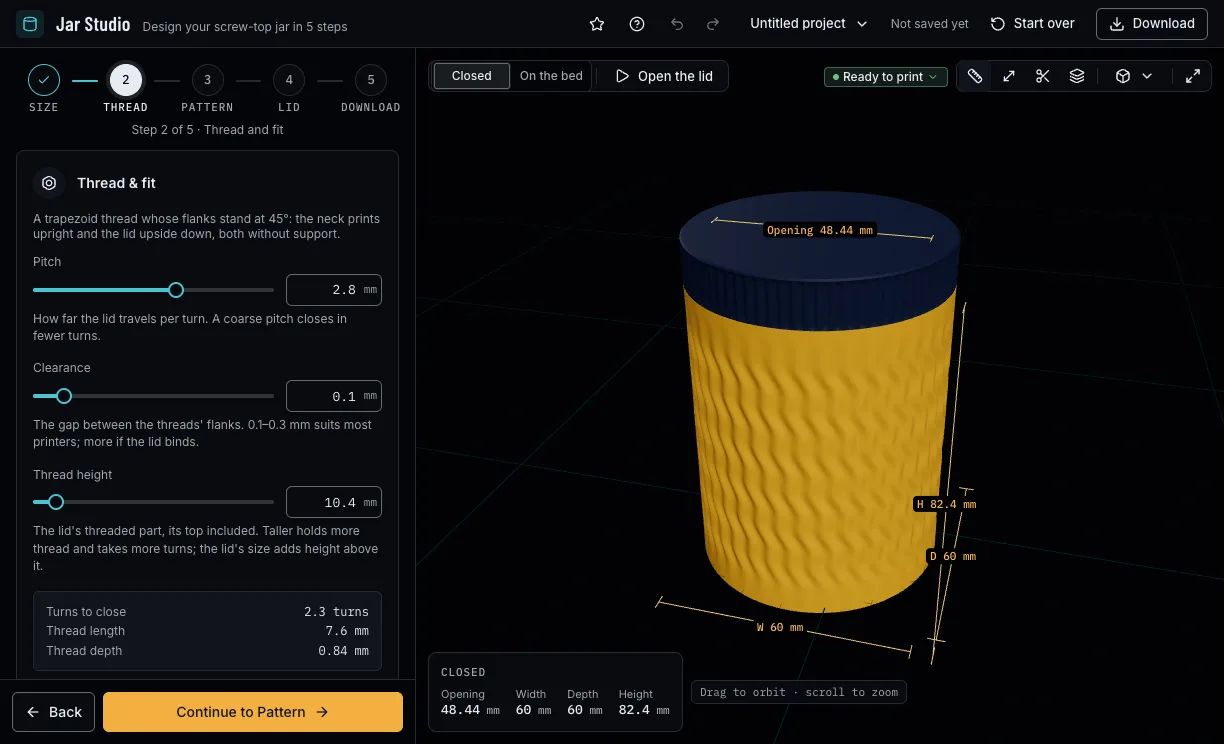
The pitch sets how far the lid travels per turn: a coarse pitch closes in fewer turns. The clearance is the gap between the threads; 0.1 to 0.3 mm suits most printers. The step shows how many turns the lid takes to close.
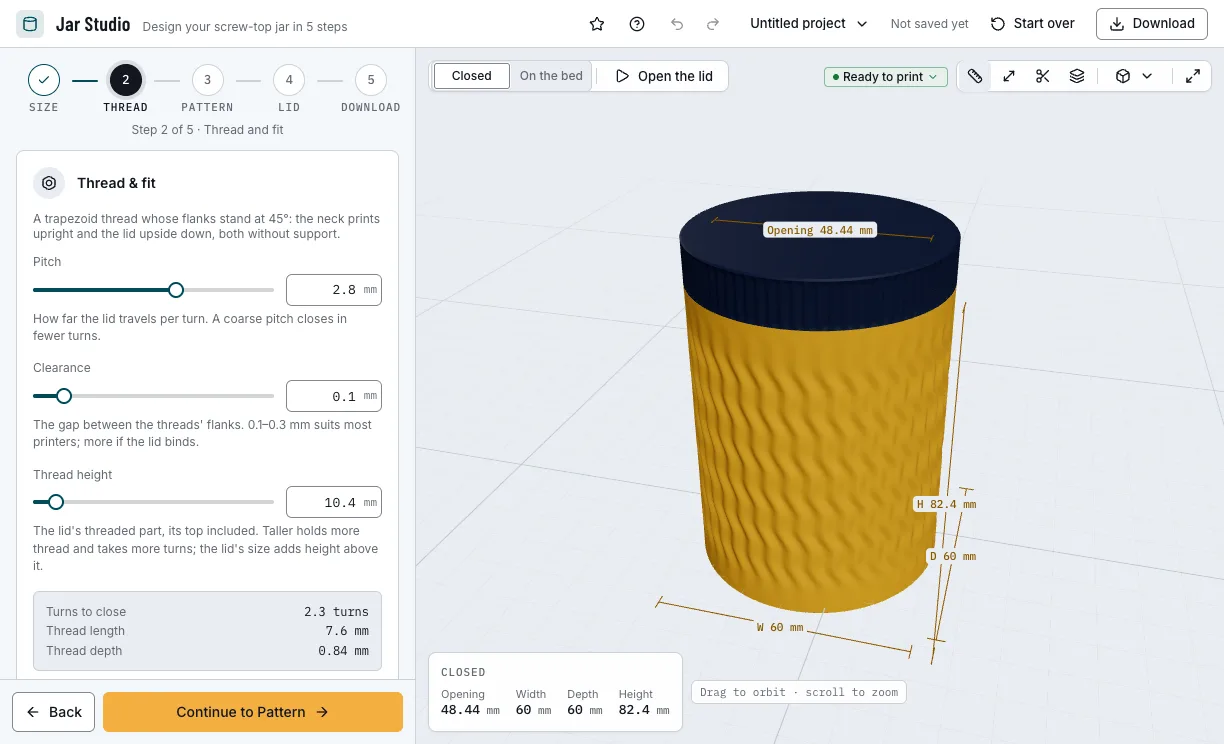
Step 2: the thread and the fit. 3. Choose a pattern and a label
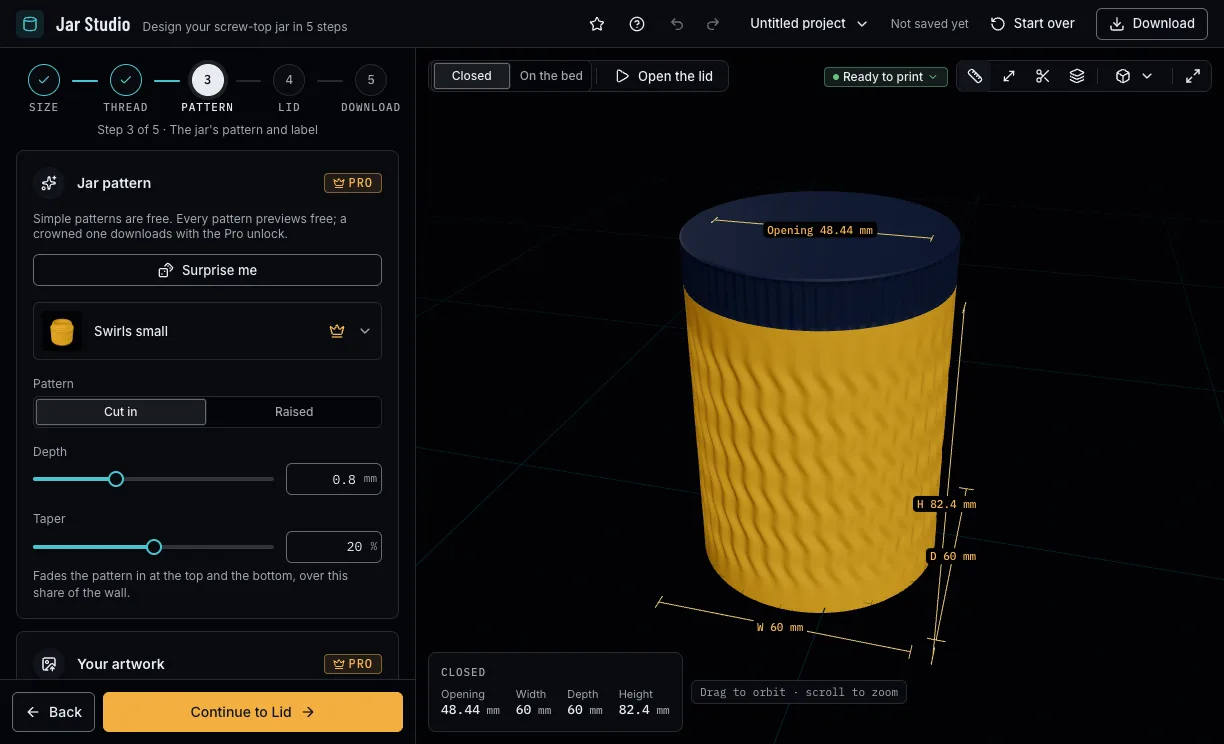
Search the 40 patterns or let Surprise me pick one. Cut it into the wall or raise it, set its depth and fade it in at the ends. Further down, put your own SVG or picture over the pattern, or label the front with a word and an icon.
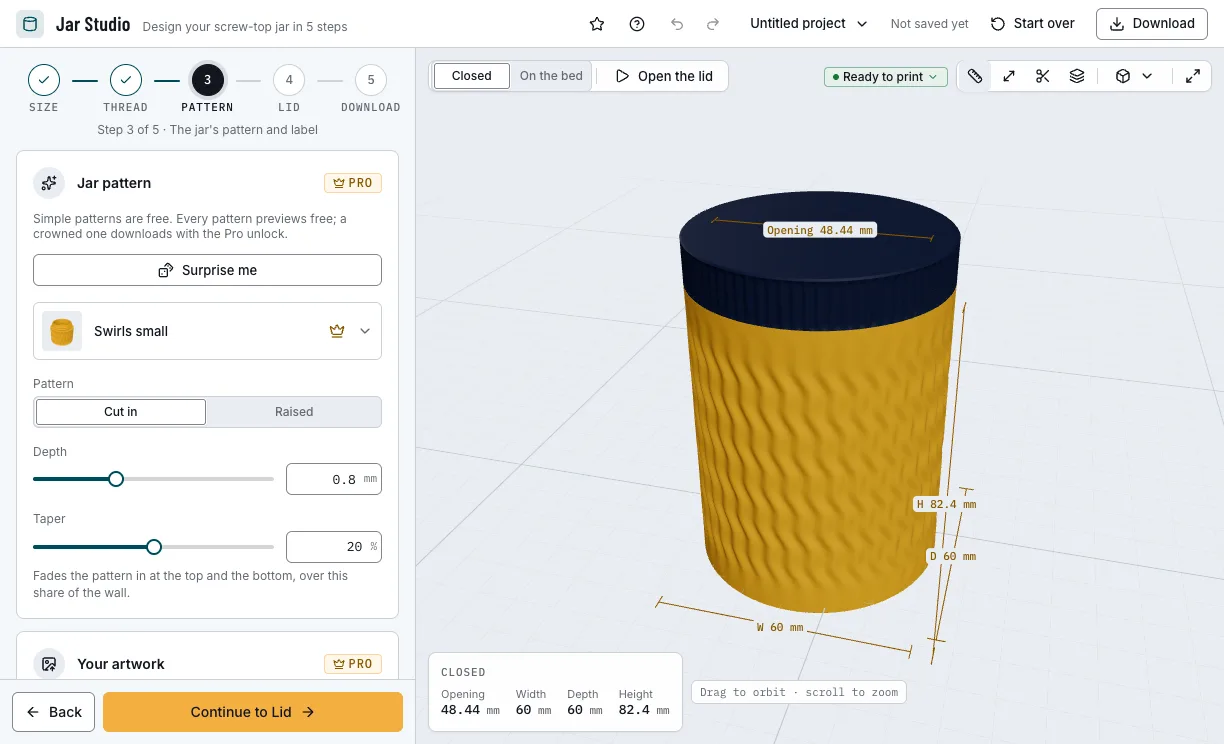
Step 3: the jar's pattern, your artwork and the label. 4. Style the lid
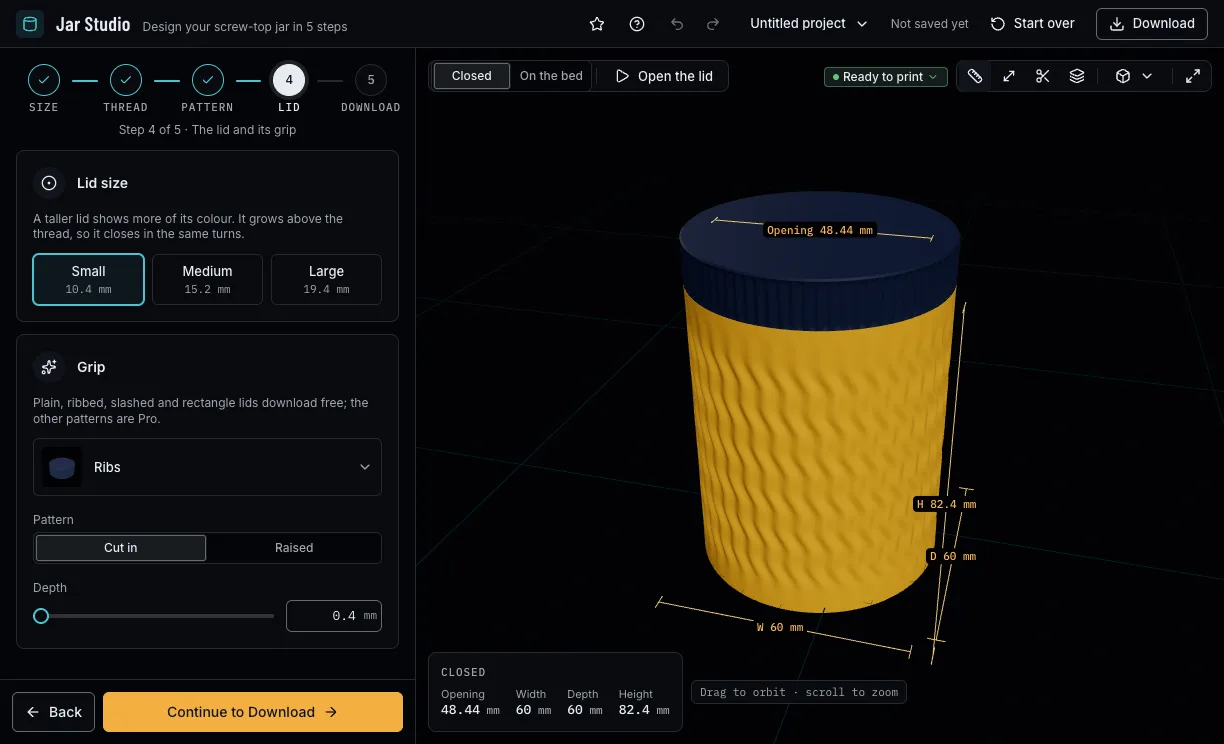
A small, medium or large lid stands taller above the same thread, so the turns to close stay the same. Give it a grip: ribs, tread, arrows, hexagons, a Greek key and more.
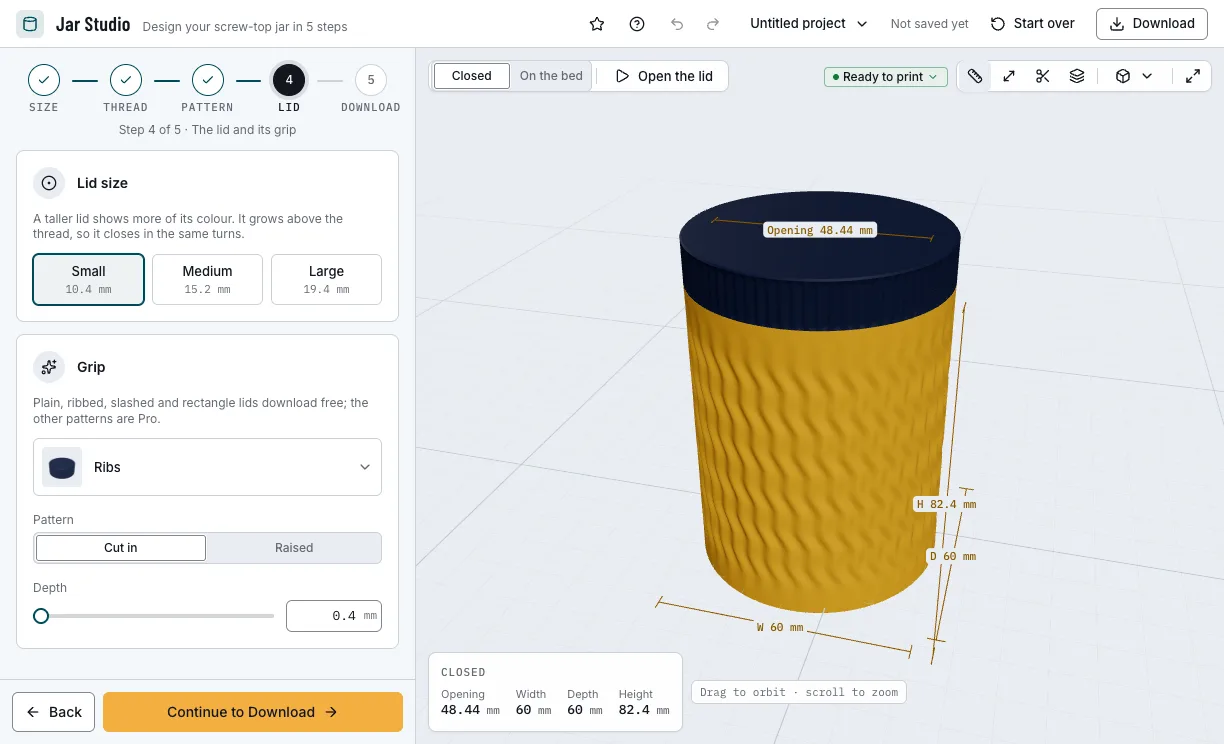
Step 4: the lid's size and grip. 5. Colour and download
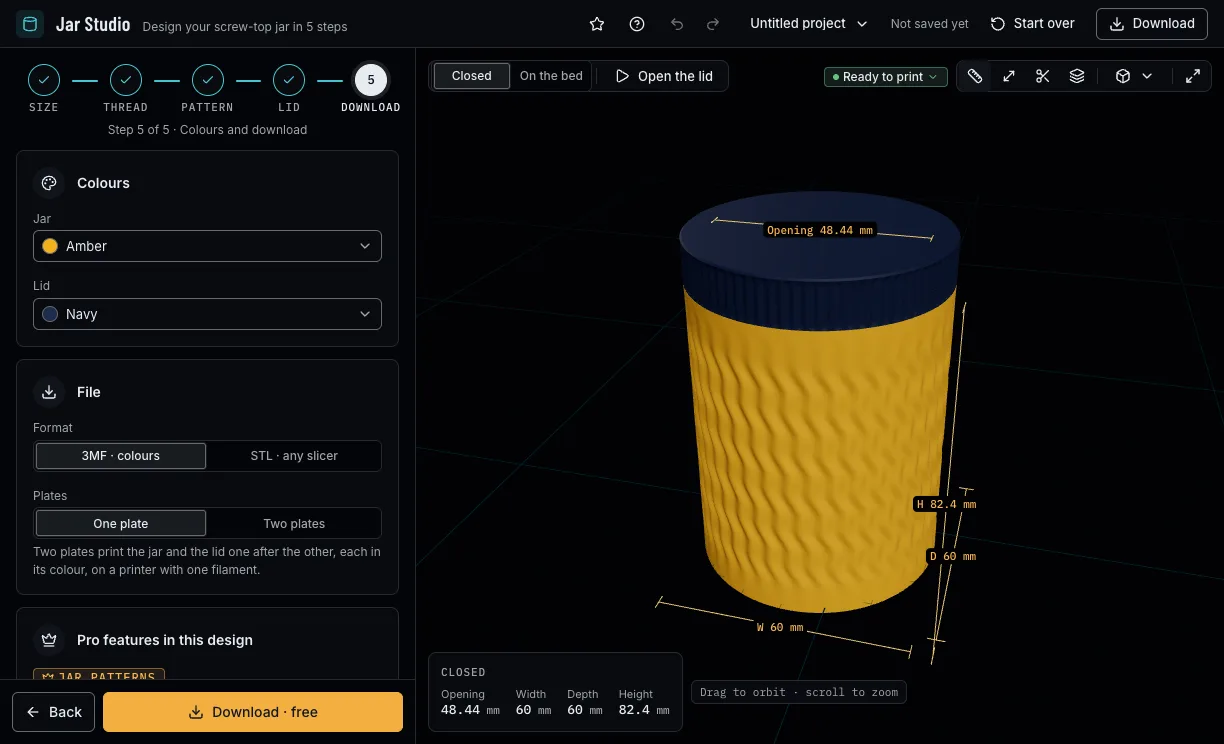
Pick the jar's and the lid's colours. A 3MF keeps each part in its colour, on one plate or two; STL gives one file per part for any slicer. Downloads need a free NabiMakes account.
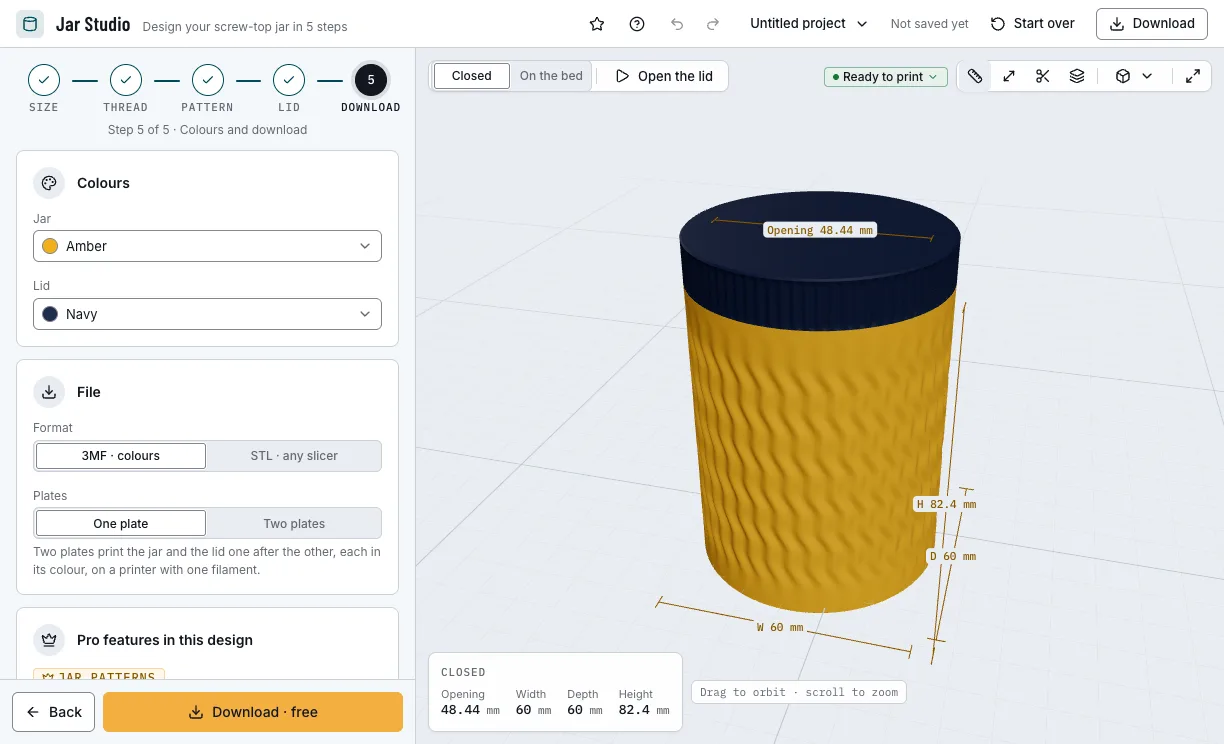
Step 5: colours and the file.
Which jars can you start from?
Each example opens in Jar Studio as a new design, beside your own. Change anything, then download it.
Small parts jar
A short, wide jar for screws and beads, with a ribbed lid.
- Ø 70 mm
- 50 mm tall
- Dashes
- Free
Labelled spice jar
A slim jar with fine ribs and a word on the front.
- Ø 50 mm
- 90 mm tall
- Label “Paprika”
- Free
One-litre kitchen jar
A Greek key round a jar that holds a litre, with a medium lid.
- 1 L
- Ø 115 mm
- Greek key
- Two plates
- Pro
Thread test
A 30 mm jar with its lid at the default diameter, to try the fit before the big print.
- 30 mm tall
- 0.2 mm clearance
- Ribs
- Free
Which print settings work best for a jar?
Print the parts as they download: the jar upright on its foot, the lid upside down on its top. Neither needs supports. The layer height is a starting point for your slicer; the thinnest wall is the one Jar Studio's printer checks hold each filament to.
| Filament | Layer height to start | Thinnest wall | Supports | Notes |
|---|---|---|---|---|
| PLA | 0.2 mm | 0.8 mm | None | The easiest choice; keep it out of hot cars and dishwashers. |
| PETG | 0.2 mm | 0.8 mm | None | Tougher and takes warm water; it strings more, so clean the thread before the first turn. |
Tips for a jar that closes well
- Print the Test jar first: it keeps the diameter and the thread, so the fit you get is the fit of the big jar.
- Keep the first layer from squashing out: an elephant's foot narrows the lid's mouth, which prints on the bed.
- A raised pattern needs some taper, or its first rows overhang.
- Two plates print the lid after the jar on a printer with one filament, each in its colour.
- Before you print, check it on the view's bar: Dimensions shows its size, Measure the distance between two points, Section cuts it open and Layers steps through it as your printer will.
What if the lid binds, rocks or will not start?
- The lid binds before it closes
- Raise the clearance by 0.1 mm in the Thread step and print the jar again: the clearance sets the jar's thread, so the lid you have fits the new jar.
- The lid rocks on the thread
- Lower the clearance by 0.1 mm and print the jar again, or print the outer walls more slowly in your slicer.
- The lid will not start the thread
- Trim the first layer's lip inside the lid, or lower the first layer's flow in your slicer.
- Jar Studio says a part is wider than the bed
- Pick a smaller diameter, or the printer you will really use in the checks. Two plates help only when the jar and the lid each fit but crowd one plate.
Is Jar Studio free?
Designing and previewing are free for everyone. Downloading needs a free account; a design that uses a Pro feature needs the one-time unlock, which covers every project.
Free
Free- Every size, thread and lid size
- A plain wall and 11 jar patterns, a plain lid and 4 grips
- The label, the colours, one plate or two
- 3MF and STL
Pro
- All 40 jar patterns and 18 grips
- Your own SVG or picture over the pattern
- Surprise me
Every setting, with its range and default
Lengths are in millimetres. Jar Studio refuses values outside these ranges.
| Setting | Range | Default | What it does |
|---|---|---|---|
| 1 · Size | |||
| Make | Jar and lid, jar, lid | Jar and lid | Which parts the download holds. |
| Height | 25–160 mm | 80 mm | The jar's height with its neck. |
| Diameter | 25–160 mm | 60 mm | Outside, the jar and the lid alike. |
| Wall | 1.6–4 mm | 2 mm | The walls, the jar's floor and the lid's top. |
| 2 · Thread | |||
| Pitch | 1–4 mm | 2.8 mm | How far the lid travels per turn. |
| Clearance | 0–1 mm | 0.1 mm | The gap between the threads' flanks. |
| Thread height | 10–16 mm | 10.4 mm | The lid's threaded part, its top included. |
| 3 · Pattern | |||
| Pattern | 40 patterns or none | Swirls small | Wraps the jar's wall; 11 are free. |
| Pattern style | Cut in, raised | Cut in | Cut into the wall, tops flush, or standing out. |
| Depth | 0.6–1.2 mm | 0.8 mm | How far it is cut in or raised. |
| Taper | 0–40 % | 20 % | Fades the pattern in at the top and the bottom. |
| 3 · Your artwork (Pro) | |||
| Artwork | SVG, PNG or JPEG | None | Your own outlines over the pattern, up to 20,000 points. |
| Layout | Once, around, tiled | Once | Once on the front, copies round the jar, or a tiled field. |
| Size | 2–500 mm | Fitted to the jar | Its width on the wall; the height keeps its shape. |
| Style | Cut in, raised | Cut in | Cut into the wall or standing out. |
| Depth | 0.6–1.2 mm | 0.8 mm | How far it is cut in or raised. |
| Clear space | 0–5 mm | 1.5 mm | How far the pattern keeps from its outline. |
| Pattern inside | On, off | Off | The wall's pattern shows in its holes and gaps. |
| Rotation | −180–180° | 0° | Turns it about its centre. |
| Mirror | On, off | Off | Flips it left to right. |
| Turn | −180–180° | 0°, 180° with a label | Where round the jar it sits, once or around. |
| Lift | −100–100 % | 0 % | How high on the wall it sits. |
| Copies | 2–36 | Fitted to the jar | Around: how many copies. |
| Alternate | 0–30 mm | 0 mm | Around: every other copy up, the others down. |
| Gap | 0–30 mm | A quarter of its size | Tiled: the room between copies. |
| Stagger | On, off | On | Tiled: every other row shifted by half a copy. |
| Colour | The jar's or a filament | The jar's | A colour of its own prints as a part of the jar. |
| 3 · Label | |||
| Label | On, off | Off | A word and an icon on the jar's front. |
| Word | Up to 20 characters | Coffee | The text on the label; quick words set a kitchen word with its icon. |
| Font | 8 bundled fonts | DM Serif Display | The word's typeface. |
| Icon | Noto Emoji, or none | Hot beverage | An icon beside the word. |
| Frame | Apothecary, oval, rounded, none | Apothecary | The panel's outline. |
| Style | Raised, cut in | Raised | The word, icon and frame stand out or are cut in. |
| Text size | 4–20 mm | 10 mm | Shrinks to fit a small jar. |
| Colour | The jar's or a filament | The jar's | A colour of its own prints as a part of the jar. |
| 4 · Lid | |||
| Lid size | Small, medium, large | Small | A crown above the same thread. |
| Grip | 18 grips or plain | Ribs | The lid's skirt; 4 grips are free. |
| Grip depth | 0.4–0.8 mm | 0.4 mm | How deep the grip is. |
| 5 · Download | |||
| Jar colour | The filament colours | Amber | The jar's filament. |
| Lid colour | The filament colours | Navy | The lid's filament. |
| Format | 3MF, STL | 3MF | 3MF keeps the colours; STL suits any slicer. |
| Plates | One, two | One | Two print the lid after the jar on one filament. |