What can you make with Hole Plug Generator?
Plugs for holes from 4 to 120 mm, caps for tubes from 8 to 100 mm and grommets for desks 10 to 60 mm thick. Makers print:
- A plug for an unused hole in a panel, a case or a sheet of metal.
- A cap for the open end of a table leg, a chair or a frame made of tube.
- A desk grommet for a 60 or 80 mm hole, with a slot the cables pass through.
- Plugs for the holes of a workbench or a peg board that are not in use.
How do you make a hole plug, step by step?
Everything is in the panel beside the plug, which updates as you change it. Start from a preset, then change what you need.
1. Start from a preset
Pick Panel 20 mm, Sheet metal 12 mm, Desk grommet 60 or 80 mm, Square tube 25 mm or Bench hole 20 mm. A preset sets only the values it names; Surprise me tries another head, legs or ribs and keeps the hole and what it fits.
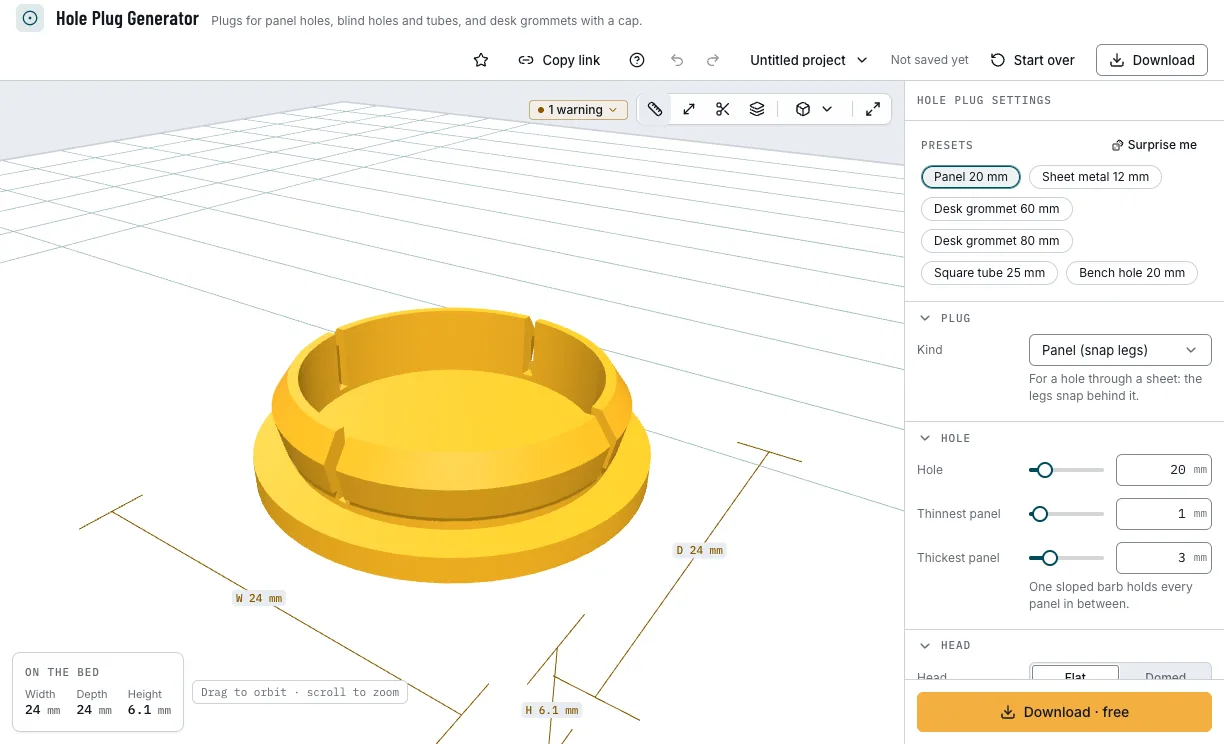
The presets and the plug they make. 2. Choose the kind and measure
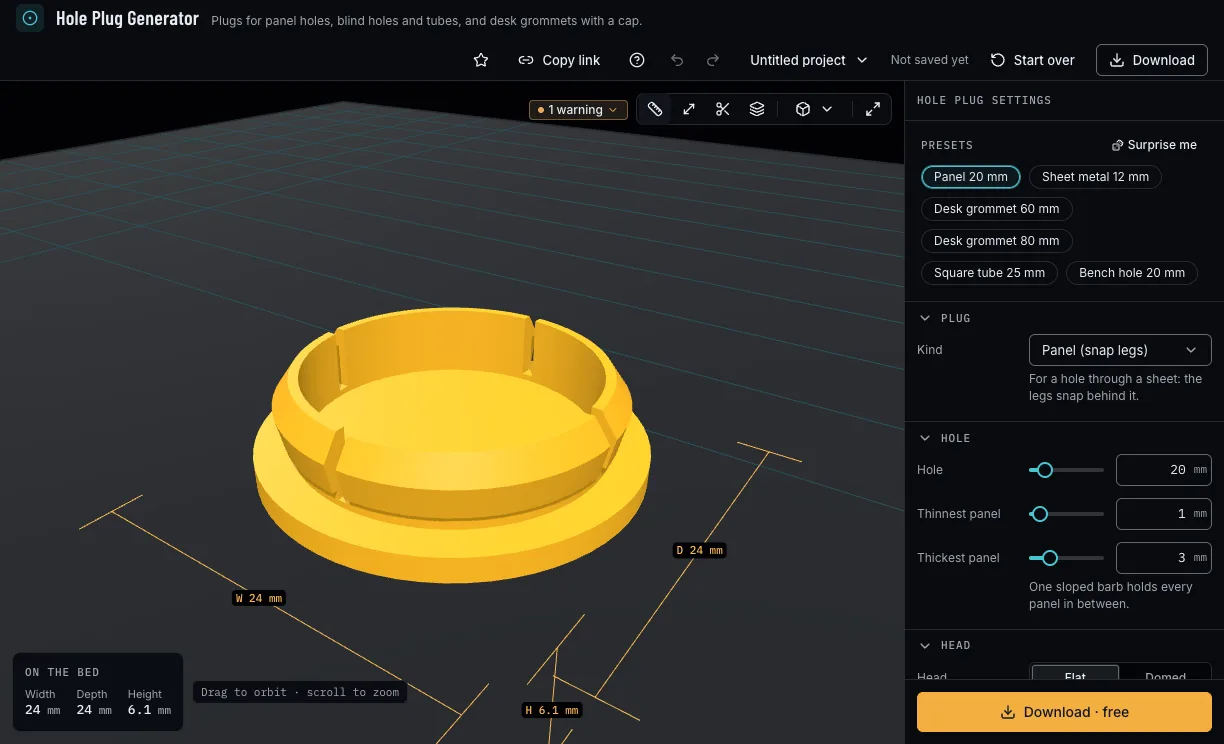
Under Plug, choose a panel plug with snap legs, a blind-hole or tube-end plug with ribs, or a desk grommet. Then measure: a panel plug's hole and the thinnest and thickest panel it holds, a blind hole's depth, a tube's shape, outside and wall, or the desk's thickness.
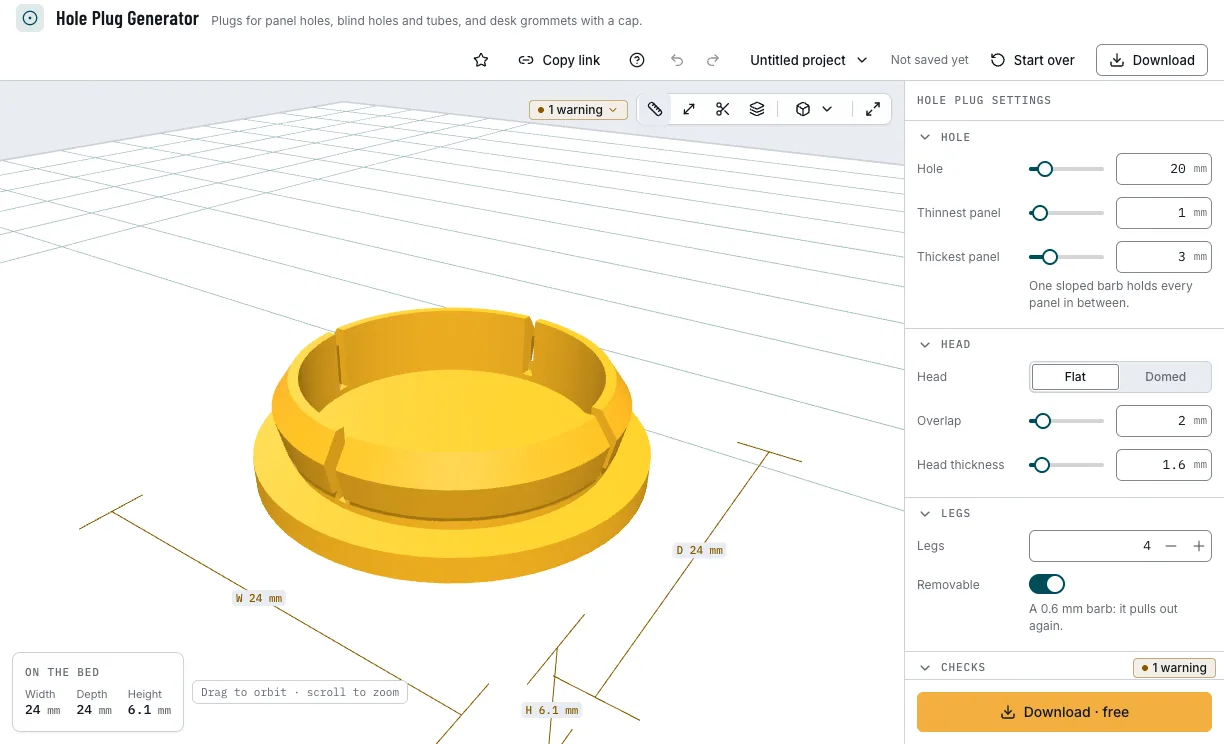
A panel plug's hole and panels. 3. Shape the head and the legs
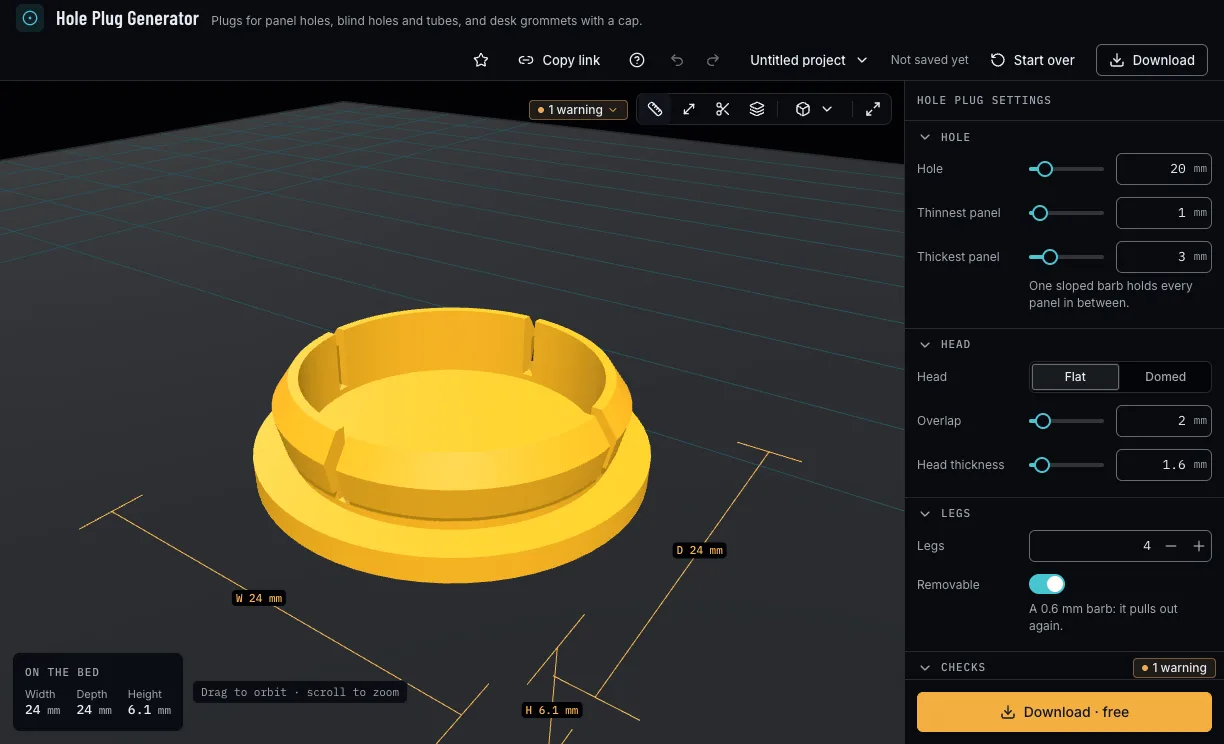
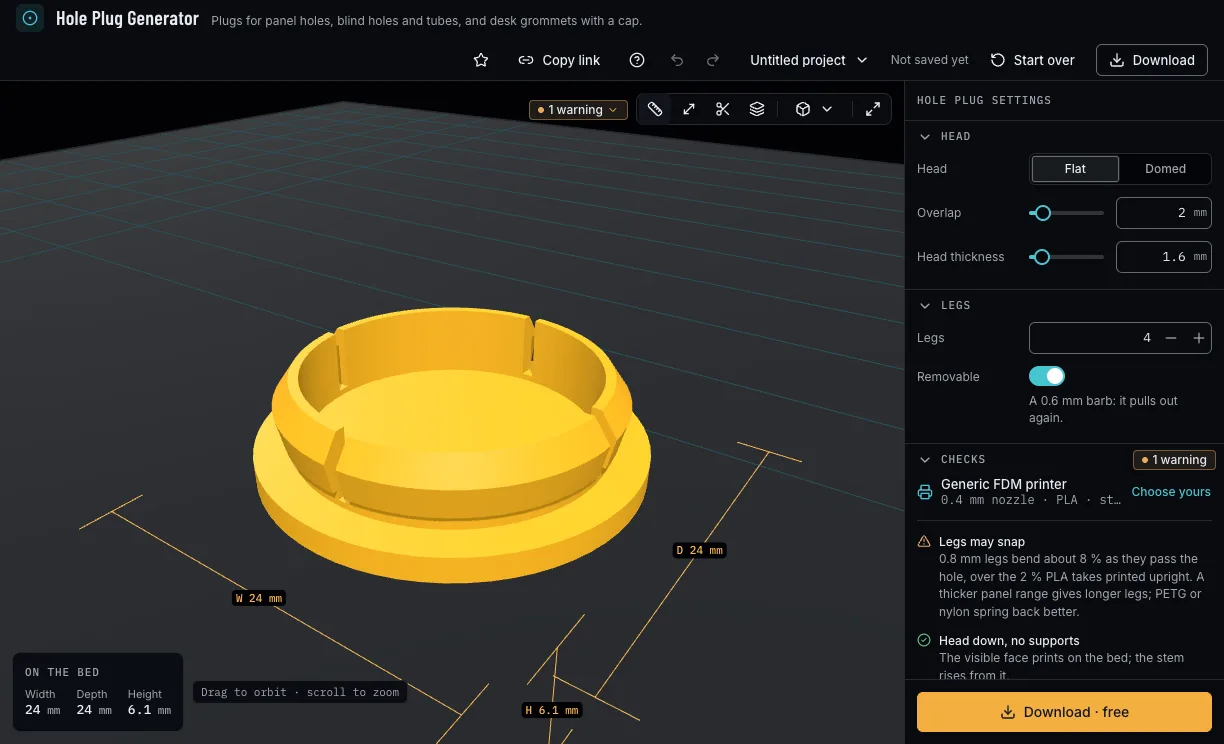
A flat or domed head, how far it overlaps the hole's edge and how thick it is. A panel plug has 2 to 8 legs, Removable or not; a blind-hole or tube plug has 1 to 6 ribs and their grip.
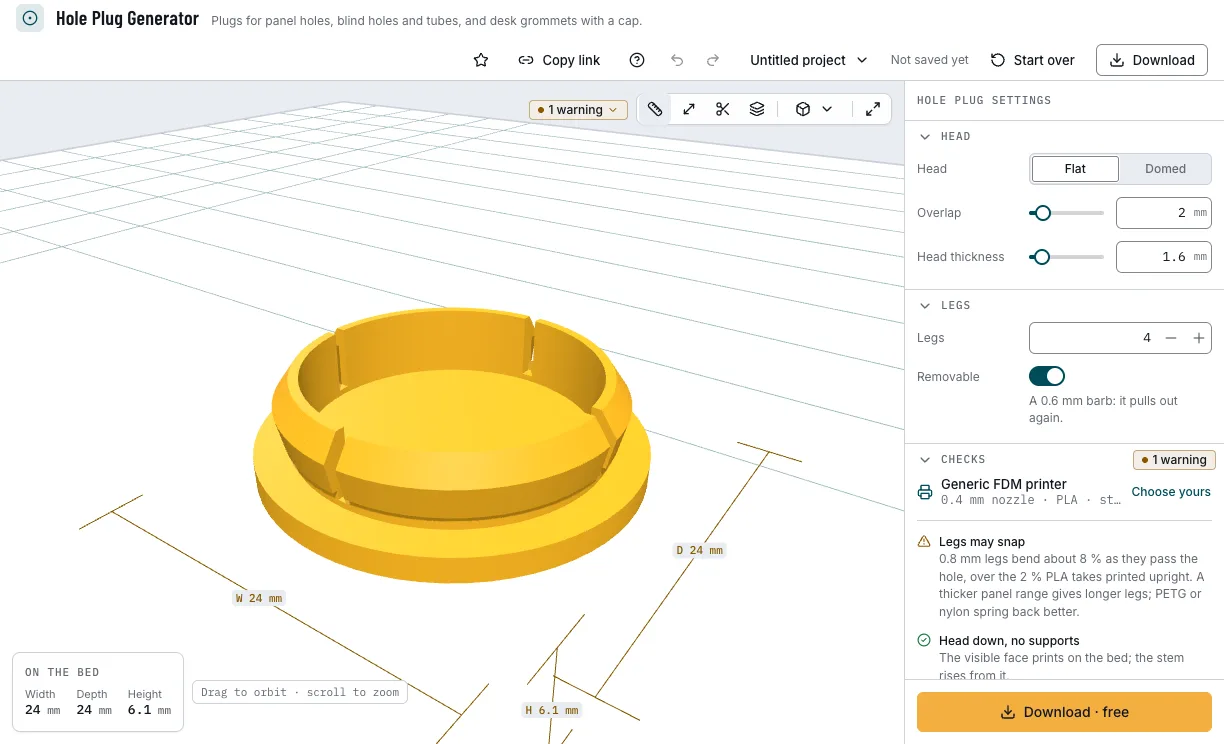
The head and the snap legs. 4. Make a desk grommet
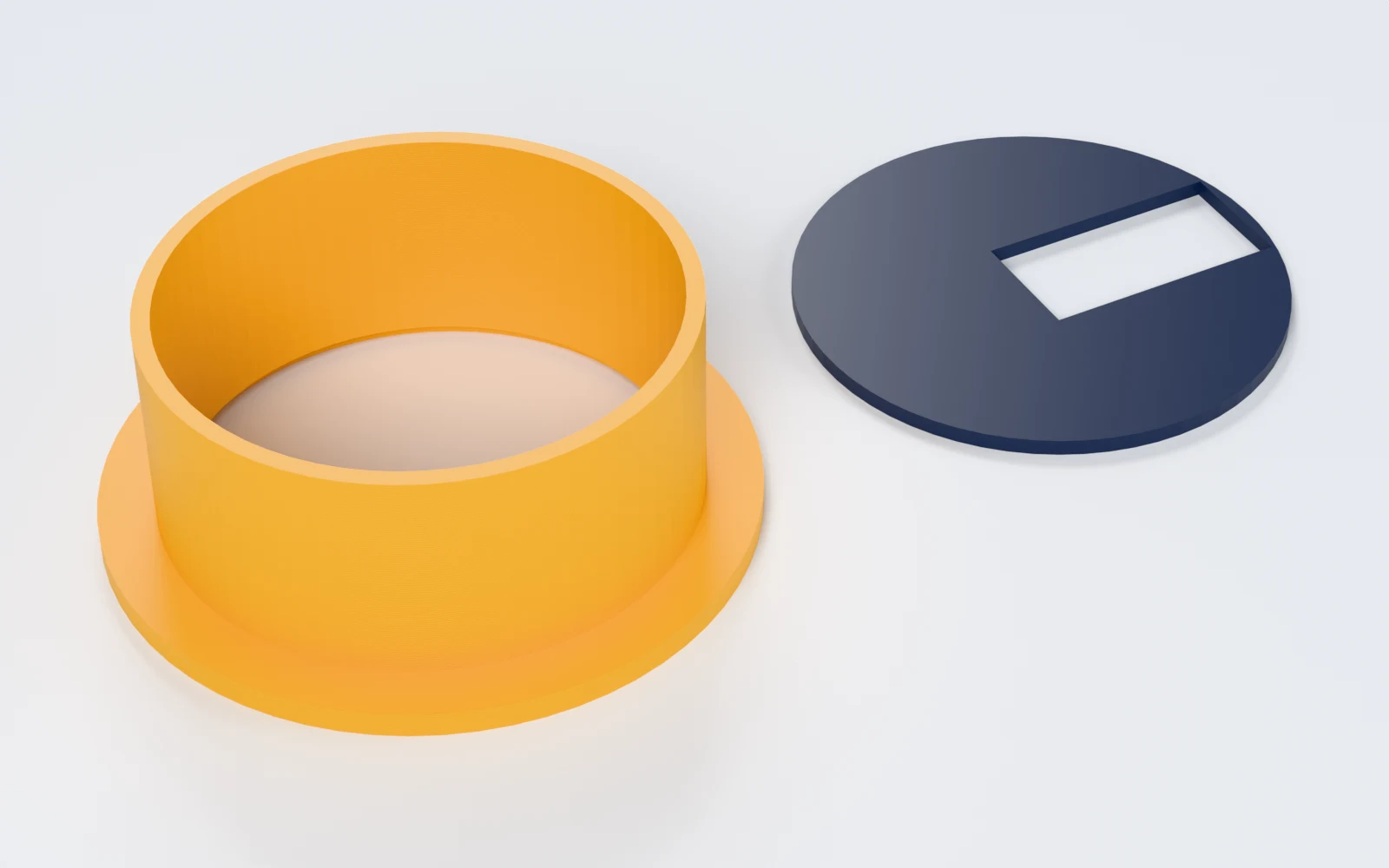
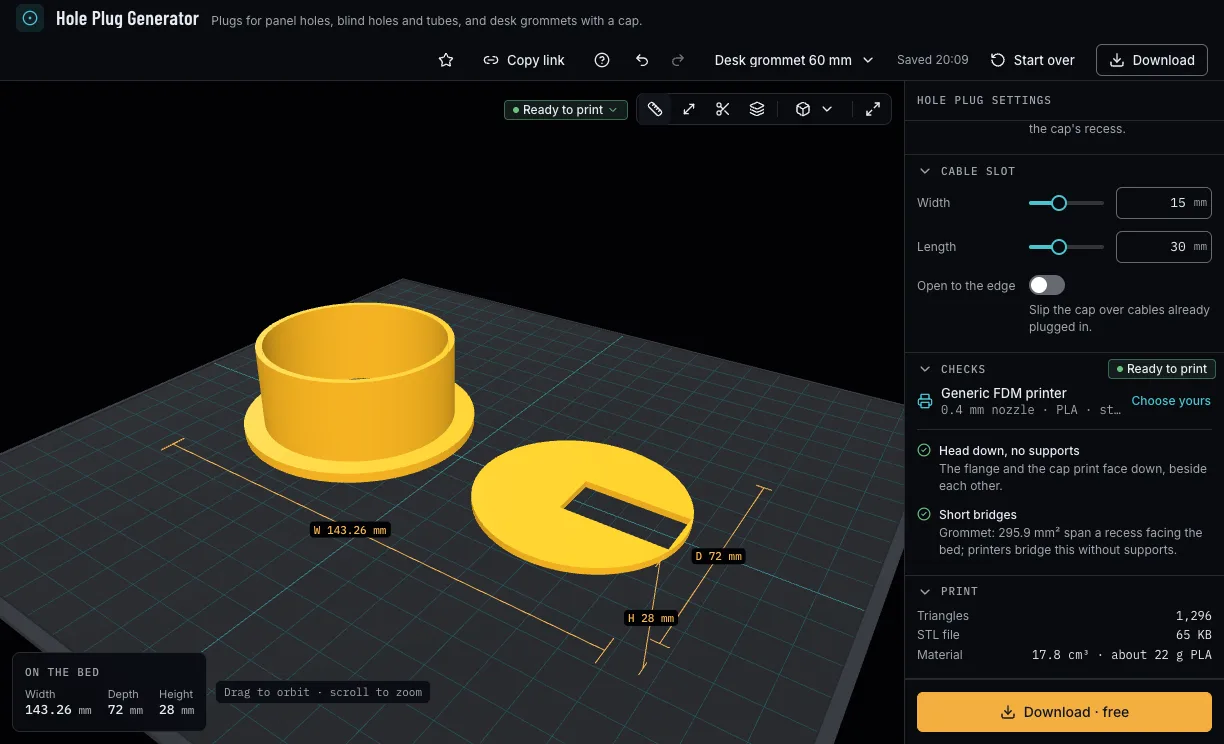
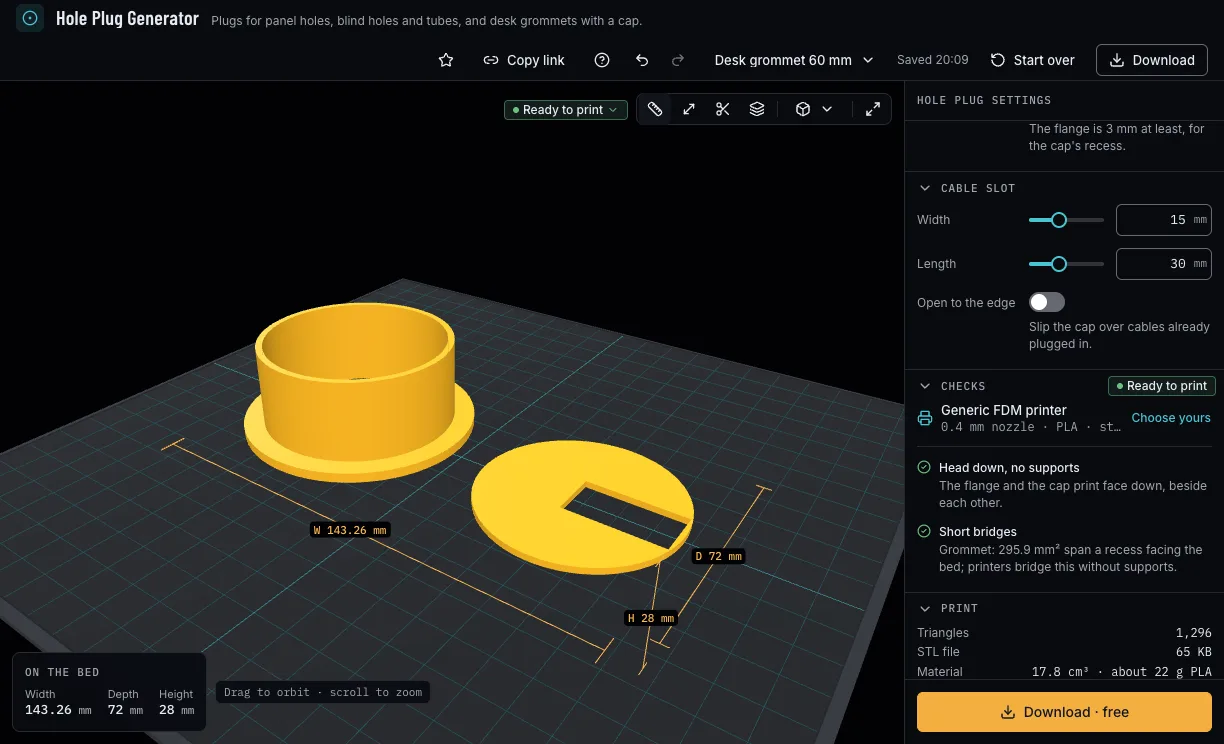
A desk grommet is a sleeve as long as the desk is thick and a cap that sits in its flange, with a cable slot of your width and length. Open to the edge lets you slip the cap over cables already plugged in. The Hole line names the nearest hole saw.
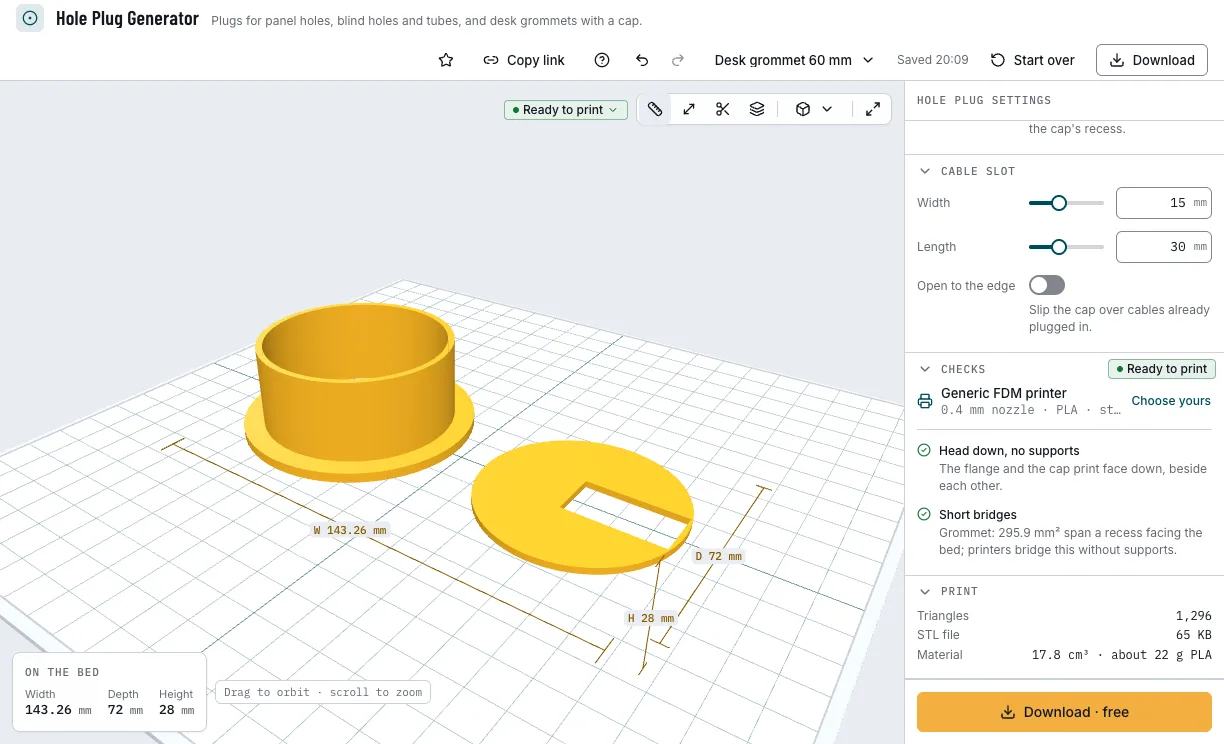
A desk grommet and its cap. 5. Check it and download
The checks say whether a panel plug's legs bend safely in your filament, whether a grommet's slot fits its cap and that it all prints head down without supports. Then download 3MF or STL; a grommet's sleeve and cap as separate files or one.
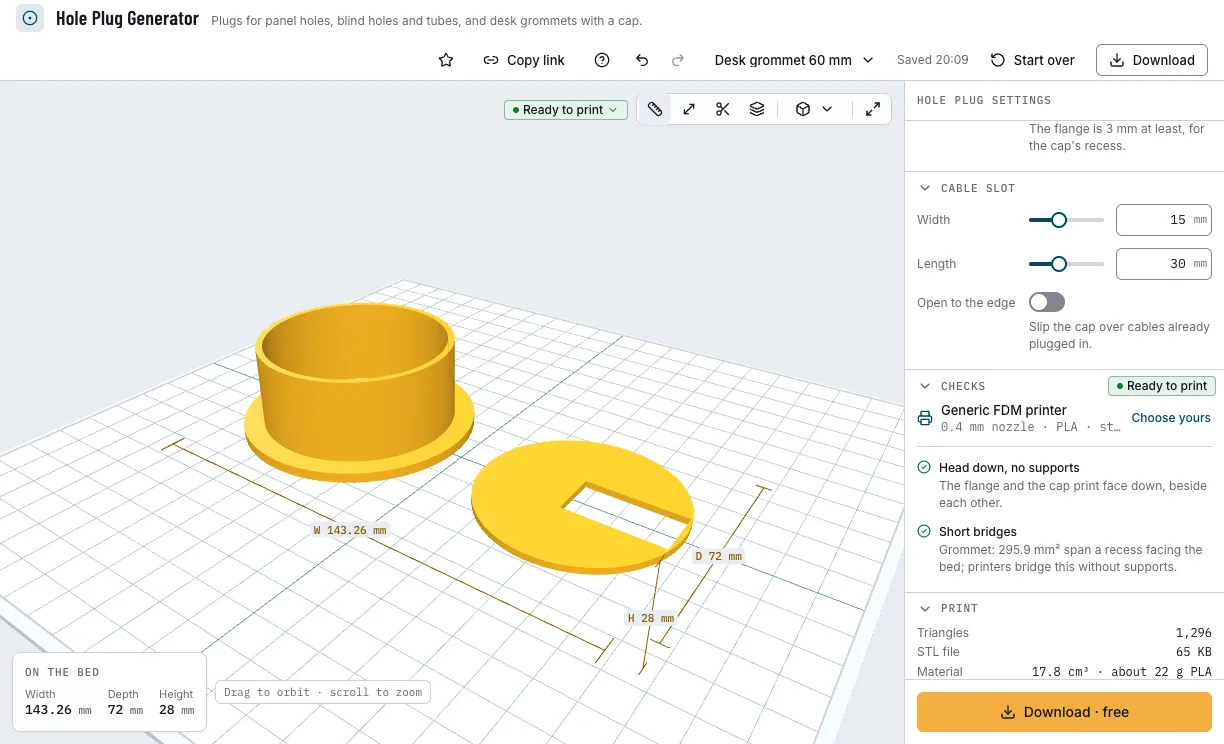
The checks and the download.
Which plugs can you start from?
Each example opens in Hole Plug Generator as a new design, beside your own.
Panel 20 mm
A snap-in plug for a 20 mm hole in panels 1 to 3 mm thick.
- 20 mm hole
- Panels 1–3 mm
- Snap legs
- Free
Desk grommet 60 mm
A desk grommet with a cap and a slot for the cables.
- 60 mm hole
- 25 mm desk
- 15 × 30 mm slot
- Free
Square tube 25 mm
A ribbed cap for the open end of a square tube.
- 25 mm square tube
- 1.5 mm wall
- Free
Bench hole 20 mm
A ribbed plug for a workbench's 20 mm hole.
- 20 mm hole
- 10 mm deep
- Ribs
- Free
Which print settings work best for hole plugs?
Every plug prints head down, the face that shows on the bed, and a grommet's cap prints beside its sleeve. None needs supports. The layer height is a starting point; the thinnest wall is the one the printer checks hold each filament to.
| Filament | Layer height to start | Thinnest wall | Supports | Notes |
|---|---|---|---|---|
| PETG | 0.2 mm | 0.8 mm | None | Snap legs may bend 3 % as they pass the hole, against 2 % in PLA. |
| PLA | 0.2 mm | 0.8 mm | None | Snap legs may bend only 2 % here, so the checks warn about them sooner. |
| TPU | 0.2 mm | 2 mm | None | For plugs with ribs only: soft snap legs fold back out, and the checks warn. |
Tips for plugs that stay in
- Measure the thinnest and thickest panel the plug must hold: one sloped barb pulls the head tight on any panel between, up to about 3 mm of range.
- Deburr or chamfer a drilled hole first, so the head sits flush.
- Turn on Removable for a plug you will take out again: its 0.6 mm barb pulls out, the 1 mm one holds harder.
- Desk grommets usually go in 60 or 80 mm holes cut with a hole saw; the Hole line names the nearest one.
- Before you print, check it on the view's bar: Dimensions shows its size, Measure the distance between two points, Section cuts it open and Layers steps through it as your printer will.
What if the plug falls out, rattles or its legs snap?
- The plug falls out
- Set the panel's real thinnest and thickest thickness, so the barb pulls the head tight. For a blind hole or a tube, more rib grip makes it hold harder.
- The checks say the legs may snap
- Turn on Removable (the check's Apply does it when it helps), choose a thicker panel range for longer legs, or print in PETG or nylon, which spring back better.
- The plug rattles in the thinnest panels
- Narrow the range between Thinnest and Thickest panel: one barb holds about 3 mm of range.
- The checks say the hole is too small for legs
- The legs your nozzle prints leave no room inside the stem. Choose a larger hole, or a blind-hole plug with ribs.
- The grommet's slot is smaller than you set
- A slot larger than the cap is made as large as the cap takes, and the check says its size. A larger hole gives a larger cap.
Is Hole Plug Generator free?
Yes. Every plug, size and download is free; downloading needs a free NabiMakes account, which also keeps your projects.
Free
Free- Panel, blind-hole and tube plugs
- Desk grommets with a cable slot
- Every head, leg and rib
- 3MF and STL
Every setting, with its range and default
Lengths are in millimetres. Each setting shows only where it applies: the panels and the legs for a panel plug, the depth and the ribs for a blind hole or tube, the desk and the cable slot for a grommet.
| Setting | Range | Default | What it does |
|---|---|---|---|
| Plug | |||
| Kind | Panel (snap legs), Blind hole (ribs), Tube end (ribs), Desk grommet | Panel (snap legs) | A panel plug with snap legs, a blind-hole or tube-end plug with ribs, or a desk grommet with its cap. |
| Hole | |||
| Hole | 4–120 mm | 20 mm | The hole's diameter; a grommet's is 20 mm at least, and the line names the nearest hole saw. |
| Thinnest panel | 0.5–10 mm | 1 mm | The thinnest panel the legs must hold. |
| Thickest panel | 0.5–12 mm | 3 mm | The thickest panel; one sloped barb holds every panel in between. |
| Depth | 3–60 mm | 12 mm | How far a blind-hole or tube plug goes in. |
| Desk | 10–60 mm | 25 mm | The desk's thickness: the sleeve's length. |
| Tube | Square, Round | Square | A square or a round tube. |
| Outside | 8–100 mm | 25 mm | The tube's outside; the head covers it. |
| Wall | 0.5–6 mm | 1.5 mm | The tube's wall; the plug fills the inside, which must be 4 mm at least. |
| Head | |||
| Head | Flat, Domed | Flat | Flat, or domed: a flat middle with a wide 45° rim. |
| Overlap | 0.5–15 mm | 2 mm | How far the head reaches past the hole, or past a tube's outside, per side. |
| Head thickness | 1–8 mm | 1.6 mm | The head's thickness; a grommet's flange is 3 mm at least, for the cap's recess. |
| Legs | |||
| Legs | 2–8 | 4 | How many snap legs. |
| Removable | On, off | On | On: a 0.6 mm barb that pulls out again. Off: a 1 mm barb that holds harder. |
| Ribs | |||
| Ribs | 1–6 | 3 | How many ribs grip the hole's wall. |
| Grip | 0.1–1.5 mm | 0.4 mm | How far the ribs reach past the hole, per side. |
| Cable slot | |||
| Width | 0–40 mm | 15 mm | The cable slot's width in the cap. |
| Length | 0–80 mm | 30 mm | The cable slot's length in the cap. |
| Open to the edge | On, off | Off | The slot runs to the cap's edge, to slip it over cables already plugged in. |